GG
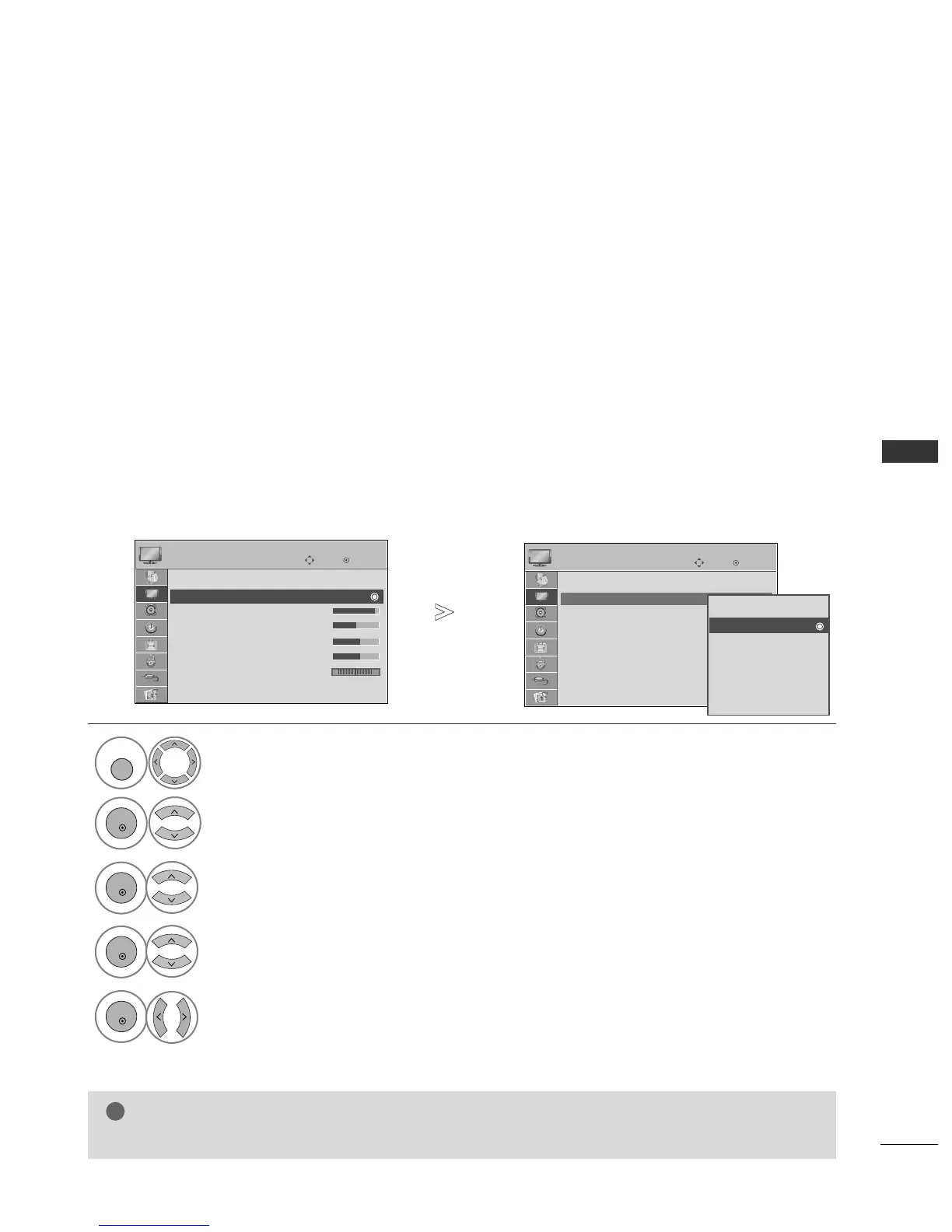
You cannot adjust colour, sharpness and tint in the RGB-PC mode.
Select
PPIICCTTUURREE
.
Select
PPiiccttuurree MMooddee
.
Select
CCoonnttrraasstt
,
BBrriigghhttnneessss
,
SShhaarrppnneessss
,
CCoolloouurr
or
TTiinntt
.
Make appropriate adjustments.
Select
VViivviidd
,
SSttaannddaarrdd
,
CCiinneemmaa
,
SSppoorrtt
or
GGaammee..
•
CCoonnttrraasstt
Adjusts the difference between light and dark levels in the picture.
•
BBrriigghhttnneessss
Increases or decreases the amount of white in the picture.
•
SShhaarrppnneessss
Adjusts the level of crispness in the edges between the light and dark areas of the picture.
The lower the level, the softer the image.
•
CCoolloouurr
Adjusts intensity of all colours.
•
TTiinntt
Adjusts the balance between red and green levels.
OK
Move
Aspect Ratio : 16:9
Picture Mode : Standard
• Contrast 90
• Brightness 50
• Sharpness 60
• Colour 60
• Tint 0
• Advanced Control
PICTURE
E
Picture Mode : Standard
Vivid
Standard
Cinema
Sport
Game
Expert1
Expert2
Standard
1



 To Next Page