73
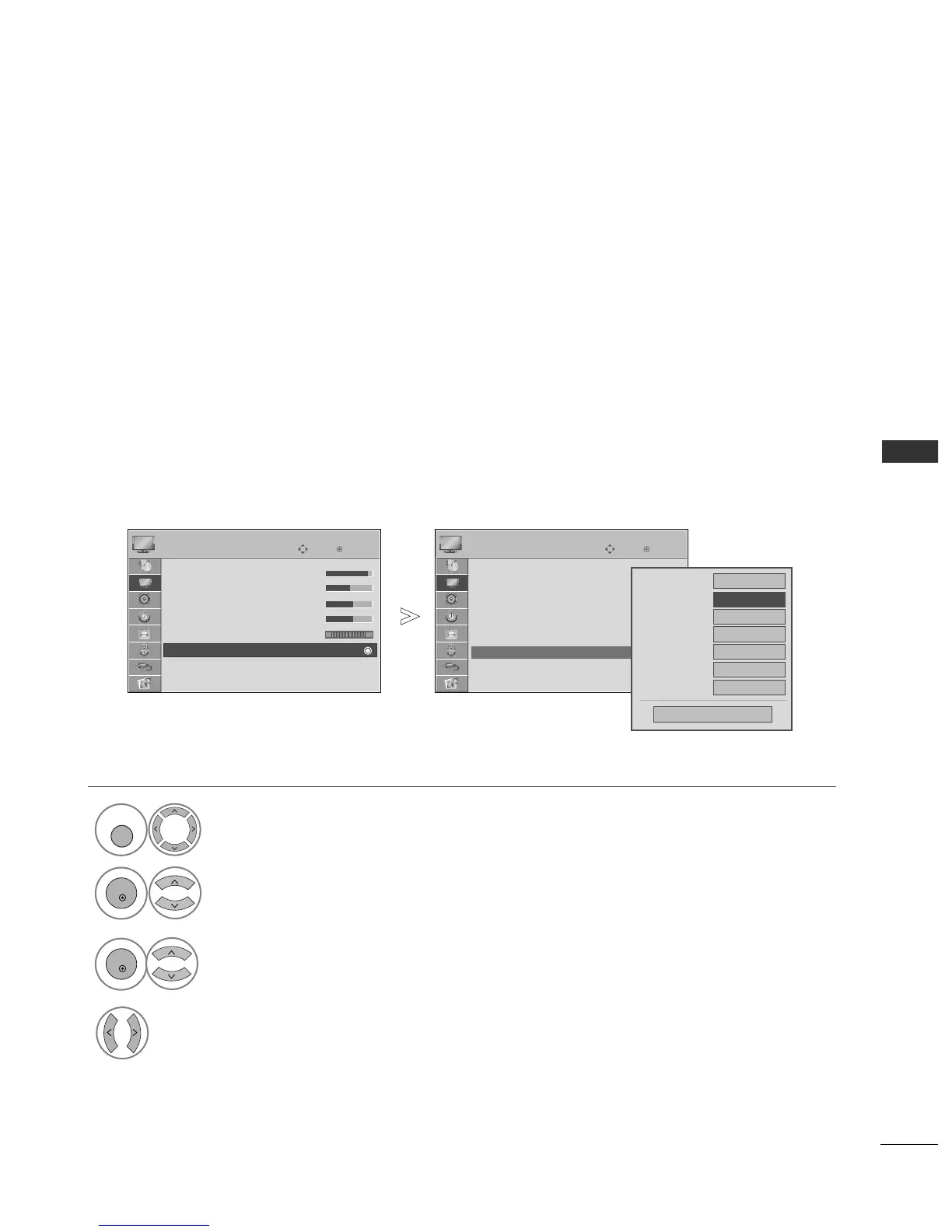
PICTURE CONTROL
OK
Move
• Contrast 90
• Brightness 50
• Sharpness 60
• Colour 60
• Tint 0
• Advanced Control
• Picture Reset
Screen
PICTURE
• Advanced Control
OK
Move
• Contrast 90
• Brightness 50
• Sharpness 60
• Colour 60
• Tint 0
• Advanced Control
• Picture Reset
Screen
PICTURE
EE
• Advanced Control
PICTURE IMPROVEMENT TECHNOLOGY
FFrreesshh CCoonnttrraasstt
Optimizes the contrast automatically according to the brightness of the reflection.
FFrreesshh CCoolloouurr
Adjusts the colour of the reflection automatically to reproduce as close as possible natural colours.
NNooiissee RReedduuccttiioonn
Removes interference up to the point where it does not damage the original picture.
GGaammmmaa
.
High gamma values display whitish images and low gamma values display high contrast images.
Select
PPIICCTTUURREE
.
Select
AAddvvaanncceedd CCoonnttrrooll
.
Select
FFrreesshh CCoonnttrraasstt
,,
FFrreesshh CCoolloouurr
,,
NNooiissee RReedduuccttiioonn
or
GGaammmmaa
.
Select your desired Source.
1



 To Next Page