EasyManua.ls Logo

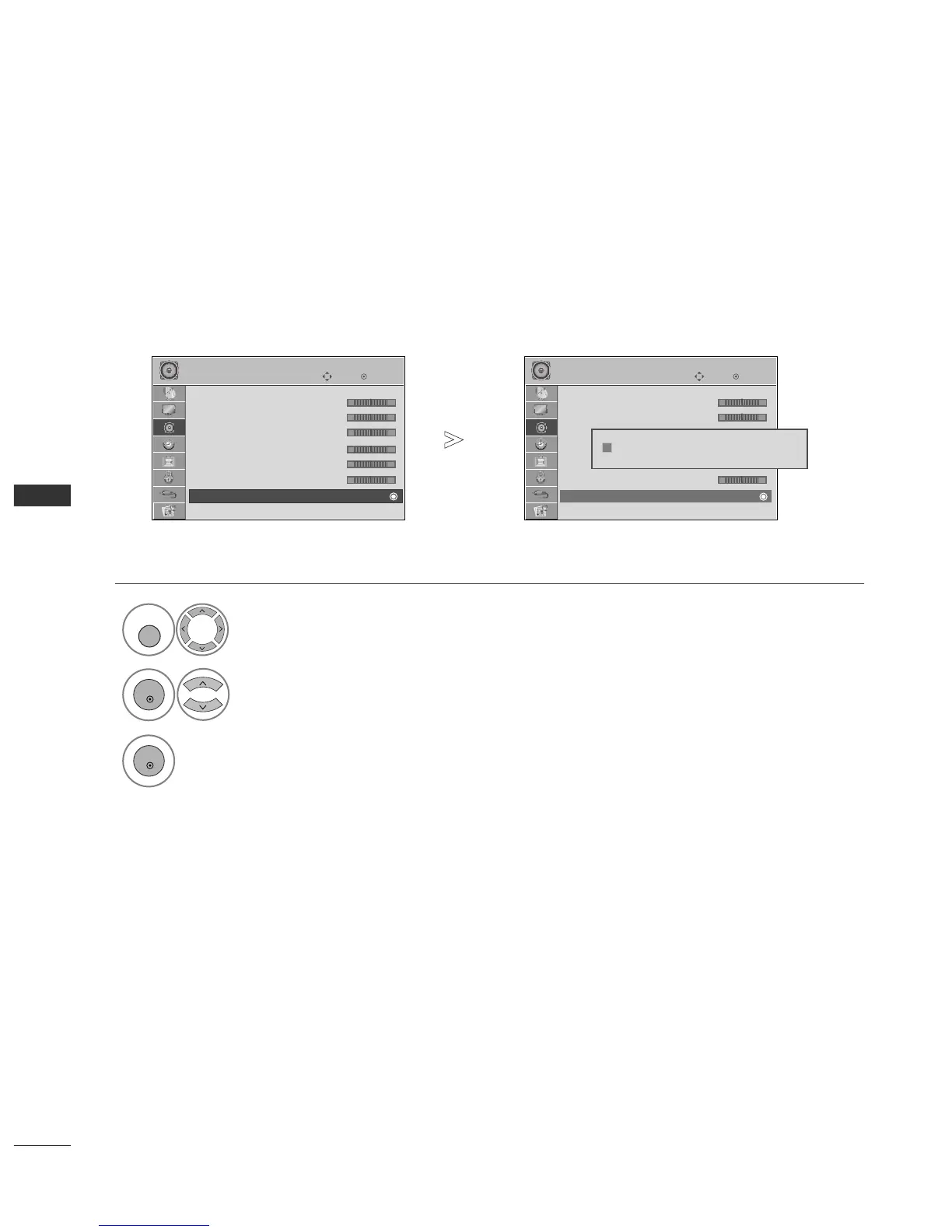
LG 42PG20D - Audio Reset

LG 42PG20D
130 pages
Print Icon
To Next Page IconTo Next Page
To Previous Page IconTo Previous Page
Loading...
86
SOUND & LANGUAGE CONTROL
OK
Move
• 220Hz 0
• 470Hz 0
• 1KHz 0
• 2.2KHz 0
• 4.7KHz 0
• 12KHz 0
• Reset
Digital Audio Out : PCM
AUDIO
E
OK
Move
• 220Hz 0
• 470Hz 0
• 1KHz 0
• 2.2KHz 0
• 4.7KHz 0
• 12KHz 0
• Reset
Digital Audio Out : PCM
AUDIO
E
• Reset
• Reset
Settings of the selected Sound Mode return to the default factory settings.
Select
AAUUDDIIOO
.
Select
RReesseett
.
Initialize the adjusted value.
AUDIO RESET
1
MENU
3
2
OK
OK
Press the
MMEENNUU
button to return to normal TV viewing.
Press the
RREETTUURRNN
button to move to the previous menu screen.
-+
-+
-+
-+
-+
-+
-+
-+
-+
-+
-+
-+
Resetting sound mode configuration...
ii

Table of Contents

Other manuals for LG 42PG20D

Related product manuals