EasyManua.ls Logo

LG 42PG20D - Power Saving Picture Mode

LG 42PG20D
130 pages
Print Icon
To Next Page IconTo Next Page
To Previous Page IconTo Previous Page
Loading...
78
PICTURE CONTROL
PICTURE CONTROL
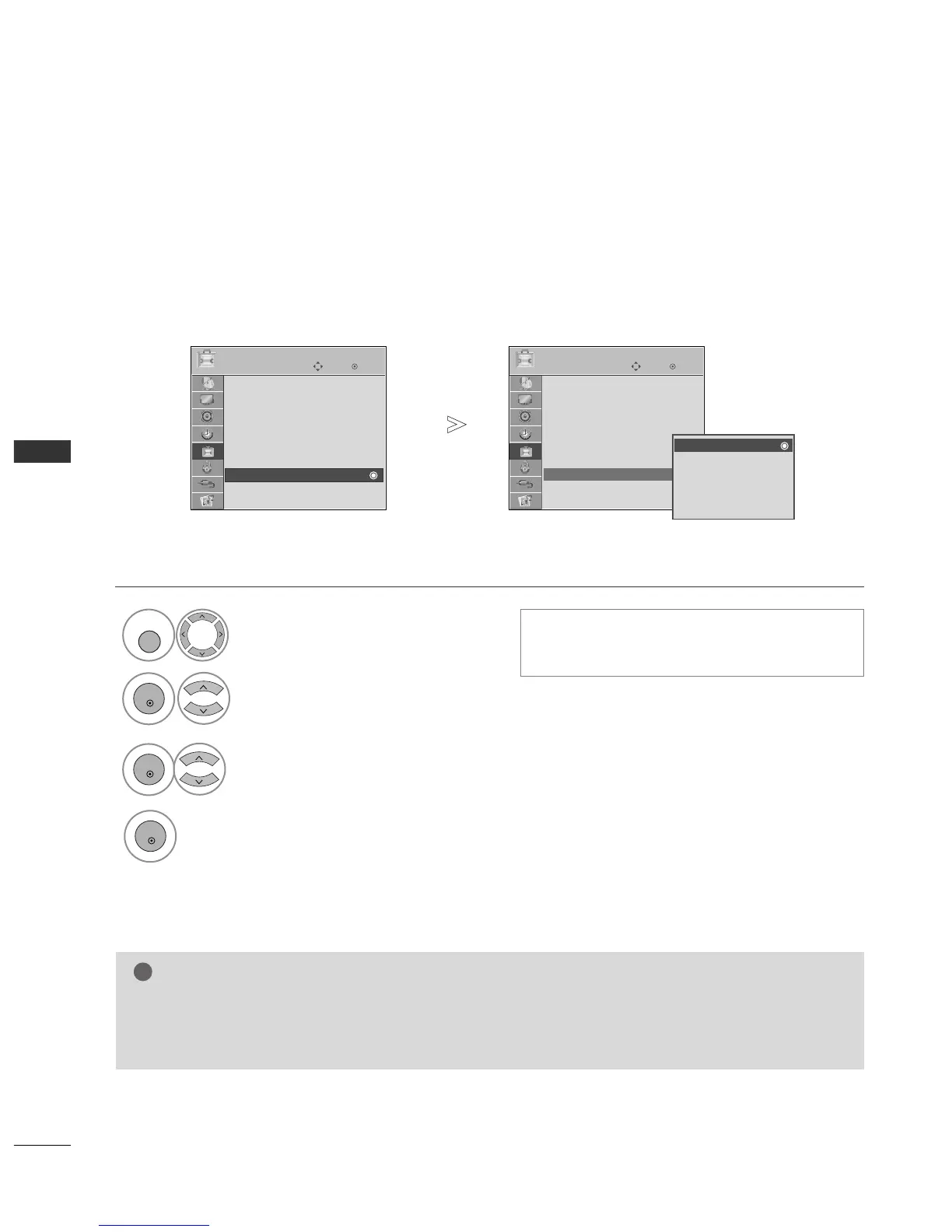
POWER SAVING PICTURE MODE
This function allows you to reduce the power consumption of the TV.
Select
OOPPTTIIOONN
.
Select
PPoowweerr SSaavviinngg
.
Select
LLeevveell 00,, LLeevveell 11,, LLeevveell 22,,
LLeevveell 33
or
LLeevveell 44
.
Save.
Level 0 is the brightest.
You can also adjust
PPoowweerr SSaavviinngg
in the
QQ..
MMeennuu
.
4
1
MENU
3
2
OK
OK
OK
Press the
MMEENNUU
button to return to normal TV viewing.
Press the
RREETTUURRNN
button to move to the previous menu screen.
OK
Move
Subtitle : On
Input Label
SIMPLINK : On
Key Lock : Off
Set ID : 1
ISM Method : Normal
Power Saving : Level 0
Factory Reset
OPTION
Power Saving
OK
Move
Subtitle : On
Input Label
SIMPLINK : On
Key Lock : Off
Set ID : 1
ISM Method : Normal
Power Saving : Level 0
Factory Reset
OPTION
Power Saving
Level 0
Level 1
Level 2
Level 3
Level 4
Level 0
NOTE
!
GG
The default factory setting complies with the
EEnneerrggyy ssttaarr
requirements and is adjusted to the
comfortable level to be viewed at home.
You can increase the brightness of your screen by adjusting the Power Saving Level or by setting the
PPiiccttuurree MMooddee
.


Table of Contents

Other manuals for LG 42PG20D

Related product manuals