EasyManua.ls Logo

LG 42PG20D - Key Lock

LG 42PG20D
130 pages
Print Icon
To Next Page IconTo Next Page
To Previous Page IconTo Previous Page
Loading...
95
PARENTAL CONTROL / RATINGS
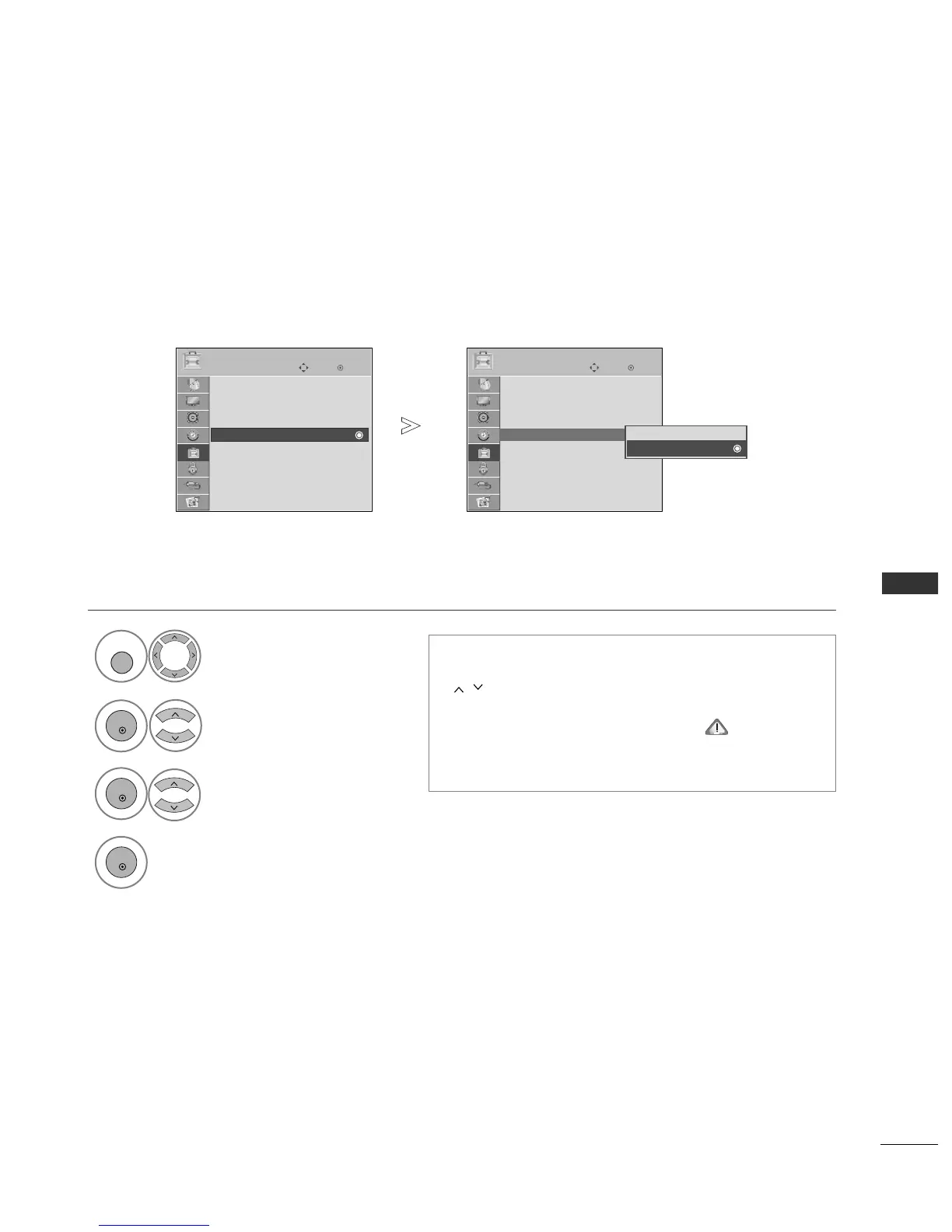
KEY LOCK
The TV can be set so that the remote control is required to control it. This feature can be used to prevent unau-
thorized viewing.
Select
OOPPTTIIOONN
.
Select
KKeeyy LLoocckk
.
Select
OO nn
or
OO ffff
.
Save.
In
KKeeyy LLoocckk
OO nn
, if the TV is turned off, press the
rr
/ I,
INPUT, P
D
or
E
button on the TV or POWER, INPUT, P
or NUMBER buttons on the remote control then the
set will be turned on.
With the
KKeeyy LLoocckk OOnn
, the display ‘
KKeeyy LLoocckk
OO nn
appears on the screen if any button on the front
panel is pressed while viewing the TV.
1

MENU
3
2
OK
OK
4
OK
Press the
MMEENNUU
button to return to normal TV viewing.
Press the
RREETTUURRNN
button to move to the previous menu screen.
OK
Move
Subtitle : On
Input Label
SIMPLINK : On
Key Lock : Off
Set ID : 1
ISM Method : Normal
Power Saving : Level 0
Factory Reset
OPTION
Key Lock : On
OK
Move
Subtitle : On
Input Label
SIMPLINK : On
Key Lock : Off
Set ID : 1
ISM Method : Normal
Power Saving : Level 0
Factory Reset
OPTION
Off
On
On
Key Lock : Off

Table of Contents

Other manuals for LG 42PG20D

Related product manuals