EasyManua.ls Logo

LG 42PG20D - Input Label

LG 42PG20D
130 pages
Print Icon
To Next Page IconTo Next Page
To Previous Page IconTo Previous Page
Loading...
54
WATCHING TV / PROGRAMME CONTROL
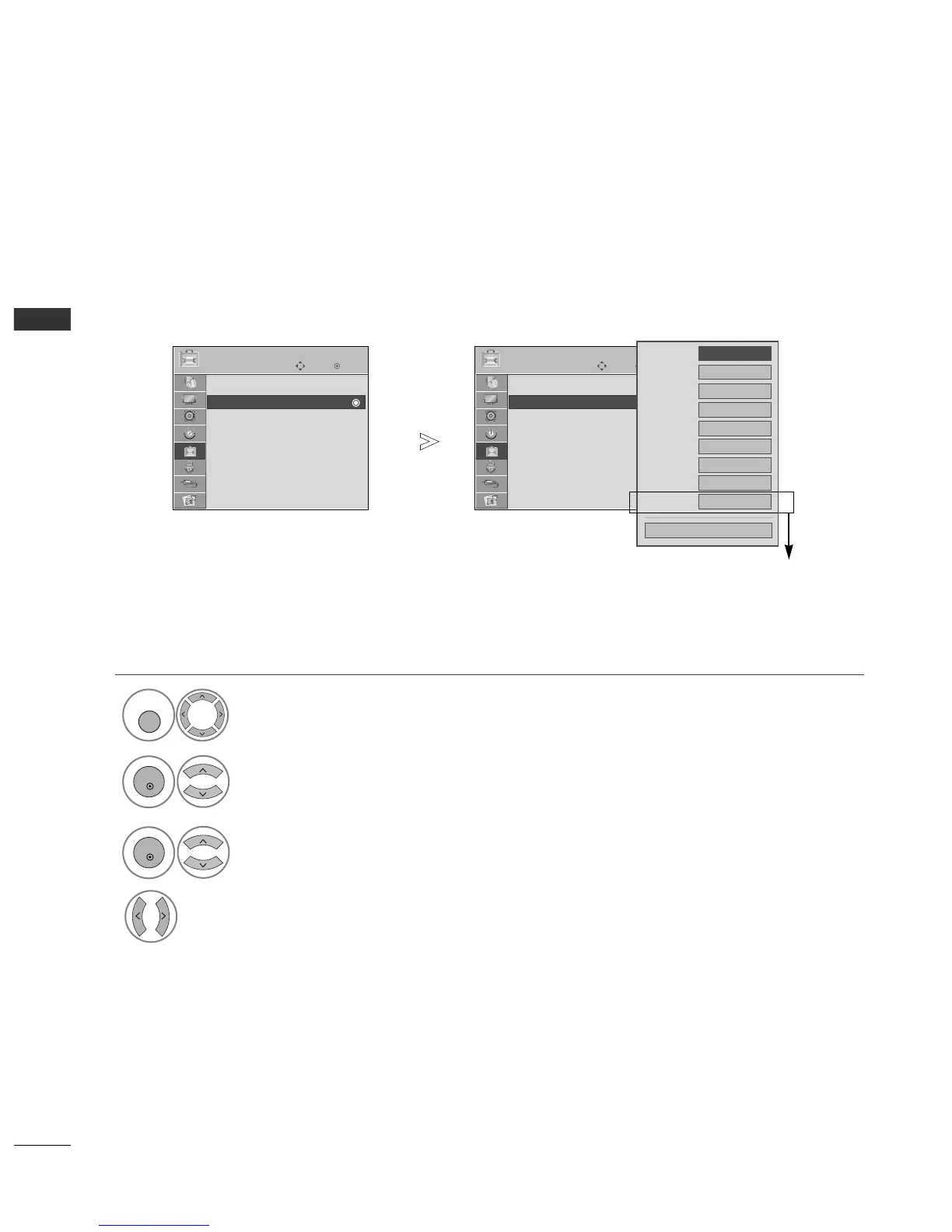
INPUT LABEL
Selects a label for each input source.
Select
OOPPTTIIOONN
.
Select
IInnppuutt LLaabbeell
.
Select the source.
Select the label.
1
MENU
3
2
OK
OK
4
Press the
MMEENNUU
button to return to normal TV viewing.
Press the
RREETTUURRNN
button to move to the previous menu screen.
OK
Move
Subtitle : On
Input Label
SIMPLINK : On
Key Lock : Off
Set ID : 1
ISM Method : Normal
Power Saving : Level 0
Factory Reset
OPTION
Input Label
OK
Move
Subtitle : On
Input Label
SIMPLINK : On
Key Lock : Off
Set ID : 1
ISM Method : Normal
Power Saving : Level 0
Factory Reset
OPTION
Input Label
Close
AV1
AV2
Component1
Component2
RGB
HDMI1
HDMI2
HDMI3
HDMI4
(except 42/50PG2
***
)
FG

Table of Contents

Other manuals for LG 42PG20D

Related product manuals