EasyManua.ls Logo

LG 42PG20D - Preset Picture Settings; Picture Mode-Preset

LG 42PG20D
130 pages
Print Icon
To Next Page IconTo Next Page
To Previous Page IconTo Previous Page
Loading...
69
PICTURE CONTROL
OK
Move
Aspect Ratio : 16:9
Picture Mode : Standard
• Contrast 90
• Brightness 50
• Sharpness 60
• Colour 60
• Tint 0
• Advanced Control
PICTURE
E
Picture Mode : Standard
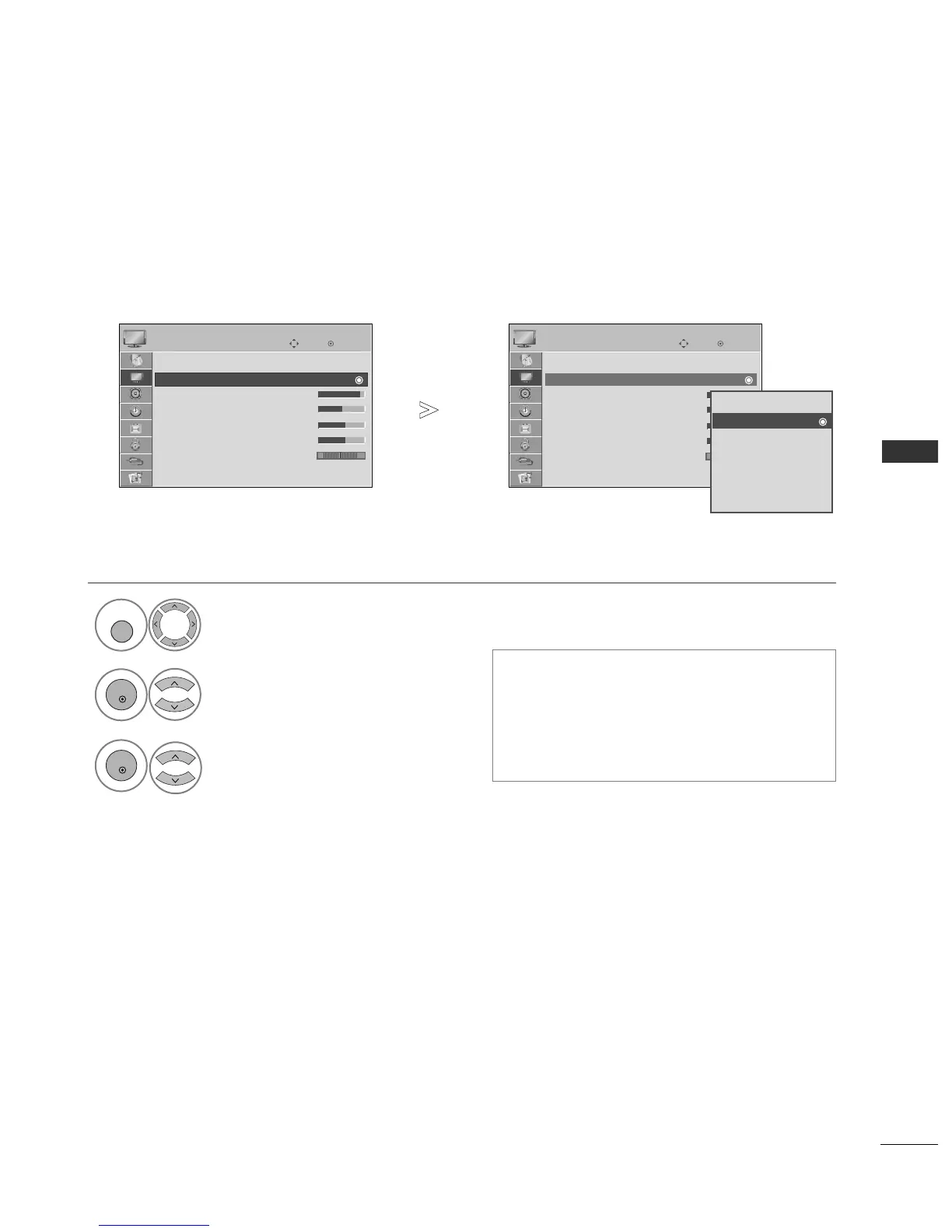
PRESET PICTURE SETTINGS
Picture Mode-Preset
Select
PPIICCTTUURREE
.
Select
PPiiccttuurree MMooddee
.
Select
VViivviidd
,
SSttaannddaarrdd
,
CCiinneemmaa
,
SSppoorrtt
or
GGaammee..
PPiiccttuurree MMooddee
adjusts the TV for the best pic-
ture appearance. Select the preset value in the
PPiiccttuurree MMooddee
menu based on the programme
category.
You can also adjust
PPiiccttuurree MMooddee
in the
QQ..
MMeennuu
.
OK
Move
Aspect Ratio : 16:9
Picture Mode : Standard
• Contrast 90
• Brightness 50
• Sharpness 60
• Colour 60
• Tint 0
• Advanced Control
PICTURE
E
Picture Mode : Standard
1
MENU
3
2
OK
OK
Press the
MMEENNUU
button to return to normal TV viewing.
Press the
RREETTUURRNN
button to move to the previous menu screen.
RG
RG
Vivid
Standard
Cinema
Sport
Game
Expert1
Expert2
Standard

Table of Contents

Other manuals for LG 42PG20D

Related product manuals