47
WATCHING TV / PROGRAMME CONTROL
SOFTWARE UPDATE
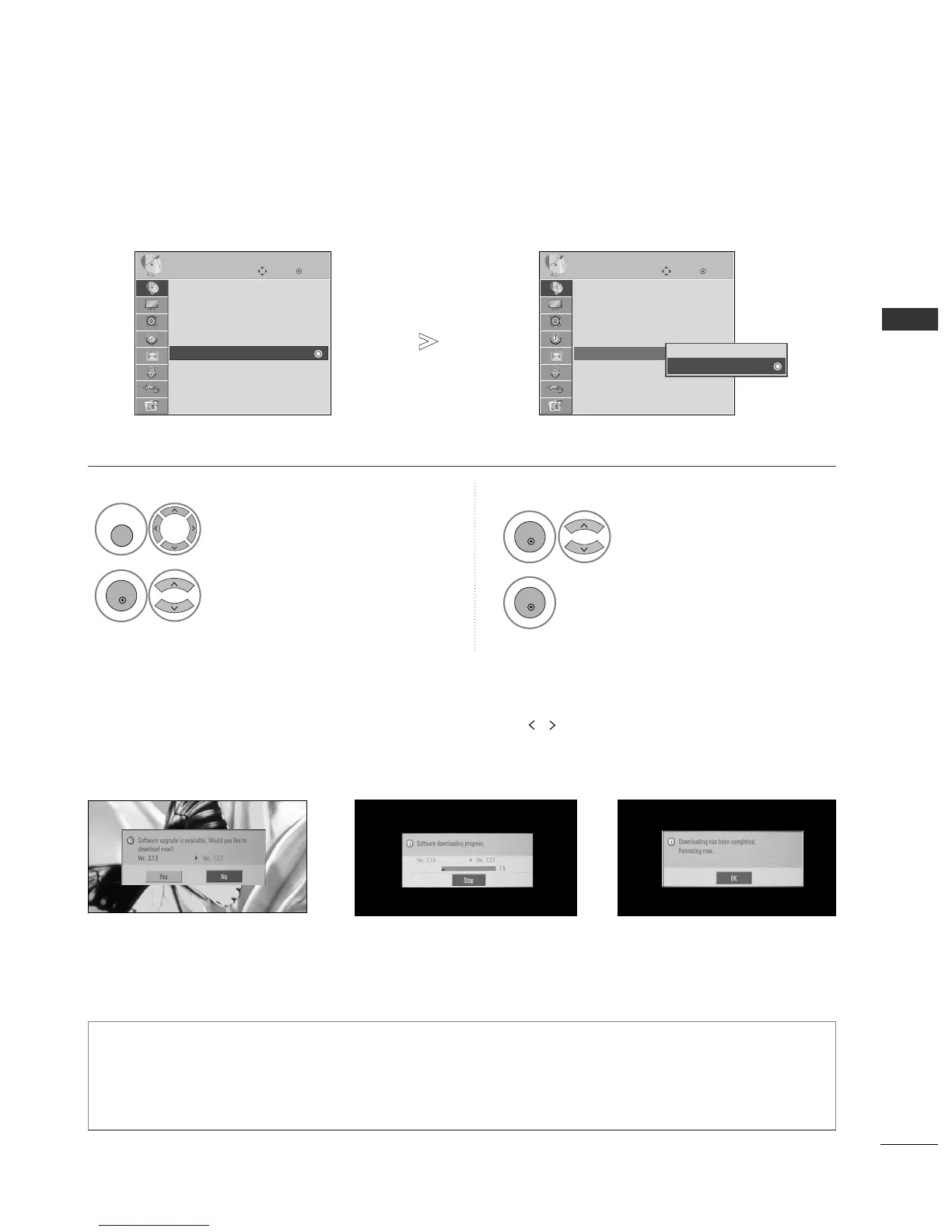
Software Update means software can be downloaded through the digital terrestrial broadcasting system.
* When setting “Software Update”
Occasionally, a transmission of
updated digital software infor-
mation will result in the following
menu on the TV screen.
After the Software Update is
complete, the System restarts.
- During Progress of a Software Update, please note the following:
• Power to the TV must not be interrupted.
• The TV must not be switched off.
• The antenna must not be disconnected.
• After Software Update, you can confirm the updated software version in Diagnostics menu.
Select
SSEETTUUPP
.
Select
SSooffttwwaarree UUppddaattee
.
Select
OO nn
or
OO ffff
.
• If you select
OO nn
, a user con-
firm message box will be dis-
played to notify that new soft-
ware is found.
Save.
OK
Move
Auto Tuning
Manual Tuning
Programme Edit
Booster : On
Software Update : On
Diagnostics
SETUP
Software Update : On
OK
Move
Auto Tuning
Manual Tuning
Programme Edit
Booster : On
Software Update : On
Diagnostics
SETUP
Software Update : On
Off
On
On
1
Select the
YY EESS
using the
button and you will see the follow-
ing picture.
When the Software Update
menu is “
OO ffff
”, the message to
change it to “
OO nn
” appears.
When the power is turned off,
downloading starts.
When the power is turned on while
updating, the progress status is displayed.



 To Next Page