EasyManua.ls Logo

LG 42PG20D - Page 53

LG 42PG20D
130 pages
Print Icon
To Next Page IconTo Next Page
To Previous Page IconTo Previous Page
Loading...
51
WATCHING TV / PROGRAMME CONTROL
This function operates only with devices with the SIMPLINK logo.
Please check the SIMPLINK logo.
The product might not function properly when using it with other products with HDMI-CEC function.
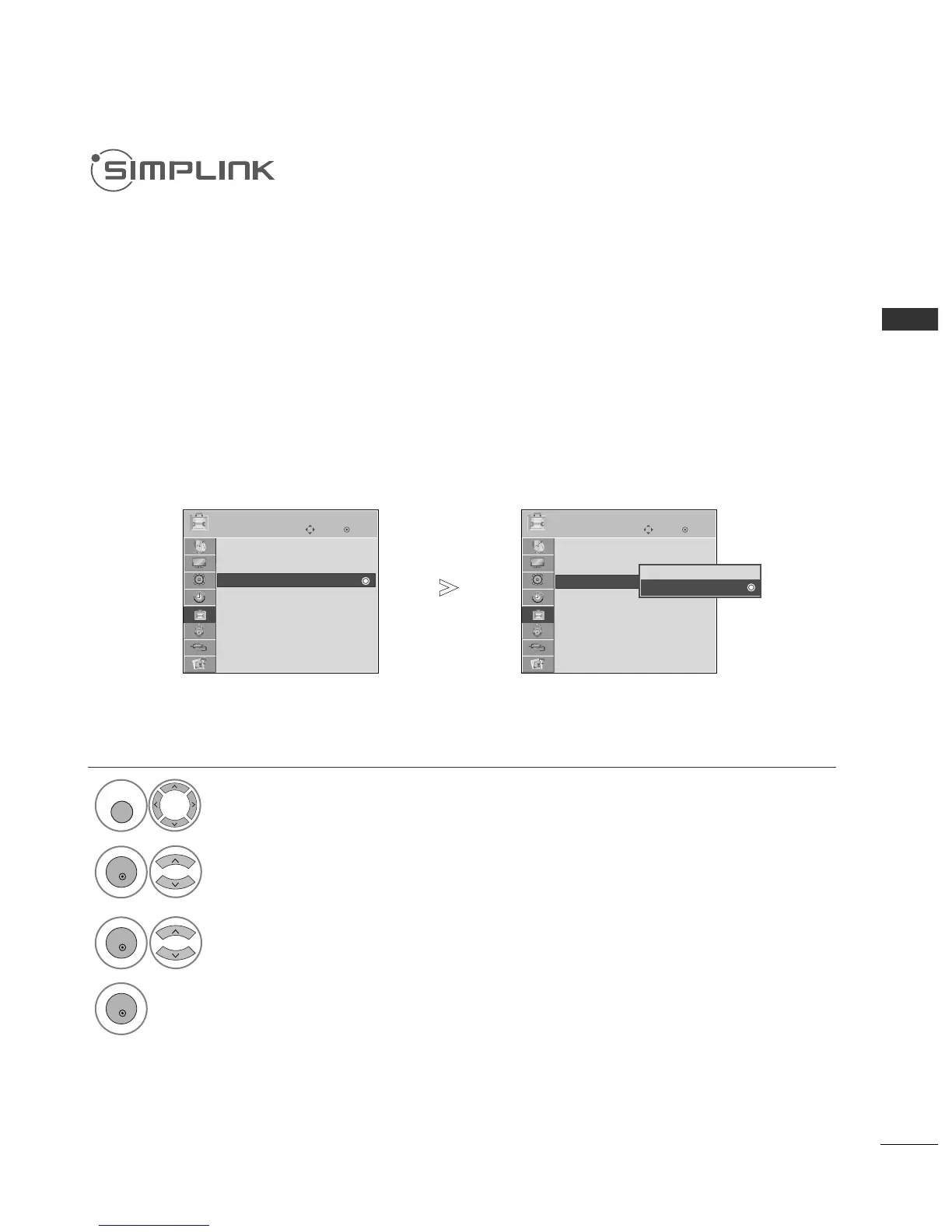
This allows you to control and play other AV devices connected to the display through HDMI cable
without additional cables and settings.
If you do not want SIMPLINK menu, select
OO ffff
”.
SIMPLINK function is not supported by HDMI IN 3(only 42/50PG2
***
) and HDMI IN 4(only
50/60PG3
***
, 42/50PG6
***
, 50/60PG7
***
) input.
Select
OOPPTTIIOONN
.
Select
SSIIMMPPLLIINNKK
.
Select
OO nn
or
OO ffff
.
Save.
1

MENU
3
2
OK
OK
4
OK
Press the
MMEENNUU
button to return to normal TV viewing.
Press the
RREETTUURRNN
button to move to the previous menu screen.
OK
Move
Subtitle : On
Input Label
SIMPLINK : On
Key Lock : Off
Set ID : 1
ISM Method : Normal
Power Saving : Level 0
Factory Reset
OPTION
SIMPLINK : On
OK
Move
Subtitle : On
Input Label
SIMPLINK : On
Key Lock : Off
Set ID : 1
ISM Method : Normal
Power Saving : Level 0
Factory Reset
OPTION
Off
On
On
SIMPLINK : On

Table of Contents

Other manuals for LG 42PG20D

Related product manuals