. LG Network Storage Web Menu Use (for LG Network Storage administrators)
102
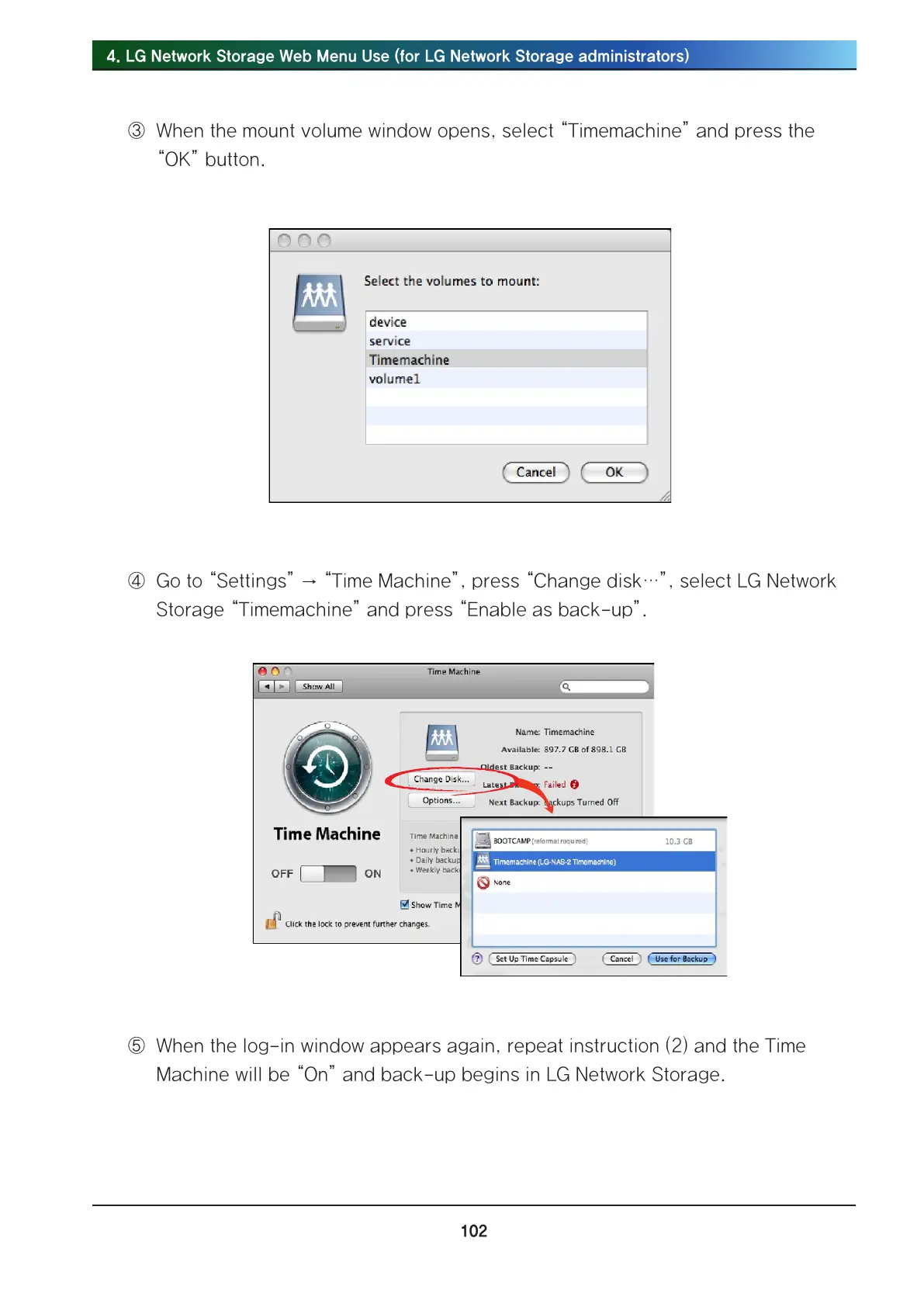
③ When the mount volume window opens, select “Timemachine” and press the
“OK” button.
④ Go to “Settings” → “Time Machine”, press “Change disk…”, select LG Network
Storage “Timemachine” and press “Enable as back-up”.
⑤ When the log-in window appears again, repeat instruction (2) and the Time
Machine will be “On” and back-up begins in LG Network Storage.



 To Next Page