2. LG Network Storage Installation
2
PC application program installation
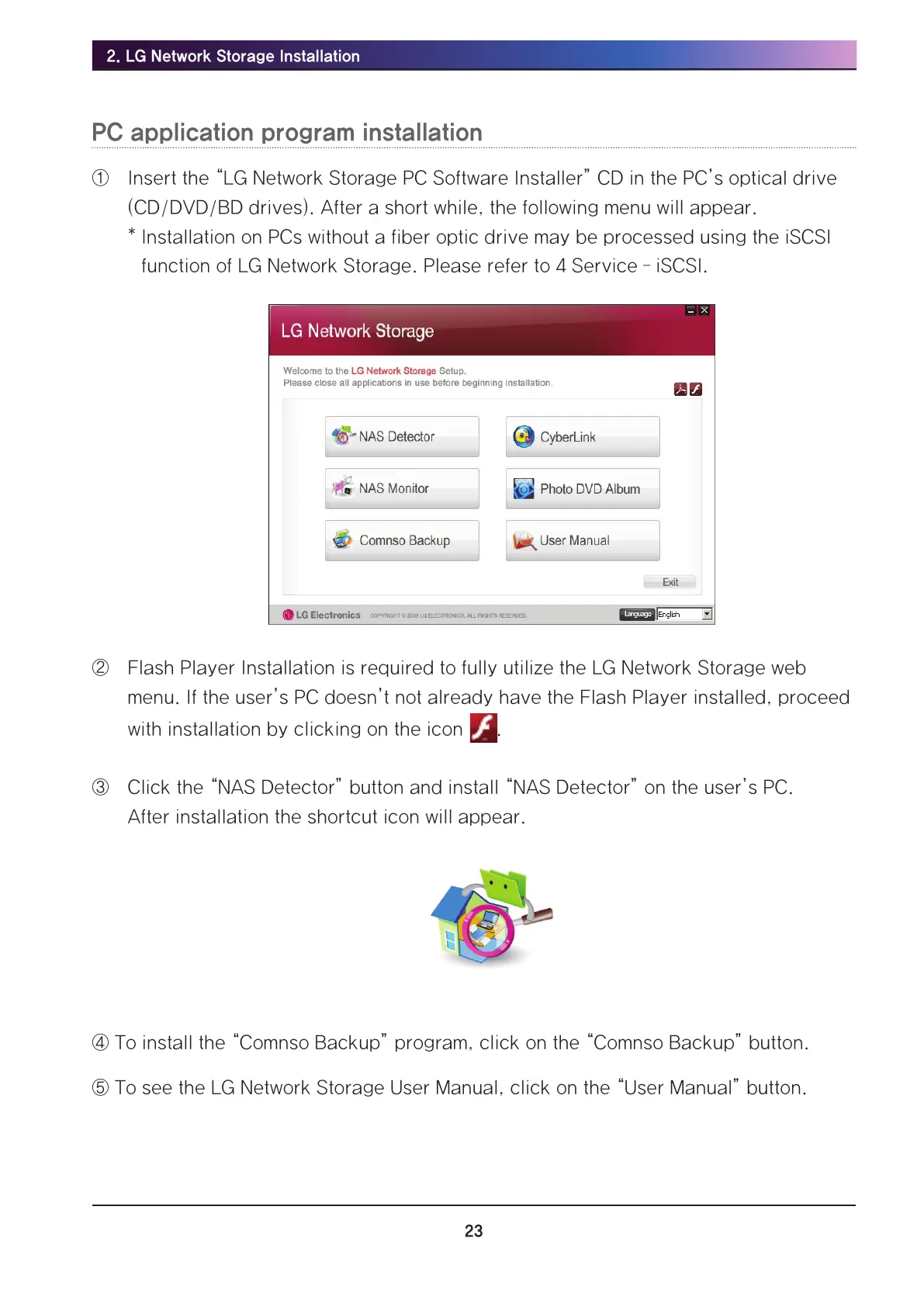
① Insert the “LG Network Storage PC Software Installer” CD in the PC’s optical drive
(CD/DVD/BD drives). After a short while, the following menu will appear.
* Installation on PCs without a fiber optic drive may be processed using the iSCSI
function of LG Network Storage. Please refer to 4 Service – iSCSI.
그림 2-19
② Flash Player Installation is required to fully utilize the LG Network Storage web
menu. If the user’s PC doesn’t not already have the Flash Player installed, proceed
with installation by clicking on the icon .
③ Click the “NAS Detector” button and install “NAS Detector” on the user’s PC.
After installation the shortcut icon will appear.
④ To install the “Comnso Backup” program, click on the “Comnso Backup” button.
⑤ To see the LG Network Storage User Manual, click on the “User Manual” button.



 To Next Page