. LG Network Storage Web Menu Use (for LG Network Storage administrators)
1
Remote Access
DDNS (Dynamic DNS)
Using DDNS and connecting the LG Network Storage externally by domain name is
possible. (Example: http://myname.lgnas.com or ftp://myname.lgnas.com).
To record and connect the server IP address to the in the case of using a fixed IP
is possible, though the DDNS allows for a convenient connection in a dynamic IP
environment, where IP changes in time. Variation of IP address is monitored and
mapped to a domain name in real time. Therefore, there is no need to remember IP
address as there will be a fixed address. (e.g. myname.lgnas.com)
③
①
②
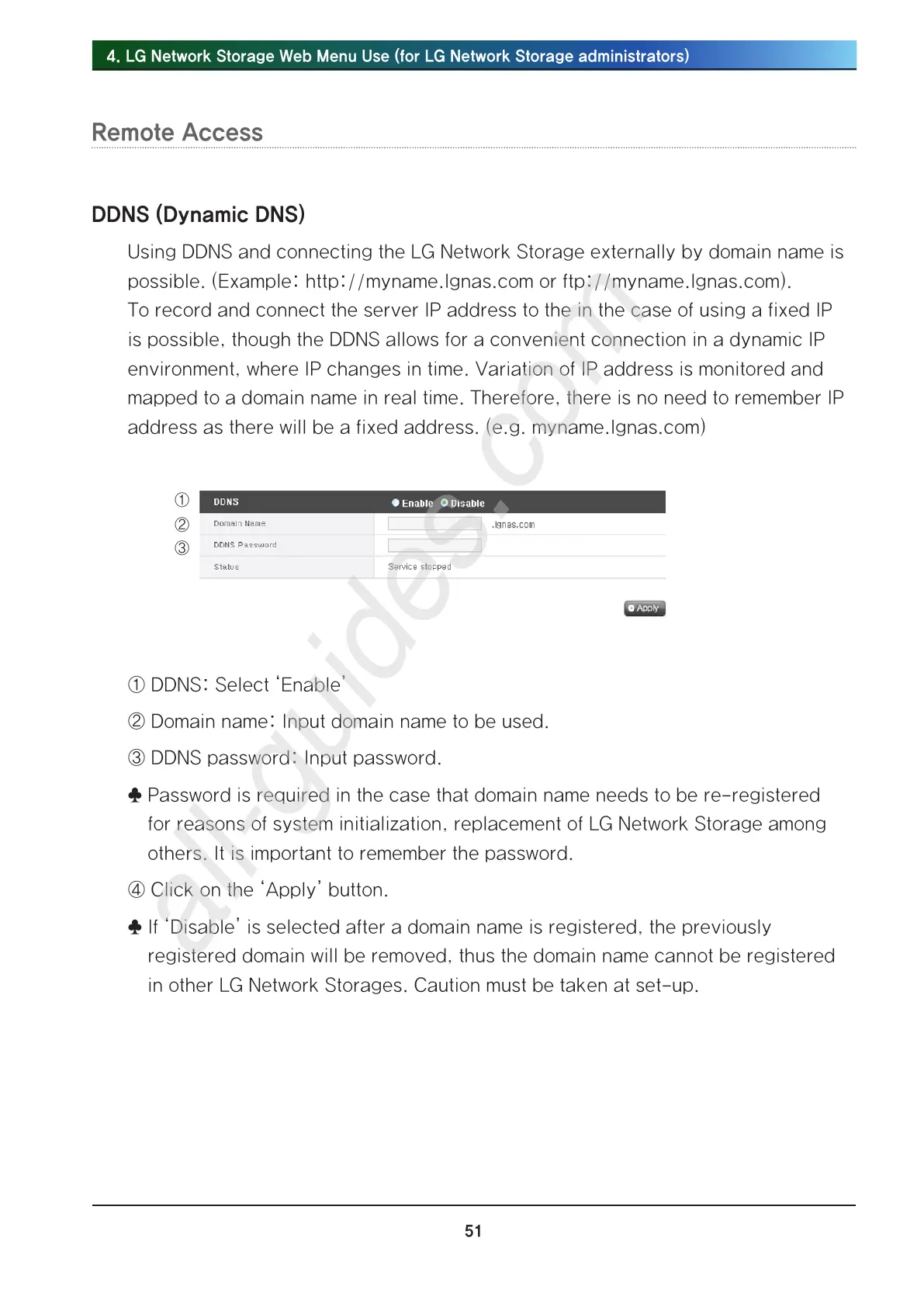
① DDNS: Select ‘Enable’
② Domain name: Input domain name to be used.
③ DDNS password: Input password.
♣ Password is required in the case that domain name needs to be re-registered
for reasons of system initialization, replacement of LG Network Storage among
others. It is important to remember the password.
④ Click on the ‘Apply’ button.
♣ If ‘Disable’ is selected after a domain name is registered, the previously
registered domain will be removed, thus the domain name cannot be registered
in other LG Network Storages. Caution must be taken at set-up.



 To Next Page