. LG Network Storage Web Menu Use (for LG Network Storage administrators)
0
Language Setting
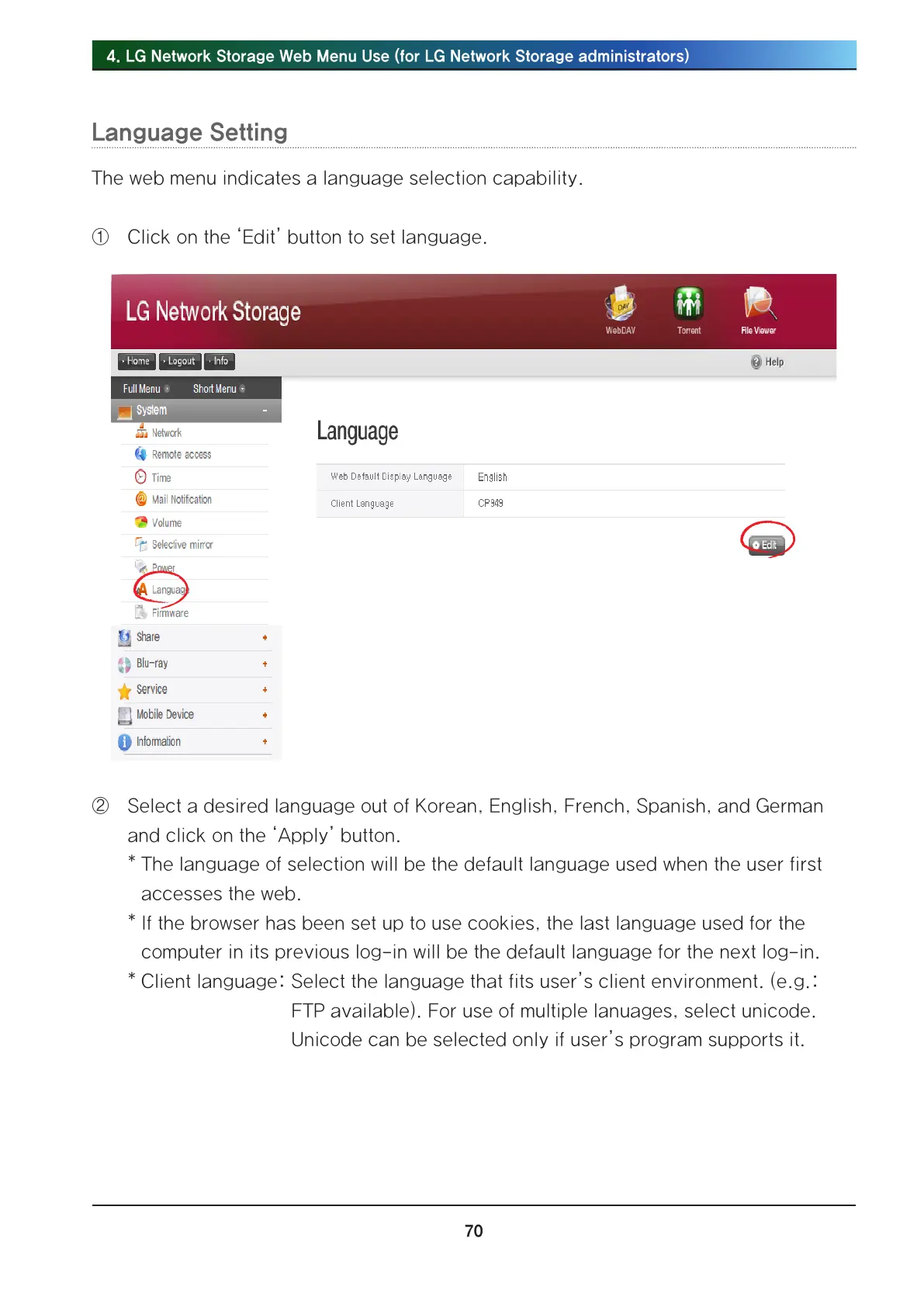
The web menu indicates a language selection capability.
① Click on the ‘Edit’ button to set language.
② Select a desired language out of Korean, English, French, Spanish, and German
and click on the ‘Apply’ button.
* The language of selection will be the default language used when the user first
accesses the web.
* If the browser has been set up to use cookies, the last language used for the
computer in its previous log-in will be the default language for the next log-in.
* Client language: Select the language that fits user’s client environment. (e.g.:
FTP available). For use of multiple lanuages, select unicode.
Unicode can be selected only if user’s program supports it.



 To Next Page