1. Introduction
1
Name of Each Part
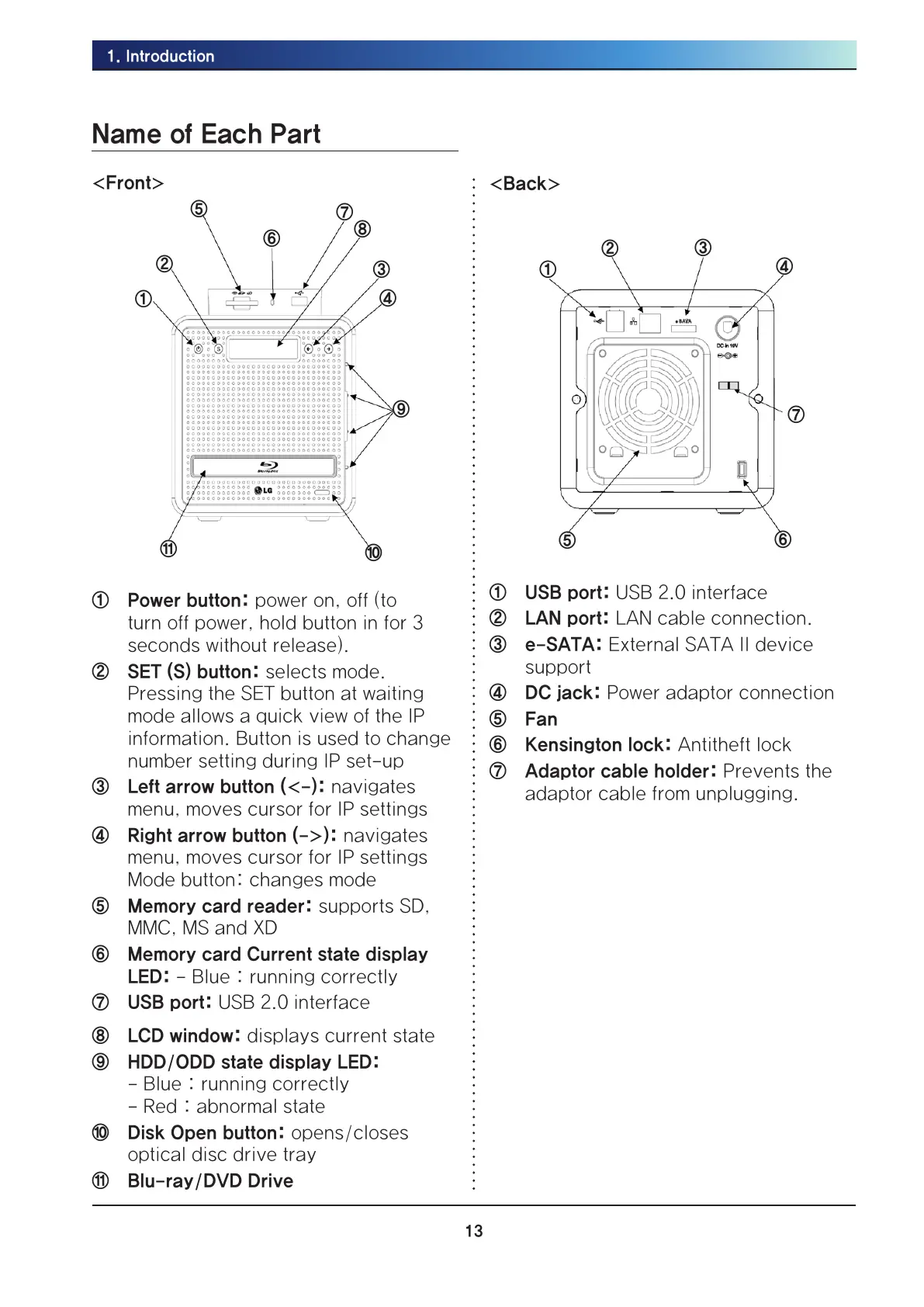
<Front>
①
②
③
④
⑤
⑥
⑦
⑧
⑨
⑩
⑪
① Power button: power on, off (to
turn off power, hold button in for 3
seconds without release).
② SET (S) button: selects mode.
Pressing the SET button at waiting
mode allows a quick view of the IP
information. Button is used to change
number setting during IP set-up
③ Left arrow button (<-): navigates
menu, moves cursor for IP settings
④ Right arrow button (->): navigates
menu, moves cursor for IP settings
Mode button: changes mode
⑤ Memory card reader: supports SD,
MMC, MS and XD
⑥ Memory card Current state display
LED: - Blue : running correctly
⑦ USB port: USB 2.0 interface
⑧ LCD window: displays current state
⑨ HDD/ODD state display LED:
- Blue : running correctly
- Red : abnormal state
⑩ Disk Open button: opens/closes
optical disc drive tray
⑪ Blu-ray/DVD Drive
<Back>
⑤
⑥
②
①
③
④
⑦
① USB port: USB 2.0 interface
② LAN port: LAN cable connection.
③ e-SATA: External SATA II device
support
④ DC jack: Power adaptor connection
⑤ Fan
⑥ Kensington lock: Antitheft lock
⑦ Adaptor cable holder: Prevents the
adaptor cable from unplugging.



 To Next Page