2. LG Network Storage Installation
1
2. LG Network Storage Installation
Follow these instructions to install the LG Network Storage. If the LG Network Storage
is internal, go to <Hard disk installation and setup>, otherwise go to <LG Network
Storage connection>
Hard disk installation and setup
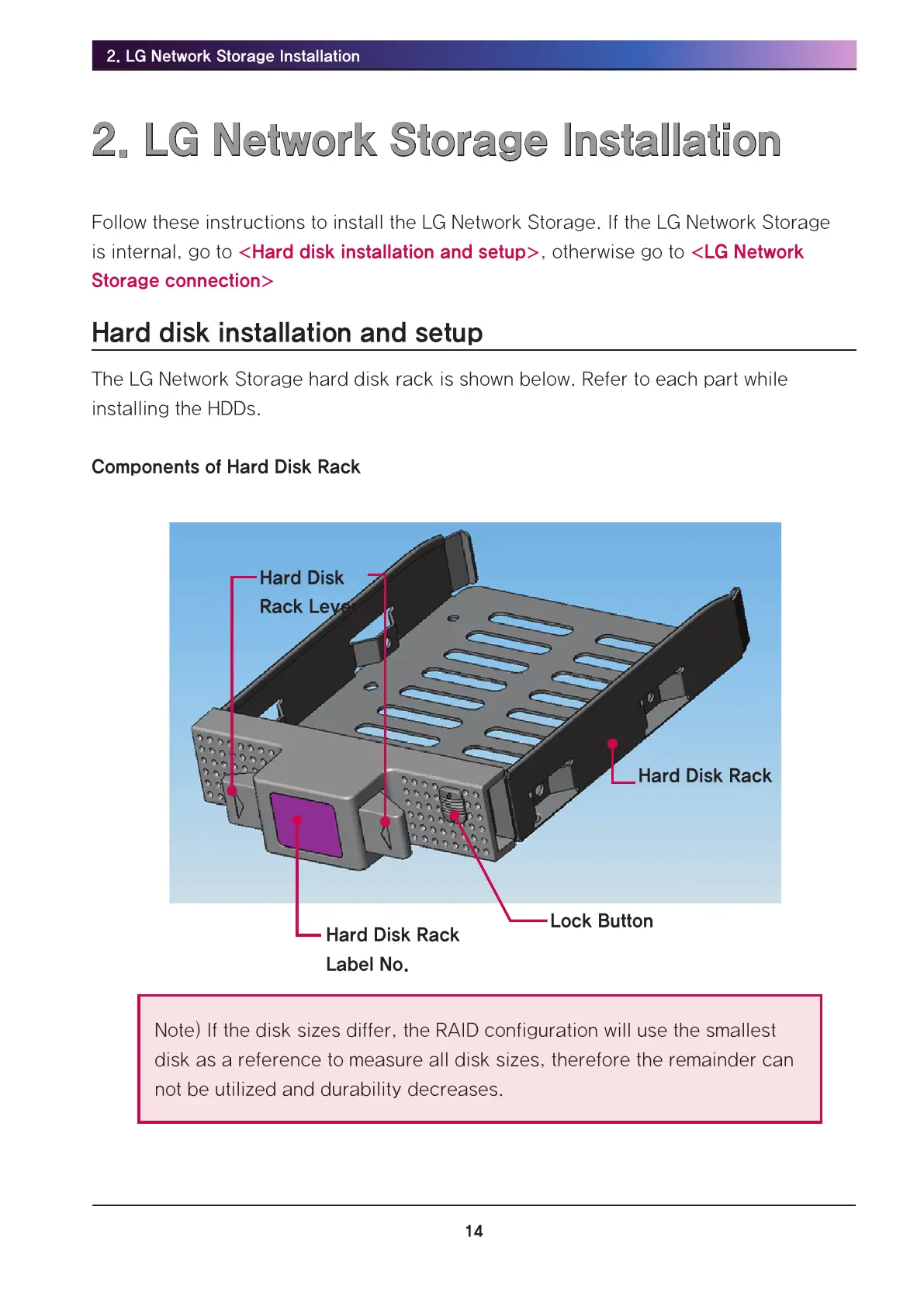
The LG Network Storage hard disk rack is shown below. Refer to each part while
installing the HDDs.
Components of Hard Disk Rack
Hard Disk
Rack Lever
Hard Disk Rack
Label No.
Lock Button
Hard Disk Rack
Note) If the disk sizes differ, the RAID configuration will use the smallest
disk as a reference to measure all disk sizes, therefore the remainder can
not be utilized and durability decreases.



 To Next Page