. LCD panel and front button usage
1
ODD Backup Mode
Backup data on discs using LG Network Storage (ODD Backup)
LG Network Storage provides functions to back up data saved in optic disks such as
CD/DVD/Blu-Ray on to LG Network Storage with a simple click of a button.
① Insert the optic disk to be backed up in the LG Network Storage BD/DVD drive.
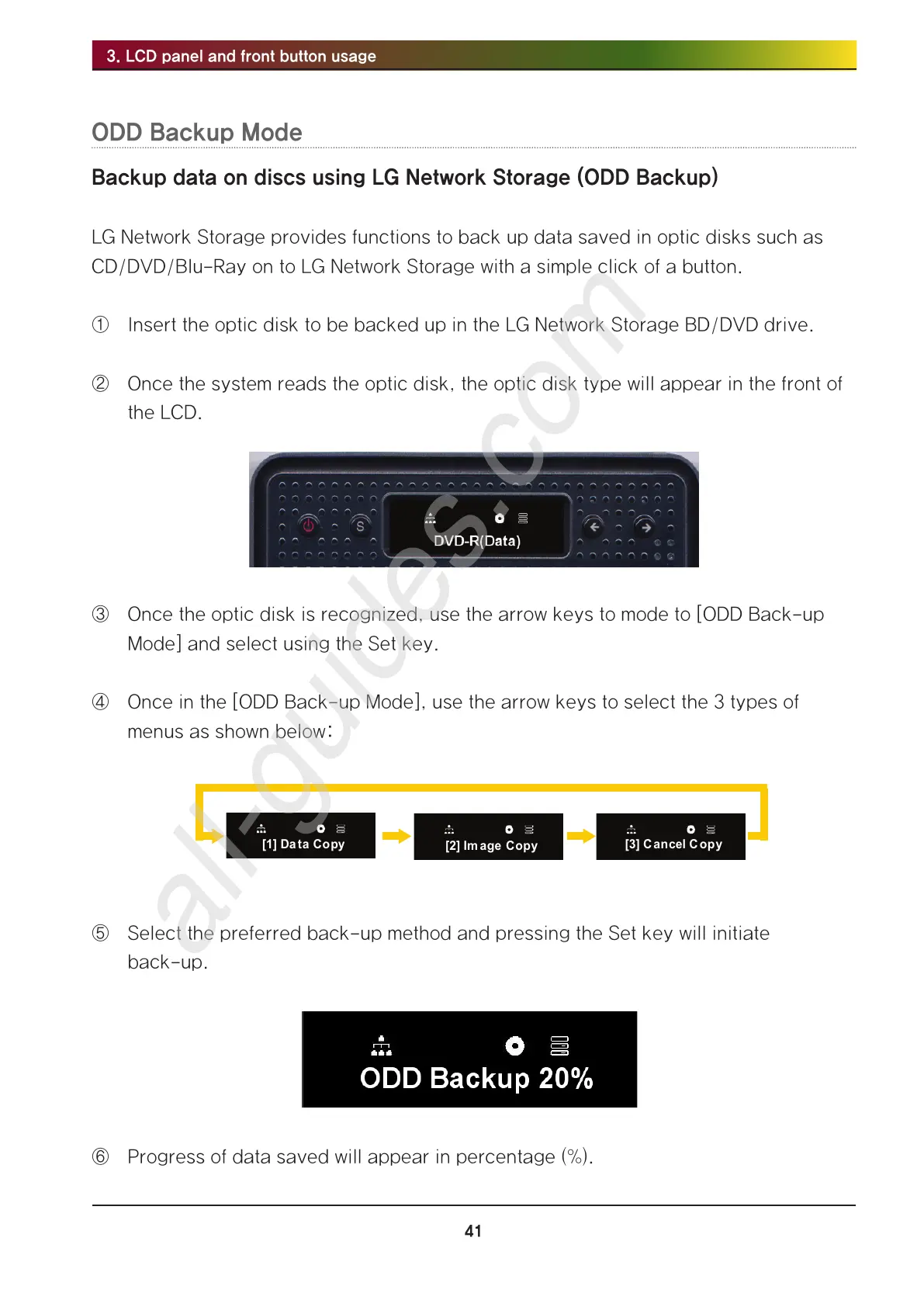
② Once the system reads the optic disk, the optic disk type will appear in the front of
the LCD.
③ Once the optic disk is recognized, use the arrow keys to mode to [ODD Back-up
Mode] and select using the Set key.
④ Once in the [ODD Back-up Mode], use the arrow keys to select the 3 types of
menus as shown below:
⑤ Select the preferred back-up method and pressing the Set key will initiate
back-up.
⑥ Progress of data saved will appear in percentage (%).



 To Next Page