. LCD panel and front button usage
USB Back-up Mode
LG Network Storage provides functions to easily store data from USB, memory card, or
other removable disks to the LG Network Storage with a simple click of a button.
Note: Certain memory cards may require an adaptor. (A list of memory cards
compatible with LG Network Storage may be found on http://www.lge.com. LG Network
Storage may not function properly if a memory card, not listed on the website, is to be
used.
[Simple Back-up – OneTouch Back-up]
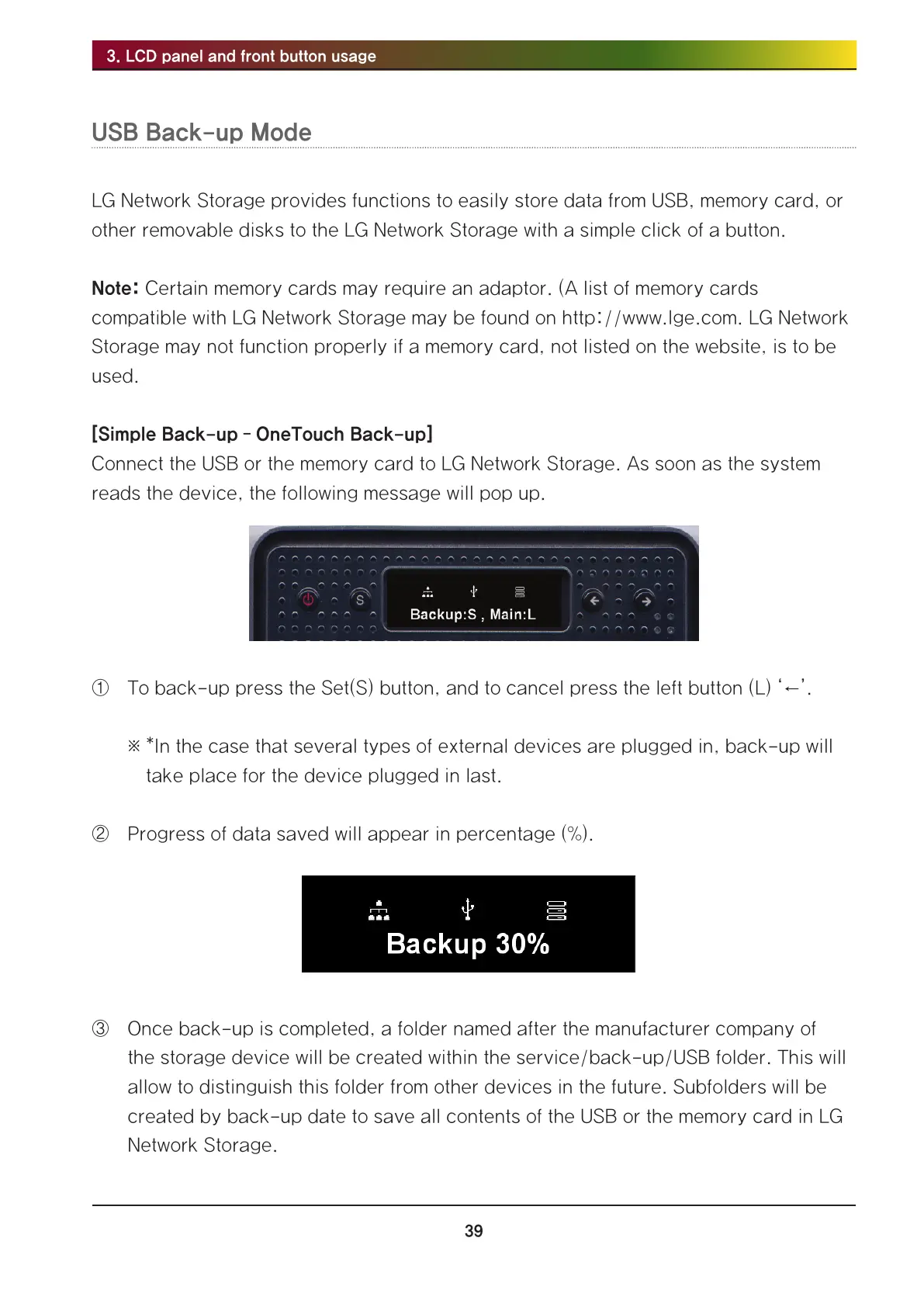
Connect the USB or the memory card to LG Network Storage. As soon as the system
reads the device, the following message will pop up.
① To back-up press the Set(S) button, and to cancel press the left button (L) ‘←’.
※ *In the case that several types of external devices are plugged in, back-up will
take place for the device plugged in last.
② Progress of data saved will appear in percentage (%).
③ Once back-up is completed, a folder named after the manufacturer company of
the storage device will be created within the service/back-up/USB folder. This will
allow to distinguish this folder from other devices in the future. Subfolders will be
created by back-up date to save all contents of the USB or the memory card in LG
Network Storage.



 To Next Page