. LG Network Storage Web Menu Use (for LG Network Storage administrators)
Volume Set-up
In order for data to be saved on to LG Network Storage, volume must be set up. If the
volume is configured the hard disk icon will appear on the far right side of the LCD in
the front, but if the volume is not configured, the disk icon does not appear and the
network drive connection, USB back-up, ODD back-up among other functions will not
be available.
This product provides the following 5 volume configuration methods for the user’s
requirement:
- RAID 0 (striping)
- RAID 1 for important data (mirroring)
- Linear (JBOD) volume
- RAID 1 (mirroring) + JBOD volume
- Single disks (disk 1, disk 2)
♣ Appendix A includes detailed instructions on volume construction and it is
recommended to refer to the list of recommended hard disks by visiting the URL
provided in Appendix D.
♣ When volume is configured, part of the hard disk is allocated to the LG Network
Storage system. Consequently, after volume configuration has been completed,
the size of the volume will appear smaller than the hard disk size.
Volume Configuration
To configure the volume, follow the below procedures. Configuration of the volume will
remove all existing user’s data in the hard disk and will not be recovered.
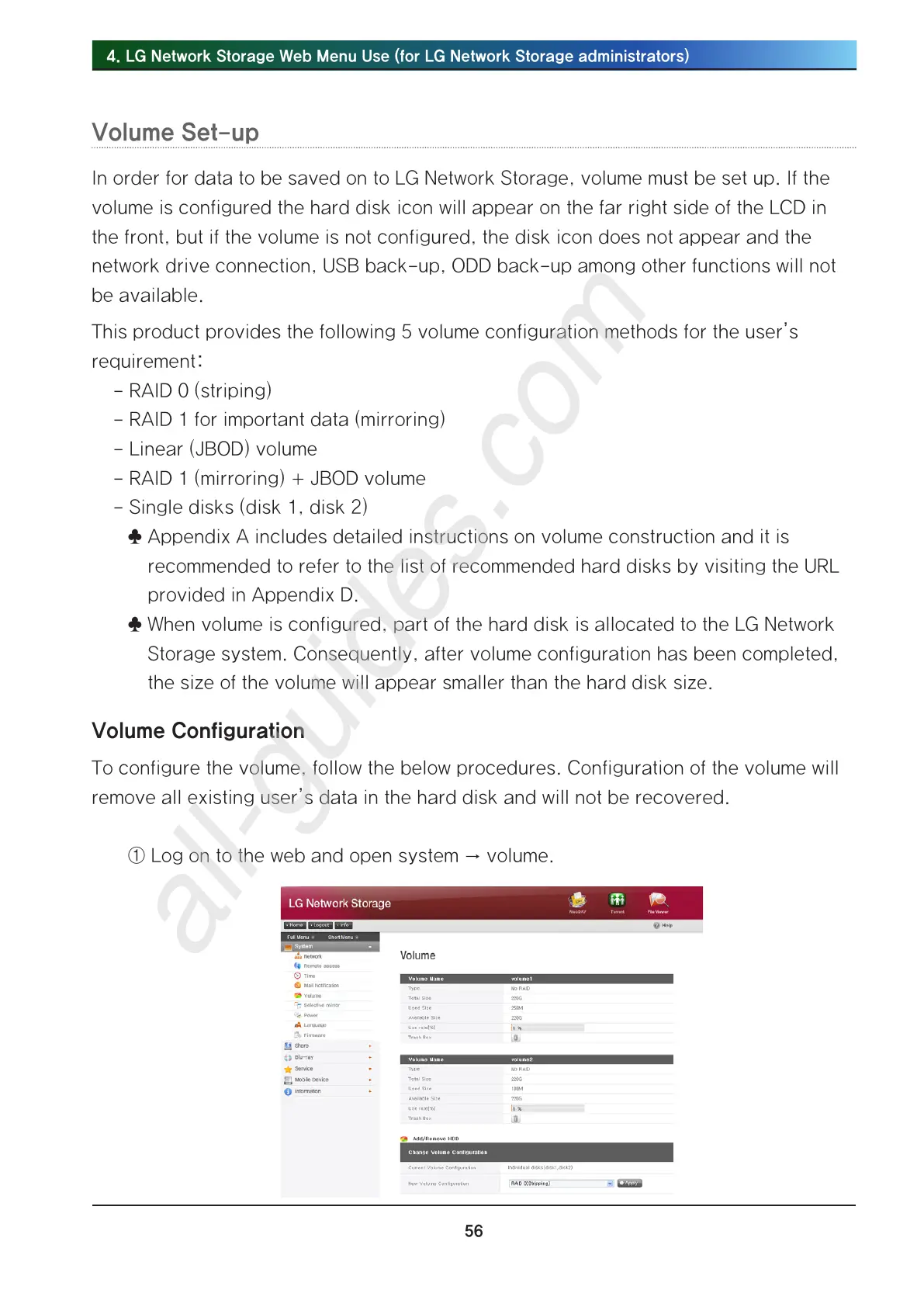
① Log on to the web and open system → volume.



 To Next Page