. LG Network Storage Web Menu Use (for LG Network Storage administrators)
② On the top are the current volume array and a detailed description. If the volume
has not yet been configured, there will not be any detailed description.
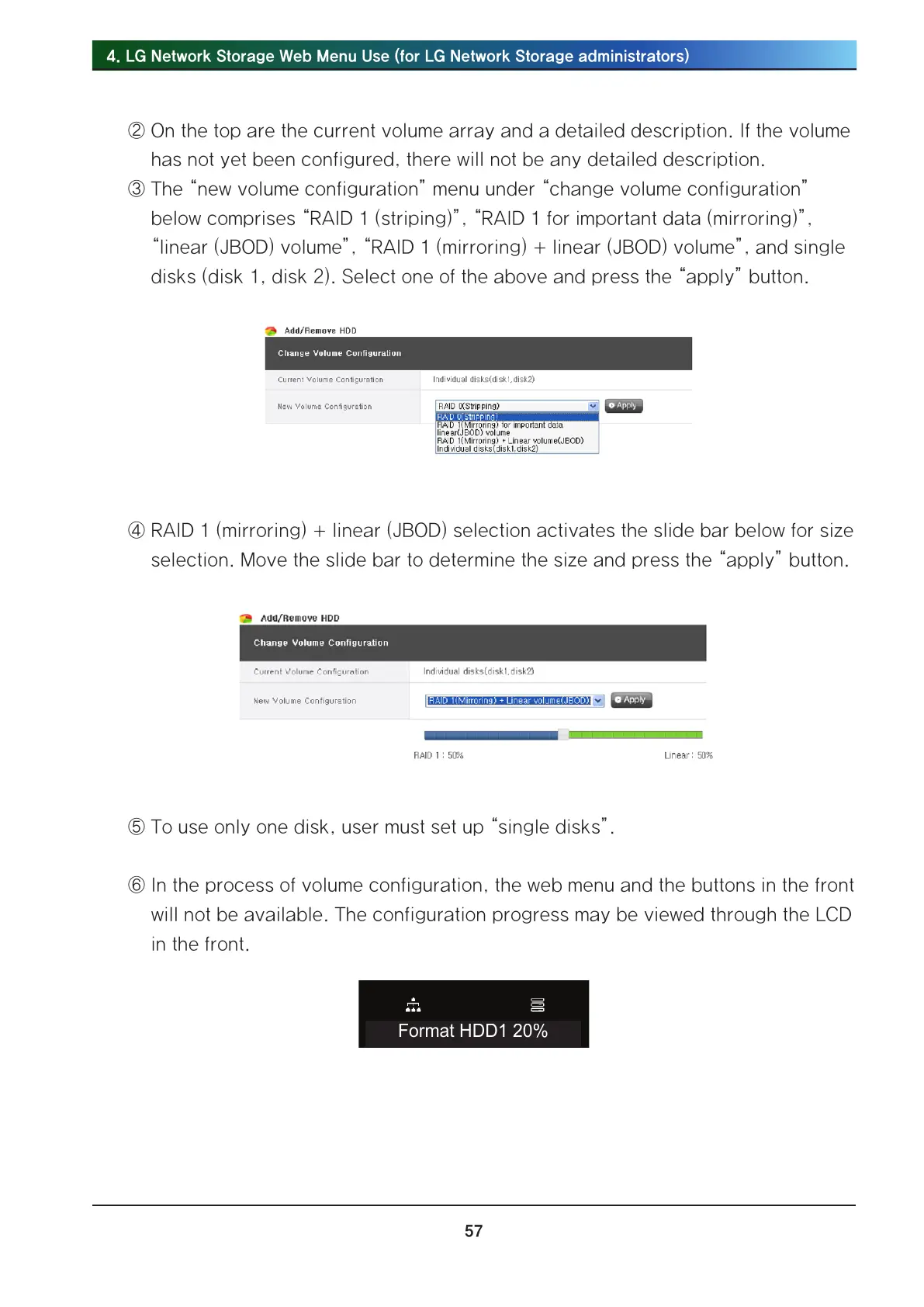
③ The “new volume configuration” menu under “change volume configuration”
below comprises “RAID 1 (striping)”, “RAID 1 for important data (mirroring)”,
“linear (JBOD) volume”, “RAID 1 (mirroring) + linear (JBOD) volume”, and single
disks (disk 1, disk 2). Select one of the above and press the “apply” button.
④ RAID 1 (mirroring) + linear (JBOD) selection activates the slide bar below for size
selection. Move the slide bar to determine the size and press the “apply” button.
⑤ To use only one disk, user must set up “single disks”.
⑥ In the process of volume configuration, the web menu and the buttons in the front
will not be available. The configuration progress may be viewed through the LCD
in the front.
Format HDD1 20%



 To Next Page