. LG Network Storage Web Menu Use (for LG Network Storage administrators)
101
[Mac OS]
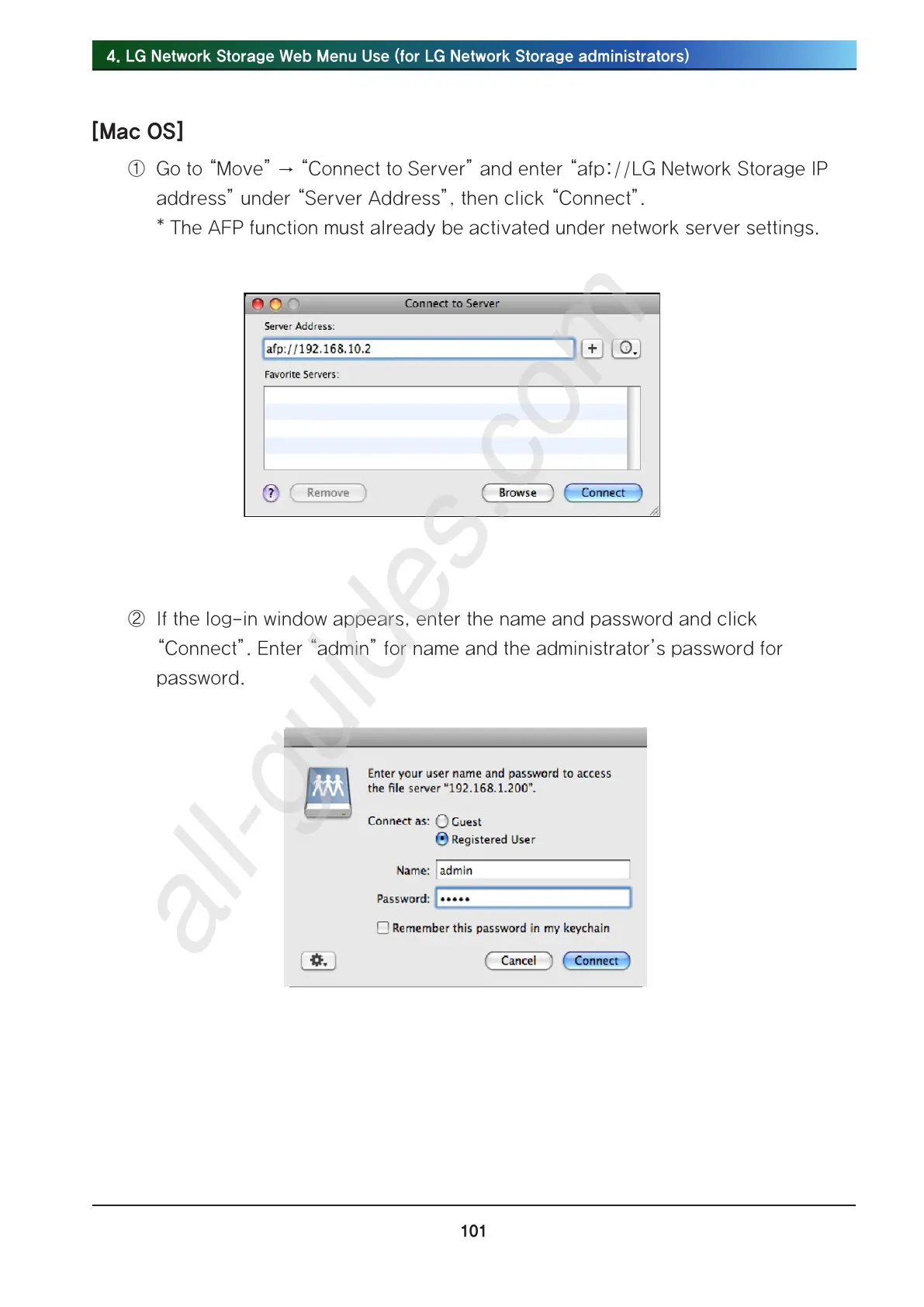
① Go to “Move” → “Connect to Server” and enter “afp://LG Network Storage IP
address” under “Server Address”, then click “Connect”.
* The AFP function must already be activated under network server settings.
② If the log-in window appears, enter the name and password and click
“Connect”. Enter “admin” for name and the administrator’s password for
password.



 To Next Page