2. LG Network Storage Installation
1
① First, ensure that the power is off.
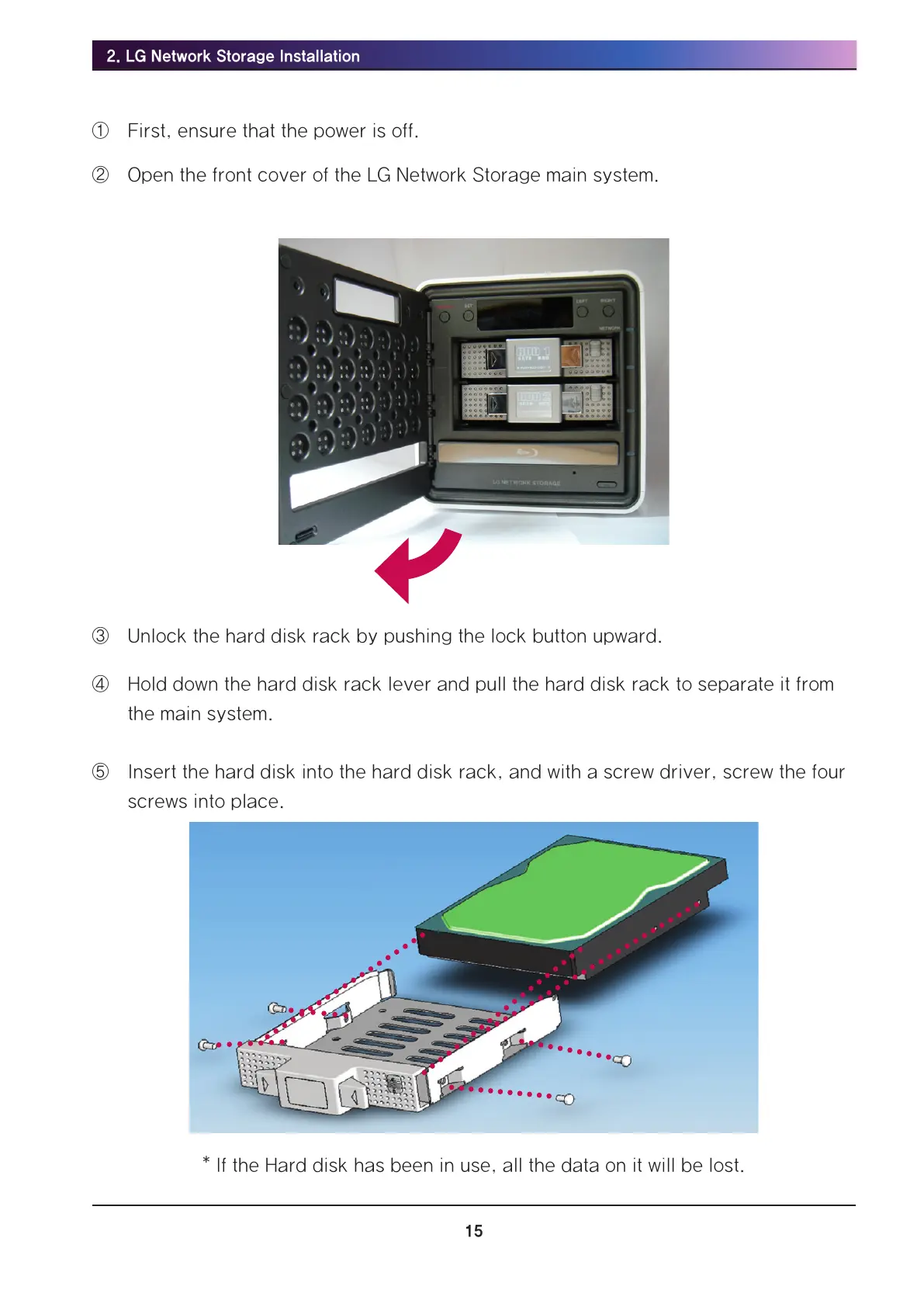
② Open the front cover of the LG Network Storage main system.
③ Unlock the hard disk rack by pushing the lock button upward.
④ Hold down the hard disk rack lever and pull the hard disk rack to separate it from
the main system.
⑤ Insert the hard disk into the hard disk rack, and with a screw driver, screw the four
screws into place.
* If the Hard disk has been in use, all the data on it will be lost.



 To Next Page