16
Advanced Connection Diagrams
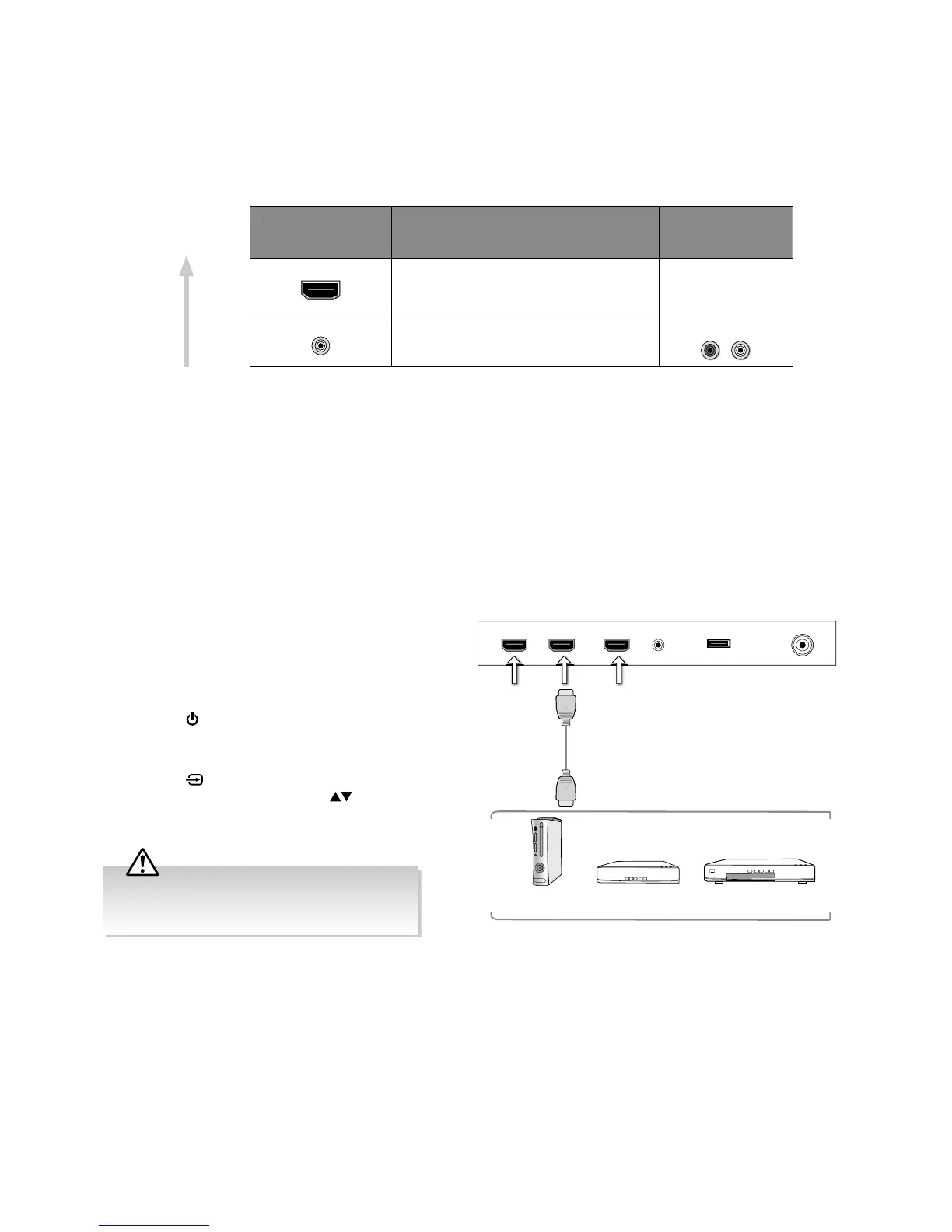
Connecting an AV Device Using an HDMI Cable
• This TV can accept High-Definition Multimedia Interface (HDMI) supports HDCP (High-Bandwidth Digital Content Protection)
Protocol.
• This TV has a total of 3 HDMI input sockets, please make sure the correct input source is selected and corresponds to your
connected HDMI input socket.
• When you connect to the output of an HD ready player (blu-ray disc player, game console, set-top box or computer) switch
to the HDMI function and the TV will automatically detect the resolution used by the HDMI source.
• To get the best picture quality, adjust the blu-ray disc player or game console output resolution up to 3840 x 2160p.
1. Use an HDMI cable to connect the TV’s HDMI input
socket to the external AV device’s HDMI output
socket.
2. Plug the connected devices into the mains socket
before switching on the TV.
3. Press the
button on the right bottom panel under
the TV frame or on the remote control to turn on your
TV.
4. Press the
button on the remote control to display
the Input Source menu. Use the
buttons on the
remote control to select HDMI1 / HDMI2 / HDMI3
and then press the OK button to confirm.
Making Video and Audio Connections
Not all AV devices have the ability to connect to a TV, please refer to the owner’s manual of your AV device for compatibility
and connection procedures.
When connecting any external AV device, do not connect the mains cable to the mains socket until all other connections are
complete.
Signal Type
Separate Audio
Connection
Required
Best Video
Performance
Although this TV is able to connect to an HDMI
device, it is possible that some devices may not
operate correctly.
Rear Right Side View of TV
HDMI1(ARC) HDMI2 HDMI3 RFHEADPHONE USB
HDMI Cable
(not included)
Blu-ray Player / DVD Player /
Recorder
Set-top BoxGame Console



 To Next Page