18
Advanced Connection Diagrams
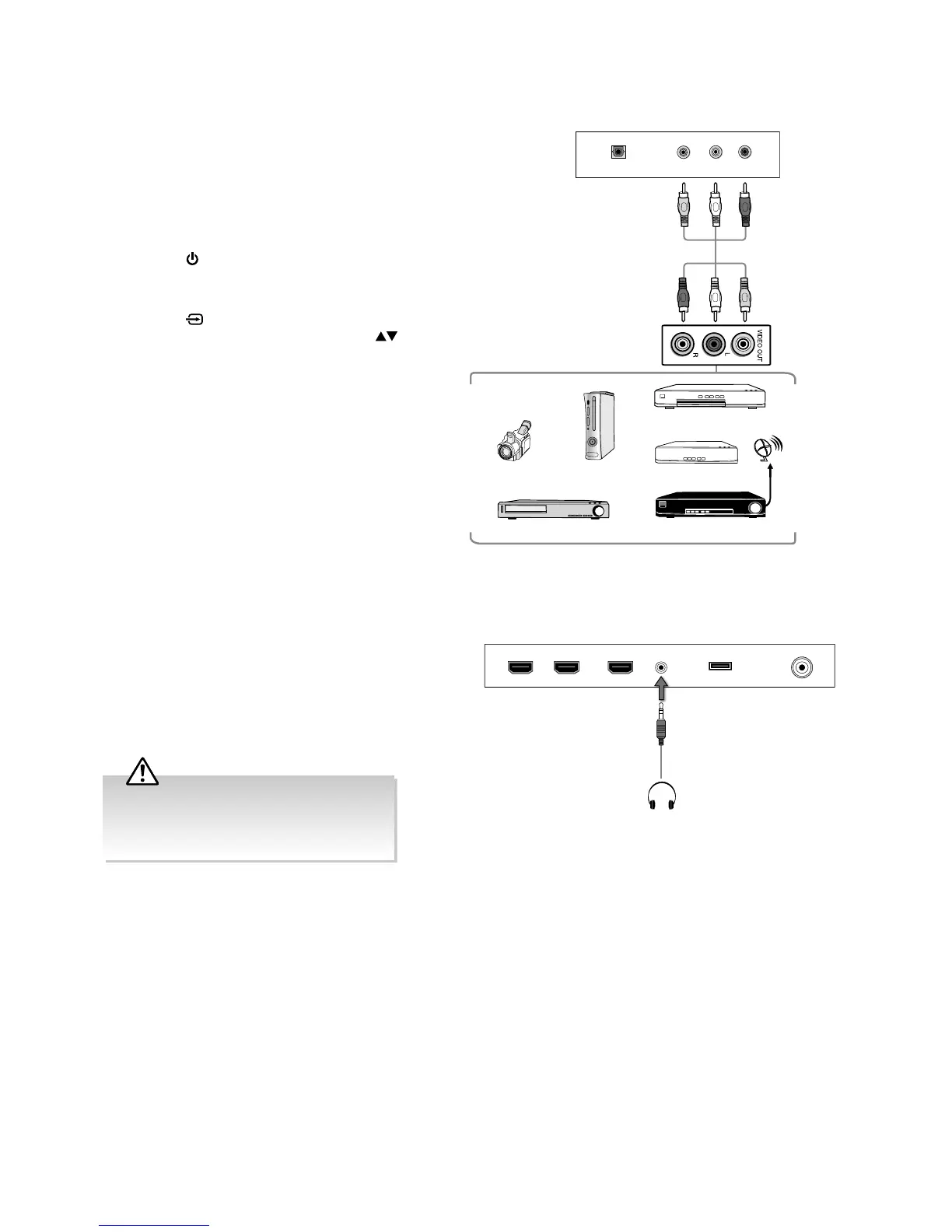
Connecting an AV Device Using Composite Cable
1. Use an AV cable to connect the TV’s AV IN input
sockets to the external AV device’s composite audio /
video output sockets.
(VIDEO = yellow, Audio Left = white, and
Audio Right = red)
2. Plug the connected devices into the mains socket
before switching on the TV.
3. Press the
button on the right bottom panel under
the TV frame or on the remote control to turn on your
TV.
4. Press the
button on the remote control to
display the Input Source menu. Use the
buttons on the remote control to select AV and
then press the OK button to confirm.
Satellite Receiver
Satellite
antenna
cable
Rear Bottom View of TV
RL
VIDEO
OPTICAL
Video Camera
VCR
DVD Player / Recorder
Set-top Box
Game Console
AV Cable
(not included)
Yellow (Video)
Red (R)
White (L)
Red (R)
White (L)
Yellow (Video)
Connecting Headphones
Connect your headphones to the TV’s HEADPHONE
socket.
Before putting on the headphones, turn the volume
down then put the headphones on and slowly increase
the volume until you reach a comfortable listening
level.
Long-term exposure to loud music may cause
hearing damage. It is best to avoid extreme
volume when using headphones, especially
for extended periods.
Rear Right Side View of TV
HDMI1(ARC) HDMI2 HDMI3 RFHEADPHONE USB
Earphones Cable
(not included)



 To Next Page