43
Advanced Features
5. Press the buttons to select your recorded programme and then
press the OK button.
6. Press the
PLAY button to view.
7. Press the OK button to display the function bar. Press the
buttons
and then press the OK button to select the function: Prev Page / Next
Page / Prev. / Next / Stop / Music / Playlist / Info. Press the EXIT
button to exit the function bar.
8. Press the EXIT button to return to the previous menu.
Playing Recorded Programme
You can play a recorded programme from the recorded programme list or from a USB Storage Device.
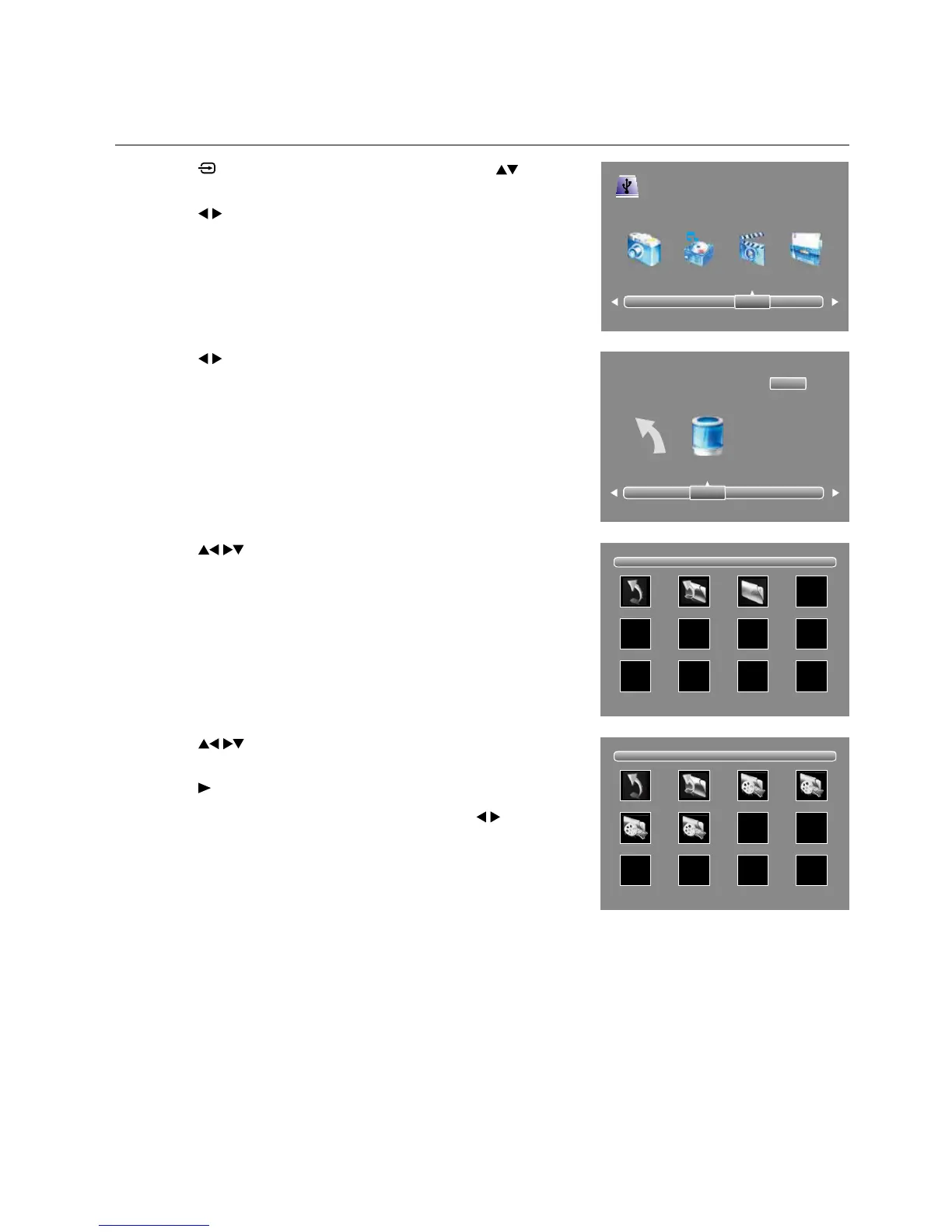
1. Press the
button on the remote control and then press the buttons to
select the USB mode and then press the OK button.
2. Press the
buttons to select MOVIE and then press the OK button.
3. Press the
buttons to select your storage device and then press the OK
button.
4. Press the
buttons to select the "MSTPVR" folder and then press
the OK button.
USB 2.0
PHOTO MUSIC MOVIE TEXT
1/1
Return Up Folder MSTPVR
1/1
Return Up Folder MVI_8862.MOV MVI_8868.MOV
MVI_8883.MOV MVI_8888.MOV
Return C
1/1



 To Next Page