38
Advanced Features
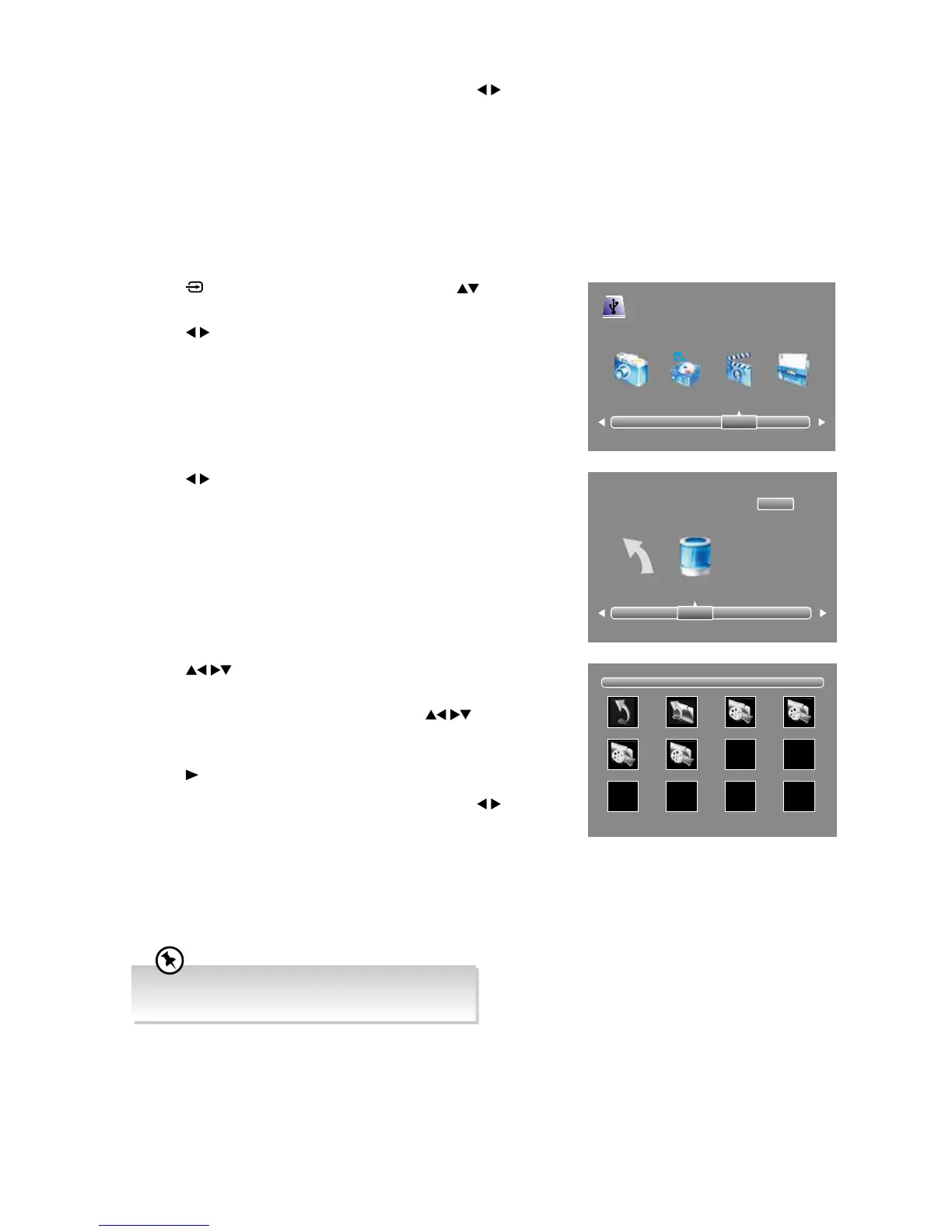
4. Press the buttons to navigate in the movie folder and then press
the OK button.
If you want to select the specified movie, press the
buttons to
select the movie file and then press the OK button. A tick box will be
displayed.
5. Press the
PLAY button to view.
6. Press the INFO button to display the function bar. Press the
buttons
and then press the OK button to select the function: Pause / FB / FF /
Prev. / Next / Stop / Repeat (Repeat All / Repeat None / Repeat 1) /
Random (Random Off / Random On) / Set (Set A / Set B / Set None)
/ Playlist / Info / Slow Forward / Step Forward / Goto Time / Zoom
In / Zoom Out / Aspect Ratio / Move View. Press the EXIT button to
exit the function bar.
7. Press the EXIT button to return to the previous menu.
3. Press the
buttons to select your storage device and then press the
OK button.
6. Press the INFO button to display the function bar. Press the
buttons
and then press the OK button to select the function: Pause (Play) / FB /
FF / Prev. / Next / Stop / Repeat (Repeat All / Repeat None / Repeat
1) / Set (Set A / Set B / Set None) / Random (Random Off / Random
On) / Mute / Playlist / Info / Goto Time. Press the EXIT button to exit
the function bar.
7. Press the EXIT button to return to the previous menu.
Viewing Movies
1. Press the button on the remote control then press the buttons to
select the USB mode and then press the OK button.
2. Press the
buttons to select MOVIE and then press the OK button.
Return C
1/1
USB 2.0
PHOTO MUSIC MOVIE TEXT
1/1
Return Up Folder MVI_8862.MOV MVI_8868.MOV
MVI_8883.MOV MVI_8888.MOV
• Supported file formats: MKV, MP4, MPEG4, MPG.
• This socket do not support 4K source.



 To Next Page