32
Advanced Features
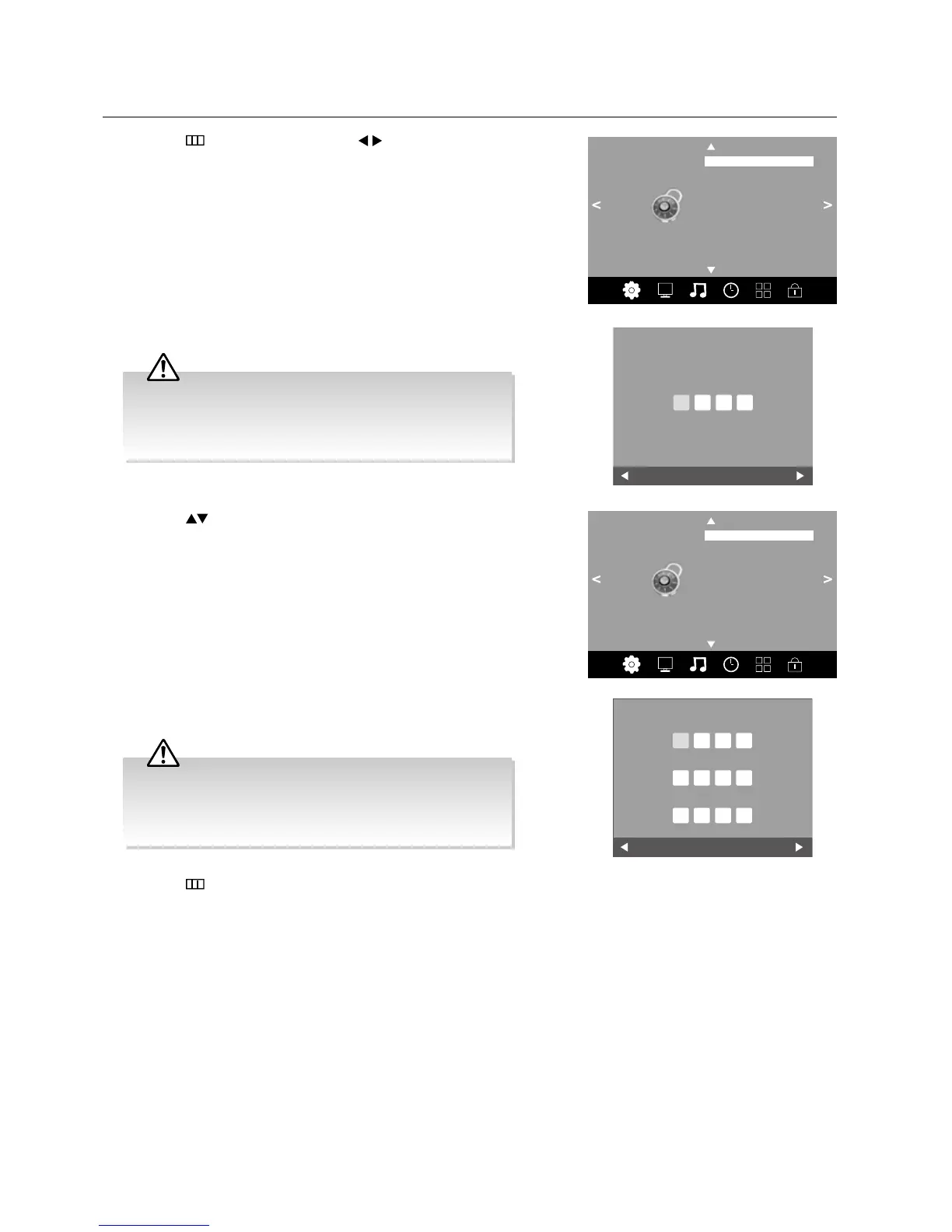
Set Password
1. Press the button and then press the buttons to select the LOCK
menu.
2. Press the OK button to enter Lock System.
LOCK
Lock System
Set Password
Block Channel
Parental Guidance
• The default password is “0000”.
• If you change the password, be sure to remember the new
password! If you forget the new password, enter the master
password“9527”.
4. Press the buttons to select Set Password and then press the OK
button.
LOCK
Lock System Off
Set Password
Block Channel
Parental Guidance
3. Use the 0-9 buttons to input a 4-digit password to enter the LOCK menu.
Clear
Cancel
Please enter password
6. Press the button to return to the previous menu or the EXIT button to
exit the menu.
5. Use the 0-9 buttons to input the old password and then input the new
4-digit password. Re-enter new password for confirmation.
Clear
Cancel
Please enter old password
Please enter new password
Confirm new password
• The default password is “0000”.
• If you change the password, be sure to remember the new
password! If you forget the new password, enter the master
password“9527”.



 To Next Page