27
Advanced Features
Option Setting
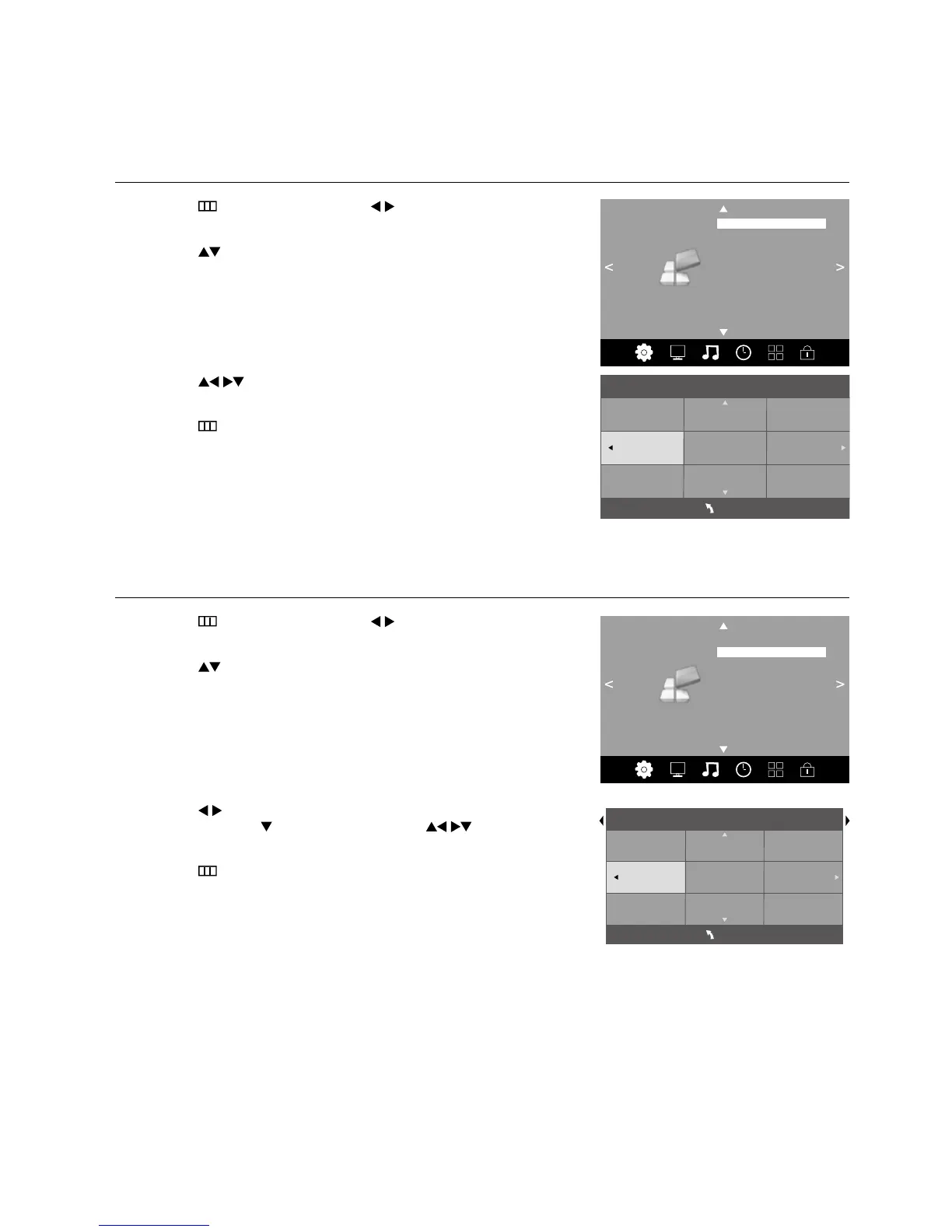
OSD Language
Allows you to select your desired on screen menu language.
1. Press the
button and then press the buttons to select the
OPTION menu.
2. Press the
buttons to select OSD Language and then press the OK
button. The default on-screen menu language is English.
OPTION
OSD Language
Audio Languages
Subtitle Languages
Hearing Impaired
Restore Factory Default
HDMI CEC
EDID Switch
Shop Mode Off
PVR File System
3. Press the buttons to navigate the menu and change the settings.
Press the OK button to confirm.
4. Press the
button to return to the previous menu or the EXIT button to
exit the menu.
Deutsch
English
Español
Français
Italiano
OSD Language
MENU
Audio Languages (DTV Mode)
Allows you to select your desired audio language. (Available for digital channels if multiple audio languages are broadcast.)
1. Press the
button and then press the buttons to select the
OPTION menu.
2. Press the
buttons to select Audio Languages and then press the
OK button. The default audio language is English.
OPTION
OSD Language
Audio Languages
Subtitle Languages
Hearing Impaired
Restore Factory Default
HDMI CEC
EDID Switch
Shop Mode Off
PVR File System
3. Press the buttons to select the Primary / Secondary audio
language. Press the
button and then press the buttons to
select your desired audio language. Press the OK button to confirm.
4. Press the
button to return to the previous menu or the EXIT button to
exit the menu.
Deutsch
English
Español
Français
Italiano
Audio Languages Primary
MENU



 To Next Page