22
Advanced Features
3. Press the button to return to the previous menu or the EXIT button to
exit the menu.
Signal Information (DTV Mode)
Allows you to view the signal information.
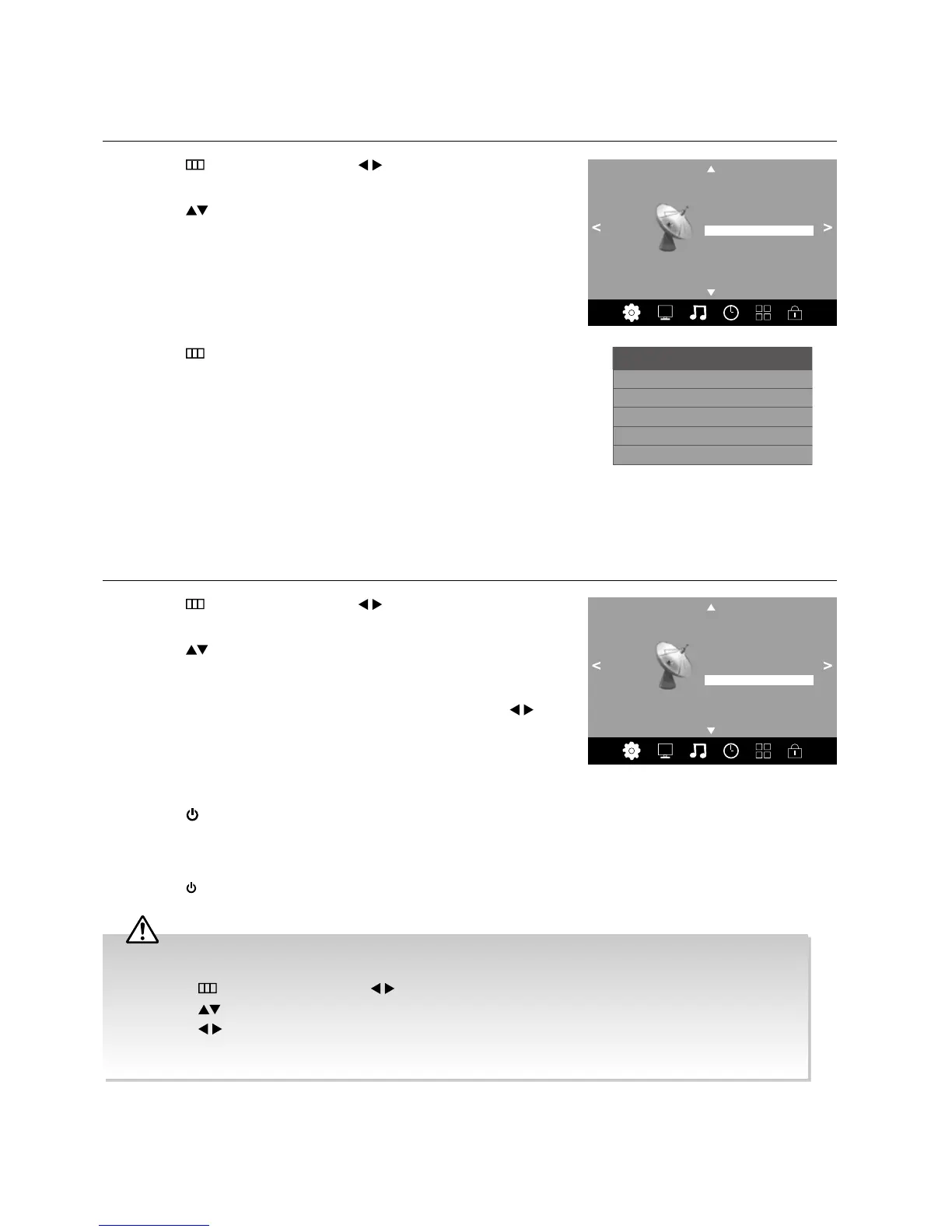
1. Press the
button and then press the buttons to select the
Channel menu.
2. Press the
buttons to select Signal Information and then press
the OK button to view the signal information.
Channel
Auto Tuning
DTV Manual Tuning
ATV Manual Tuning
Signal Information
Software Update (OAD) Off
OAD Tuning
Software Update (USB)
Channel Edit
Channel 23
Network PRIME
Strength 100
Modulation 16QAM
Signal Information
Quality 100 (Good)
(Strong)
Software Update (Over Air Download) (DTV Mode)
The TV auto detects the latest firmware through the DTV signal and allows you to accept or refuse the firmware upgrade
service. This function may not be available in some countries. Please follow the steps below if applicable.
1. Press the
button and then press the buttons to select the
Channel menu.
2. Press the
buttons to select Software Update(OAD) and then
press the OK button to switch to On / Off.
3. During normal DTV viewing, if the TV detects the latest firmware from the
DTV signal, the Over Air Download screen will appear. Press the
buttons to select Yes / No for the upgrade procedure.
4. If you select Yes, the over air download will start. Press the EXIT button if
you want to stop the download and exit the menu.
5. When the download is complete, the TV will return to standby mode.
Press the
button on the remote control to switch on the TV, the TV will
automatically upgrade the software.
6. When the update is complete, the TV will return to standby mode.
7. Press the
button on the remote control to switch on the TV.
Channel
Auto Tuning
DTV Manual Tuning
ATV Manual Tuning
Signal Information
Software Update (OAD) Off
OAD Tuning
Software Update (USB)
Channel Edit
If you encounter problems after the software update, we recommend that you restore your TV to the factory default
settings. To do this, follow the steps below:
1. Press the
button and then press the buttons to select the OPTION menu.
2. Press the
buttons to select Restore Factory Default and then press the OK button.
3. Press the
buttons to select Yes to reset the setting.
4. The TV will restore all settings and go to the first time installation. Follow the first time installation steps (refer to
page 8-9 for details).



 To Next Page