20
Advanced Features
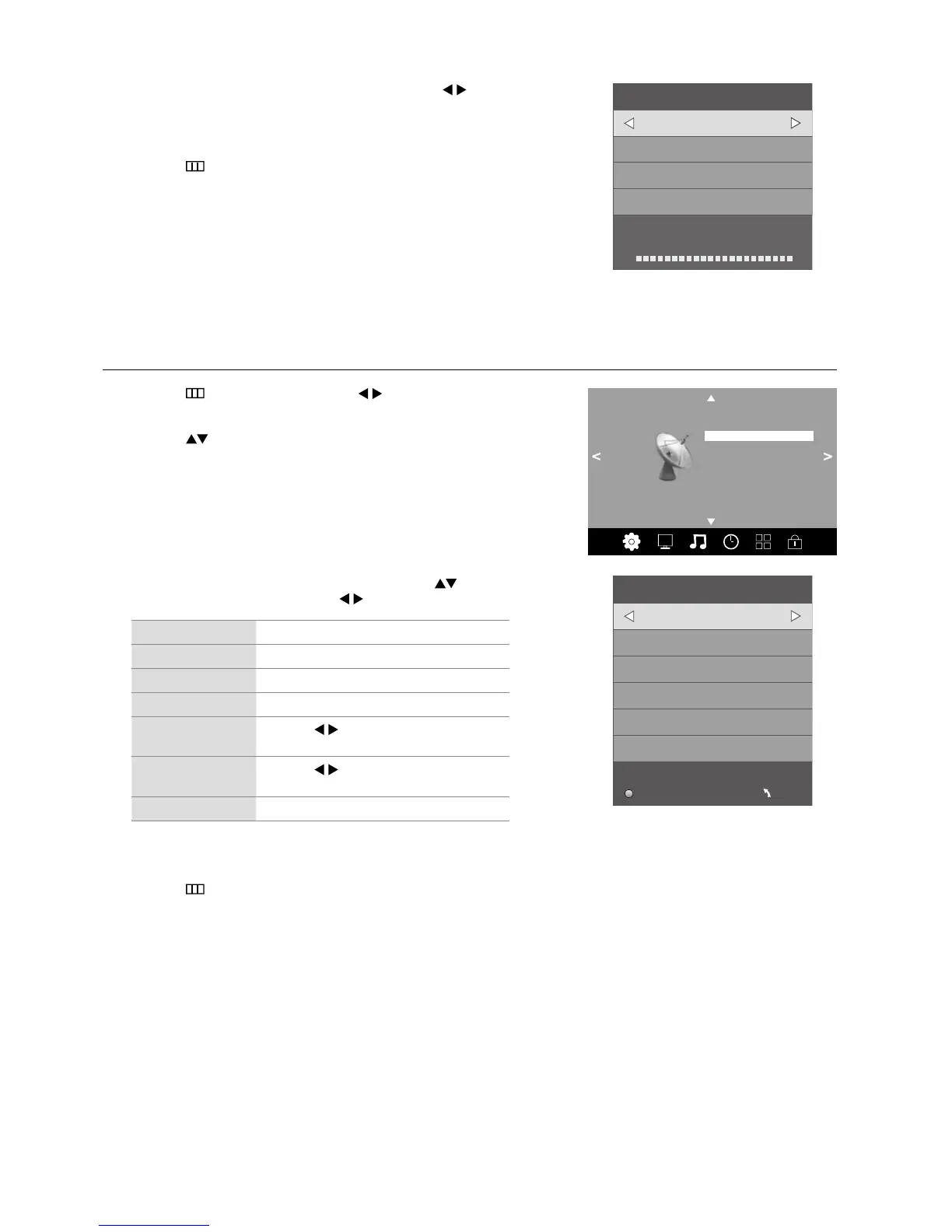
ATV Manual Tuning
Allows you to make manual fine tuning adjustments if the channel reception is poor under ATV mode.
1. Press the
button and then press the buttons to select the
Channel menu.
2. Press the
buttons to select ATV Manual Tuning and then press
the OK button.
3. The DTV Manual Tuning screen will pop up. Press the
buttons
to select the desired UHF channel and then press the OK button to
commence the search of that channel. When the signal has been tuned,
the picture and signal strength will be displayed on the screen.
4. Press the
button to return to the previous menu or the EXIT button to
exit the menu.
DTV Manual Tuning
Bad Normal Good
Press OK to search
UHF CH 23
– +
Channel
Auto Tuning
DTV Manual Tuning
ATV Manual Tuning
Signal Information
Software Update (OAD) Off
OAD Tuning
Software Update (USB)
Channel Edit
3. The ATV Manual Tuning screen will pop up. Use the buttons to
select the following options and the
buttons to adjust the setting.
Storage To Presets the channel number.
SoundSystem Selects the sound system.
VideoSystem Selects the video system.
Current CH Displays the current channel number.
Search
Press the
buttons to start the manual
tuning.
Fine-Tune
Press the
buttons to make manual fine
tuning adjustments.
Frequency Displays the current tuned frequency.
4. After finishing the manual tuning adjustment of a channel, press the
RED button to save your channel before tuning the next channel.
5. Press the
button to return to the previous menu or the EXIT button to
exit the menu.
ATV Manual Tuning
Storage To 1
– +
SoundSystem BG
VideoSystem Auto
Current CH 1
Search
Fine-Tune
Frequency 495.25 MHz
Save MENU



 To Next Page