LINXON Description | 4
LX218-Operating-Manual-en1-04-(1908) 17 / 90
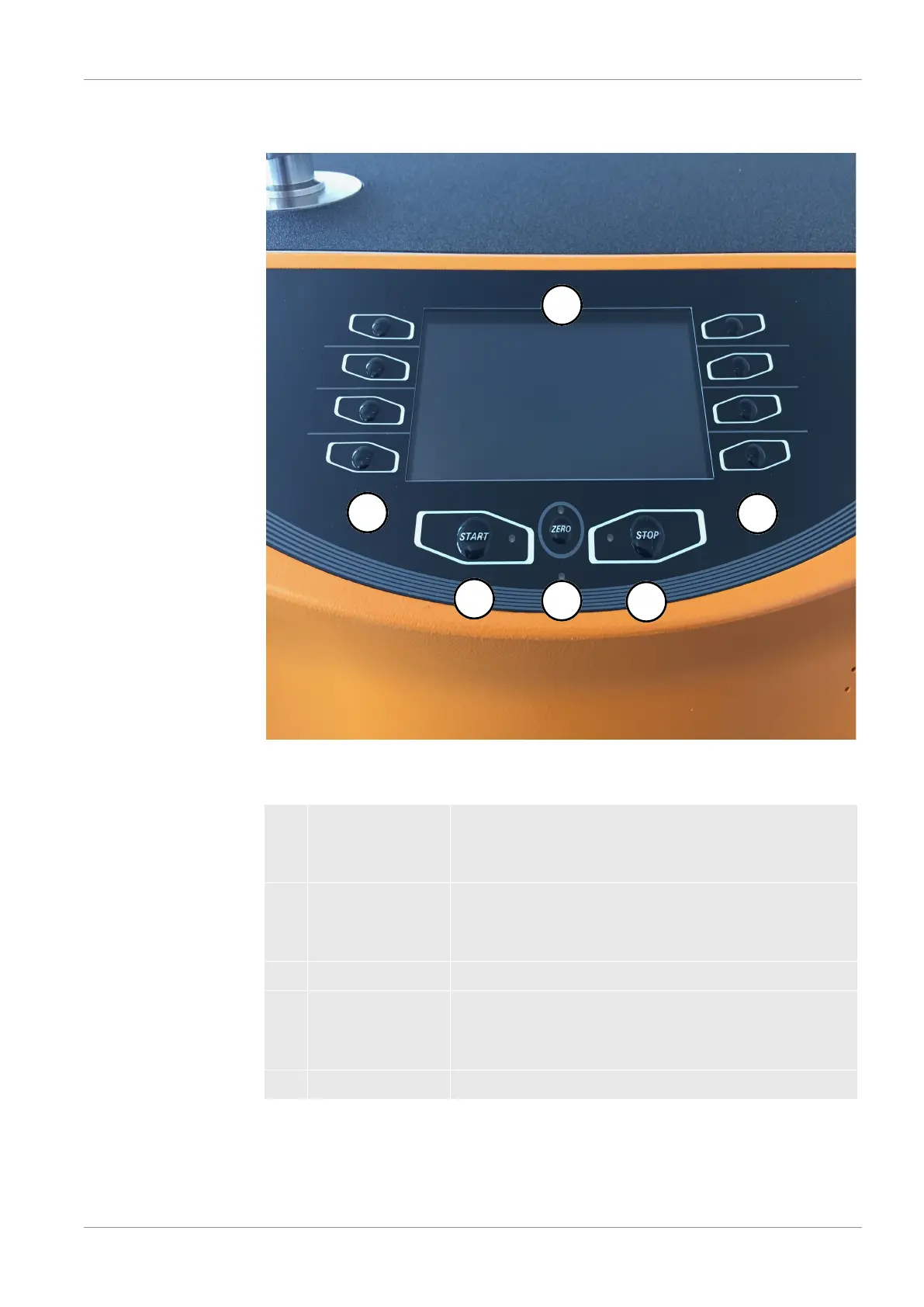
4.3.2 Control unit
Fig.3:
Control unit
The control unit consists of a display and a control panel.
1 Display The display shows measured values, operation modes,
device parameters and their values as well as the
meaning of the buttons.
2 Option buttons The function of these buttons depends on the current
operating state. The particular meaning appears on the
display.
3 STOP button STOP stops the measurement operation.
4 ZERO button ZERO activates background suppression in the
measuring mode. If the button is pressed for more than 3
seconds, background suppression will be disabled.
5 START button START starts the measurement operation.
• Switch between the windows by clicking the option buttons on the left and right
side of the display.


 To Next Page