8 | Cleaning and maintenance LINXON
78 / 90 LX218-Operating-Manual-en1-04-(1908)
8.2 Replacing power fuses
CAUTION
Caution: Supply voltage
Improperly fused products can be life-threatening. Only use fuses with the values
given in the instructions!
1. Switch off the device and disconnect it from the power.
2. Unplug the power cable.
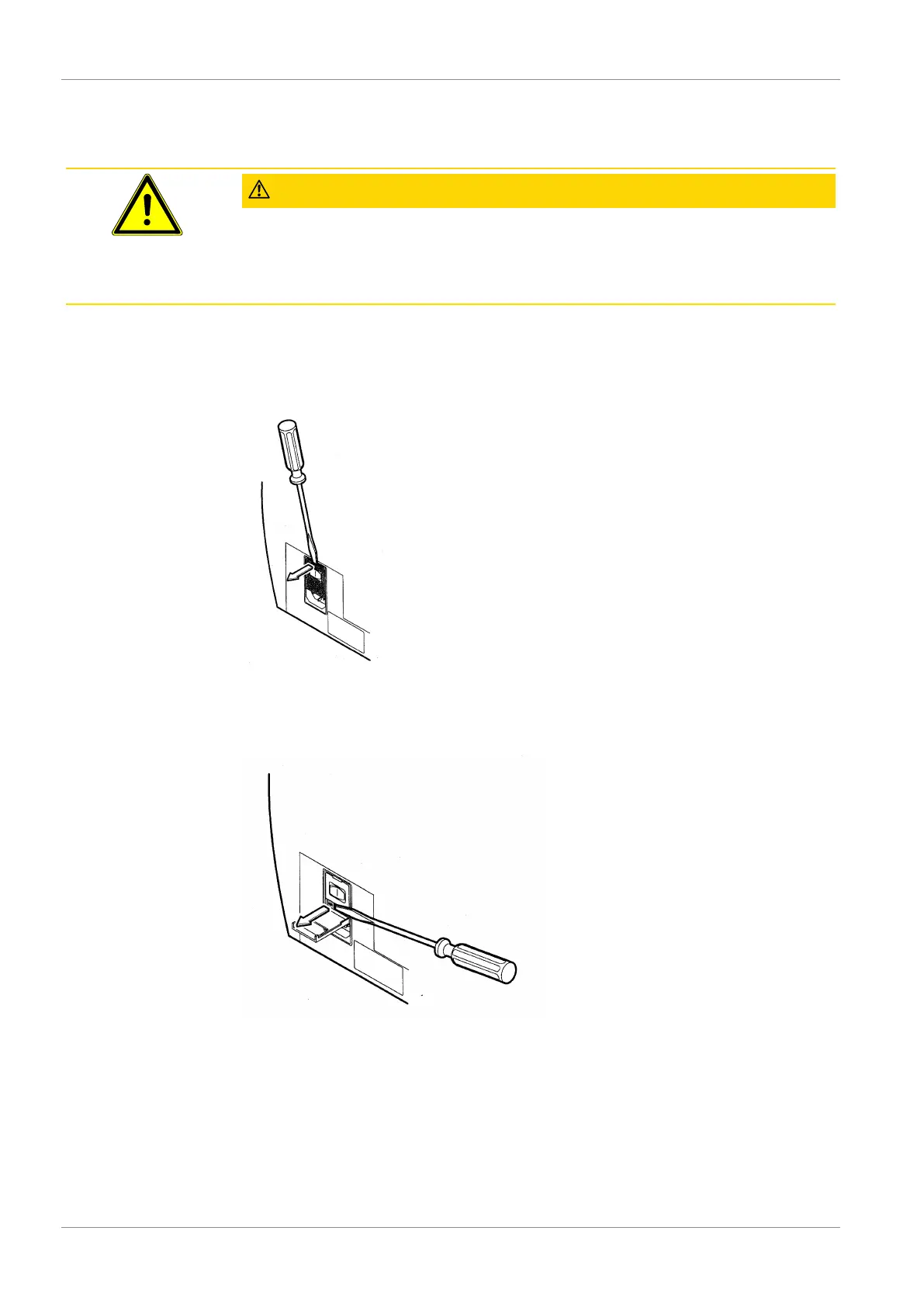
3. Pry open the fuse holder.
Fig.18:
Open
Remove both fuse holders and replace defective (10.0 A slow-blowing, 250 V, Ø 5 x
20 mm) fuses.
Fig.19:
Removing fuses
1. Snap the fuse holders back into place.
2. Close the cover.
3. Reconnect the power cable.


 To Next Page