LINXON Description | 4
LX218-Operating-Manual-en1-04-(1908) 19 / 90
Call up information about the device.
This takes you to the measuring screen or "Standby".
Back to the previous menu item.
A warning or error message is active.
4.3.2.5 Structure of the display and menu
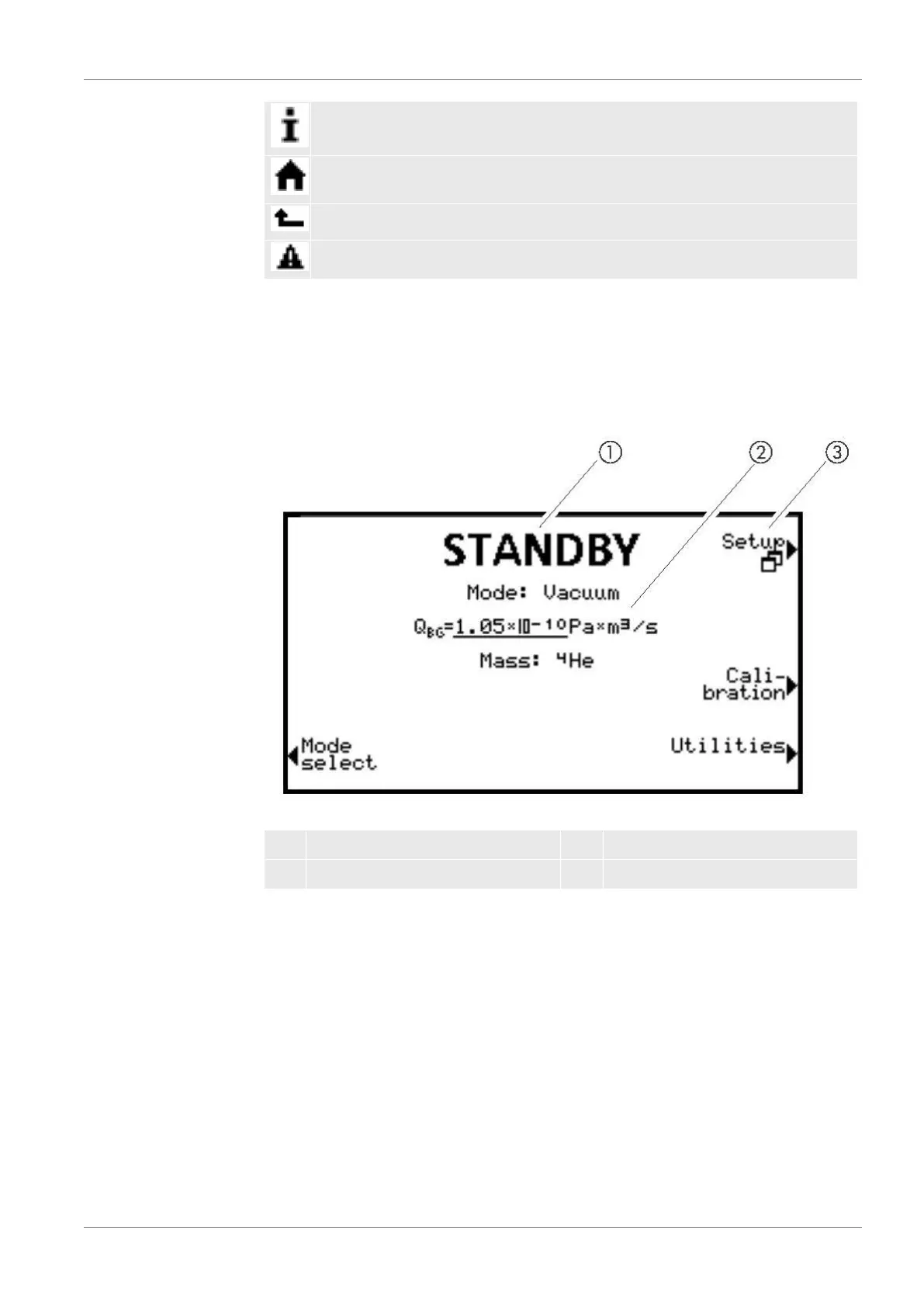
After the device has started up, the display will show the "Standby" window. The
device is ready for making measurements. You can change the settings for the
measurements.
Fig.4:
Menu window: Standby
1 Designation of the menu display 2 Main display area
3 Menu name
The main display area shows the current state of the device: operation mode,
measurement situation, background, tracer gas.
Menu name
Select the menus by pressing the adjacent round buttons immediately to the left or
right of the display.


 To Next Page