Operating manual and inspection booklet
Camping
138 3435216
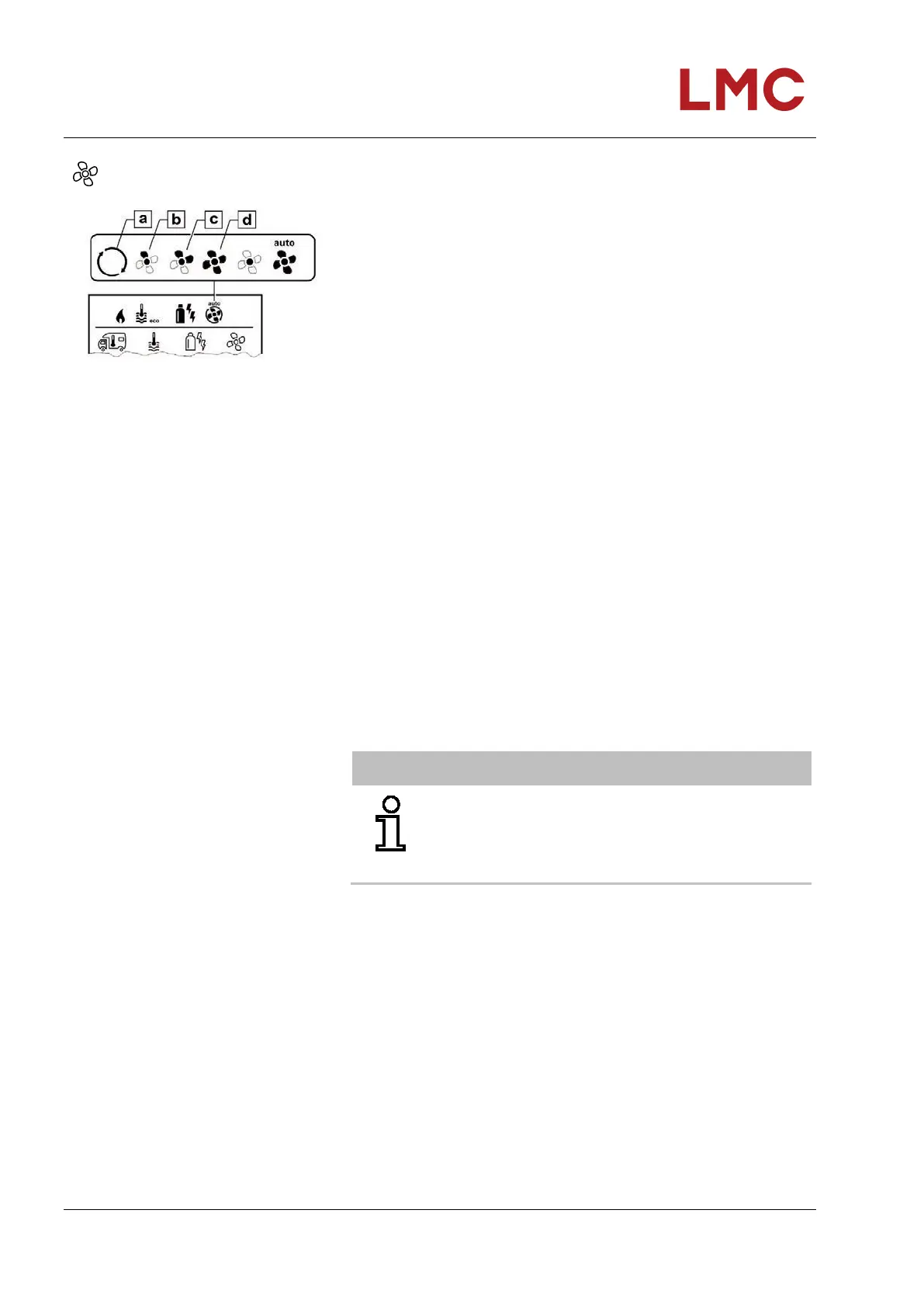
Selecting the fan level
Fig. 129: Fan level symbol
Select the symbol in menu line (3) using the rotary/push-button.
Change to the setting level by tapping.
Select the desired fan level with the rotary/push-button.
Tap rotary/push-button to confirm the value.
Symbo
l
Operating
mode
Description
- OFF Fan is switched off.
(can only be selected if no device is
operating).
a VENT
1)
Recirculation air, if no device is
operating and water heating is
switched off. Speed selectable in 10
levels.
b ECO Low blower level.
c HIGH
2)
High blower level
d BOOST
3)
Quick room heating is available if the
difference between the selected and
actual room temperature >10 °C.
NOTICE
As soon as the heating is switched on (room
temperature, hot water level set), the status line (2)
indicates the fan level selected in the previous heating
level. Pre-setting is “ECO”.
1) Can result in higher motor wear, dependent on the frequency of use
2) Fan level “HIGH” is associated with higher power consumption, increased noise level and increased motor wear.
3) Not available with Combi Diesel



 To Next Page