8 Zeroing the LR810
15
8 Zeroing the LR810
When you raise an empty bucket past the trigger point, the indicator should
display zero. However, due to build up of material in the bucket or changes
in the oil temperature, a small zero error may occur.
Zero error affects the accuracy of lifted weights.
Remember the following requirements for accurate measurements:
• The bucket or forks must be fully rolled back.
• The loader must be stationary.
• The loader must be on level ground.
• Raise the lifting arms smoothly past the trigger point.
>
>>
>
To zero the LR810
1. Raise the empty bucket smoothly until the LR810 beeps and the TRIG
light comes on.
2. While the TRIG light is on, press ZERO.
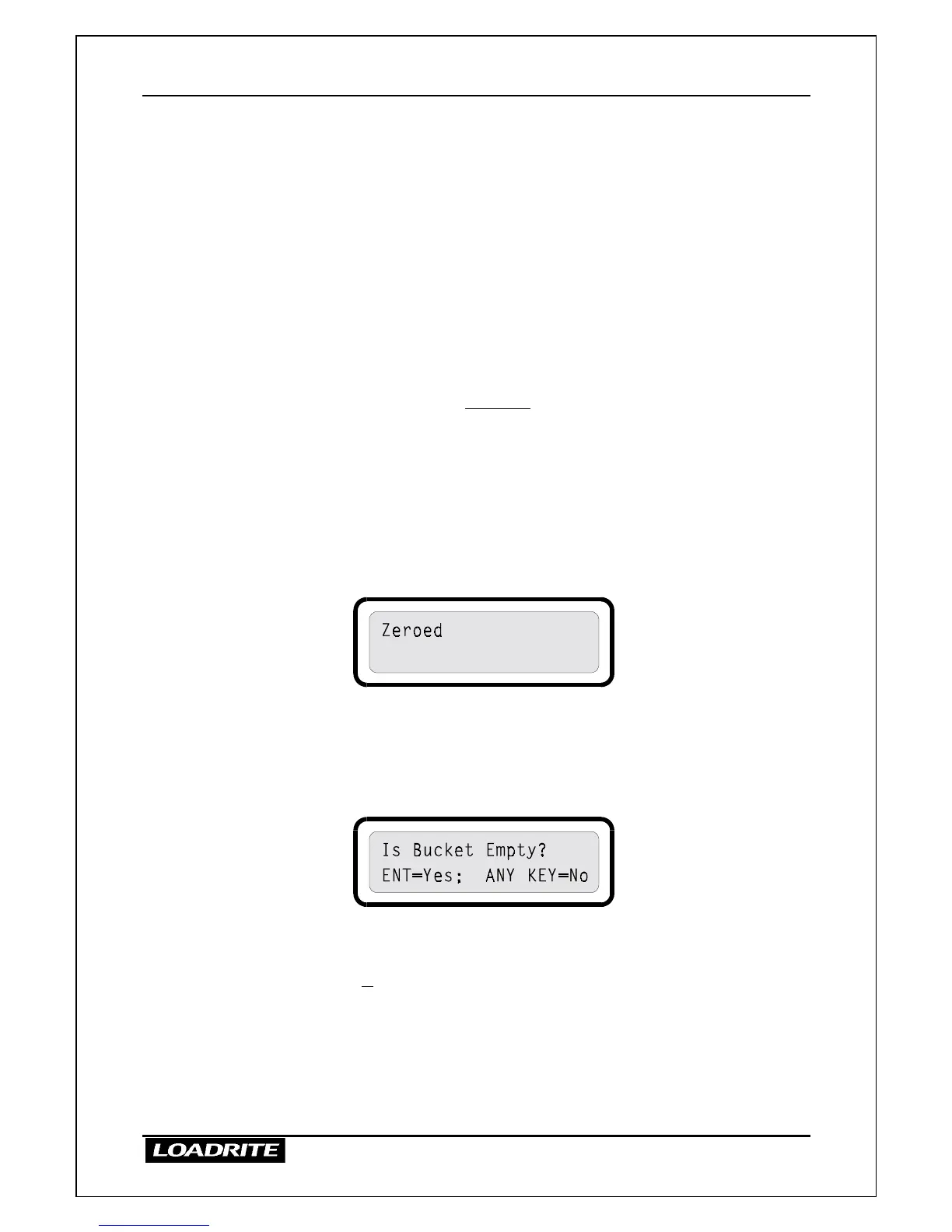
3. The LR810 performs the zero adjustment and displays a confirmation
message.
4. The LR810 then returns to the Ready to weigh state.
Large Zero Error
If, while zeroing, there is a large zero error (displayed weight greater than
5% of full scale), the LR810 asks you to confirm that the bucket is empty.
Depending on your response, the indicator displays “Zeroed” or “Not
Zeroed”.
If the bucket is empty and this message still occurs, there may be a fault in
the system. The LR810 should be checked and, if necessary, re-calibrated.



 To Next Page