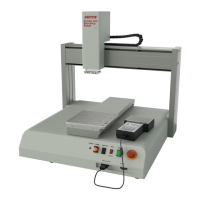
Operation Manual
- Page 2 -
Table of Contents
SECTION 1: INTRODUCTION ................................................................................... 5
1.1 Please Observe the Following .............................................................................................................6
1.1.1 Emphasized Sections ............................................................................................................................6
1.1.2 For Your Safety ....................................................................................................................................6
1.1.3 Safety Precaution .................................................................................................................................7
1.2 Package Contents ................................................................................................................................7
SECTION 2: SETUP .................................................................................................... 8
2.1 Unpacking the Robot ...........................................................................................................................9
2.2 Setup ....................................................................................................................................................9
SECTION 3: TOUR OF ROBOT .................................................................................. 10
3.1 Robot Overview ...................................................................................................................................11
SECTION 4: TOUR OF TEACH PENDANT ................................................................ 12
4.1 Get Started ...........................................................................................................................................13
4.2 Teach Pendant Overview .....................................................................................................................15
4.3 Operation .............................................................................................................................................15
4.4 Key Introduction ..................................................................................................................................16
4.5 Navigation Menu .................................................................................................................................17
4.6 Jogging ................................................................................................................................................17
4.7 Data Entry ...........................................................................................................................................17
4.8 Running a Program .............................................................................................................................17
4.9 Teach Pendant Key Assignments .........................................................................................................18
SECTION 5: MENU INTRODUCTION ....................................................................... 21
5.1 F1 Menu ...............................................................................................................................................22
5.2 F2 Menu ...............................................................................................................................................25
5.2.1 Utility Menu .........................................................................................................................................26
5.3 F3 Menu ...............................................................................................................................................27
5.4 F4 Menu ...............................................................................................................................................28
SECTION 6: PROGRAMMING ................................................................................... 30
6.1 Before Program ...................................................................................................................................31
6.2 Programming Example ........................................................................................................................31
6.3 Good Programming Practices .............................................................................................................35
6.4 Editing a Program ...............................................................................................................................36
6.4.1 Changing a Point’s XYZ location ........................................................................................................36
6.4.2 Insert / Delete an Instruction ...............................................................................................................37
6.5 Changing the Program Number ...........................................................................................................38
6.6 Changing from Teach Mode to Run Mode ...........................................................................................38
6.7 Double Table Run Mode ......................................................................................................................38
SECTION 7: FUNCTION REFERENCE ...................................................................... 39
7.1 F1 Menu (Enter or F1 Key) .................................................................................................................40
7.1.1 Dispense Dot ........................................................................................................................................40
7.1.2 Line Start .............................................................................................................................................40
7.1.3 Line Passing.........................................................................................................................................41
7.1.4 Circle ...................................................................................................................................................41
7.1.5 Arc Point ..............................................................................................................................................42
7.1.6 Line End ...............................................................................................................................................42
7.1.7 End Program .......................................................................................................................................42
7.1.8 Dispense ON / OFF .............................................................................................................................43
7.1.9 GOTO Address .....................................................................................................................................44
7.1.10 Step & Repeat X ...................................................................................................................................44
7.1.11 Step & Repeat Y ...................................................................................................................................49
7.1.12 Brush Area ...........................................................................................................................................50
7.1.12.1 Brush Area: Rectangle .........................................................................................................................51
7.1.12.2 Brush Area: Circle ...............................................................................................................................52
7.1.12.3 Brush Area: Rectangle 1 ......................................................................................................................53
7.1.12.4 Brush Area: Rect. Band .......................................................................................................................54


 To Next Page