Operating Manual
- Page 56 -
7.1.12.6 Brush Area: Circle 1
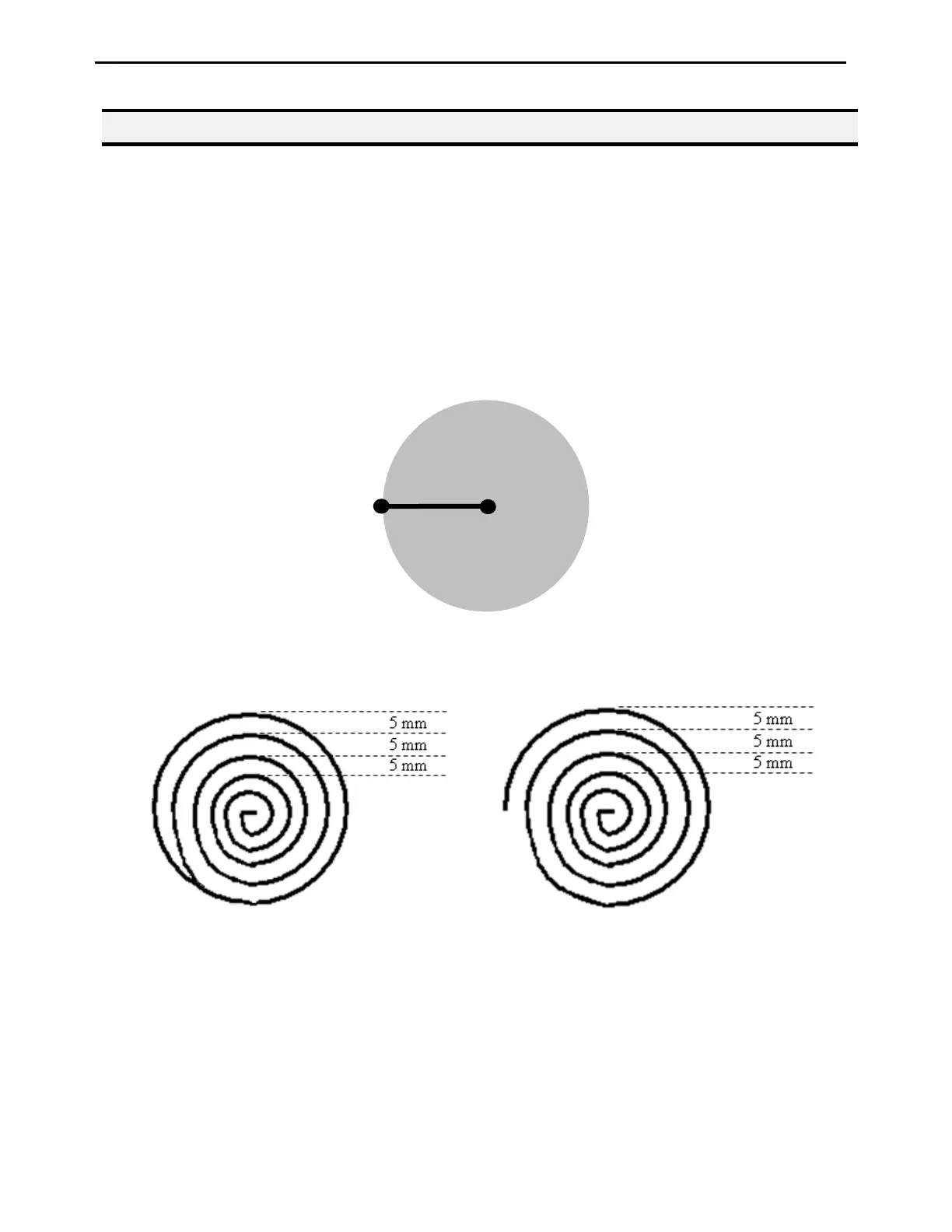
Brush Area: Circle 1, causes the tip to ‘paint’ the defined area by following a spiral path from the
center of the circle to the outside limit of the circle. It works in reverse of the Circle function.
After registering the Brush Area Circle command, jog the tip to a point where you want to register
the center of the circle and register that location as a Line Start. Then jog the tip directly across on
the outside limit of the circle to be brushed and register that location as a Line End point (the tip
will not dispense a straight line between these two points):
If, for example, a brush width of 5 mm was used, the tip will take the following path when the
program is run:
Closed Open
An open or closed option is also available for this function. Selecting the Closed option will make a
whole circle first before making the spiral. Selecting the Open option will make the spiral without
closing the outer circle.
Line End
Paint
rea
Line Start


 To Next Page