Connect ID 32-46 - 115 -
Operating instructions
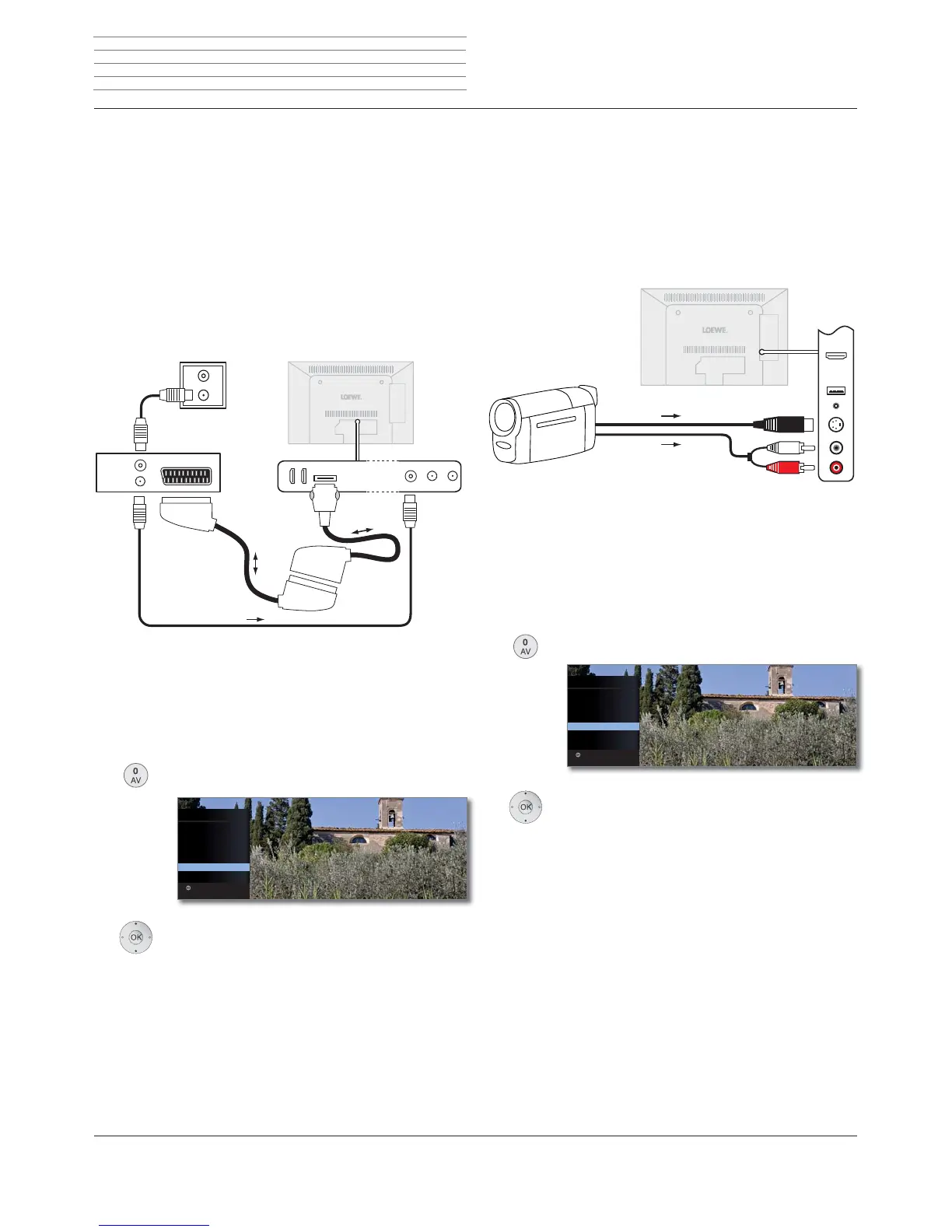
Connecting a DVD recorder to the TV set
➠ A DVD recorder has been selected in the TV Menu under Connec-
tions ט AV connecting settings ט Device at connection AV (see also
page 112).
Switch off all equipment before connecting.
Connect the Euro-AV output of the DVD recorder to the AV socket of
the TV set.
Use a fully equipped Euro-AV cable (available from your dealer) for this.
If you want to receive and record analogue stations with the receiver
(tuner) built into the recorder, the recorder must be looped into the
aerial cable.
Connect the DVD recorder as shown in the connection example below.
➠ If you want to record DVB stations with an external recorder, the
internal receiver of the TV set must be used (see Timer recording with
external devices on page 128).
Playback from AV device
Call AV selection.
Select AV,
OK switch over.
Start playback on the connected device.
OK
AV SELECTION
HDMI3
HDMI2
HDMI1
PC IN
AVS
AV
VIDEO
Switch to ...
Connecting Camcorder/camera
Switch off all equipment before connecting.
Connect the AV output of the camcorder to the sound input sockets
AUDIO IN L (white) and AUDIO IN R (red) and the AVS connection of the
side AV sockets of the TV set.
Use the AV cable enclosed with the camcorder for this.
Some camcorders only supply an FBAS signal instead of an S-Video
signal at the AV output. In this case use the VIDEO IN input (yellow).
If your camcorder has an HDMI output, you can also connect the appli-
ance via the HDMI socket HDMI3 on the side (see connections page 11
or Devices to the HDMI connections page 116).
Playback from AV device
Call AV selection.
Select AVS,
OK switch over.
Start playback on the connected device.
OK
AV SELECTION
HDMI3
HDMI2
HDMI1
PC IN
AVS
AV
VIDEO
Switch to ...
Camcorder
TV set
AUDIO IN L/R
AVS
External devices
Connection example of a DVD recorder
Connection example of a camcorder
ANT IN
ANT OUT
AV
R
TV
DVD-Recorder
TV set
AV ANT-TV











 To Next Page