Connect ID 32-46 - 78 -
Operating instructions
MediaMusic
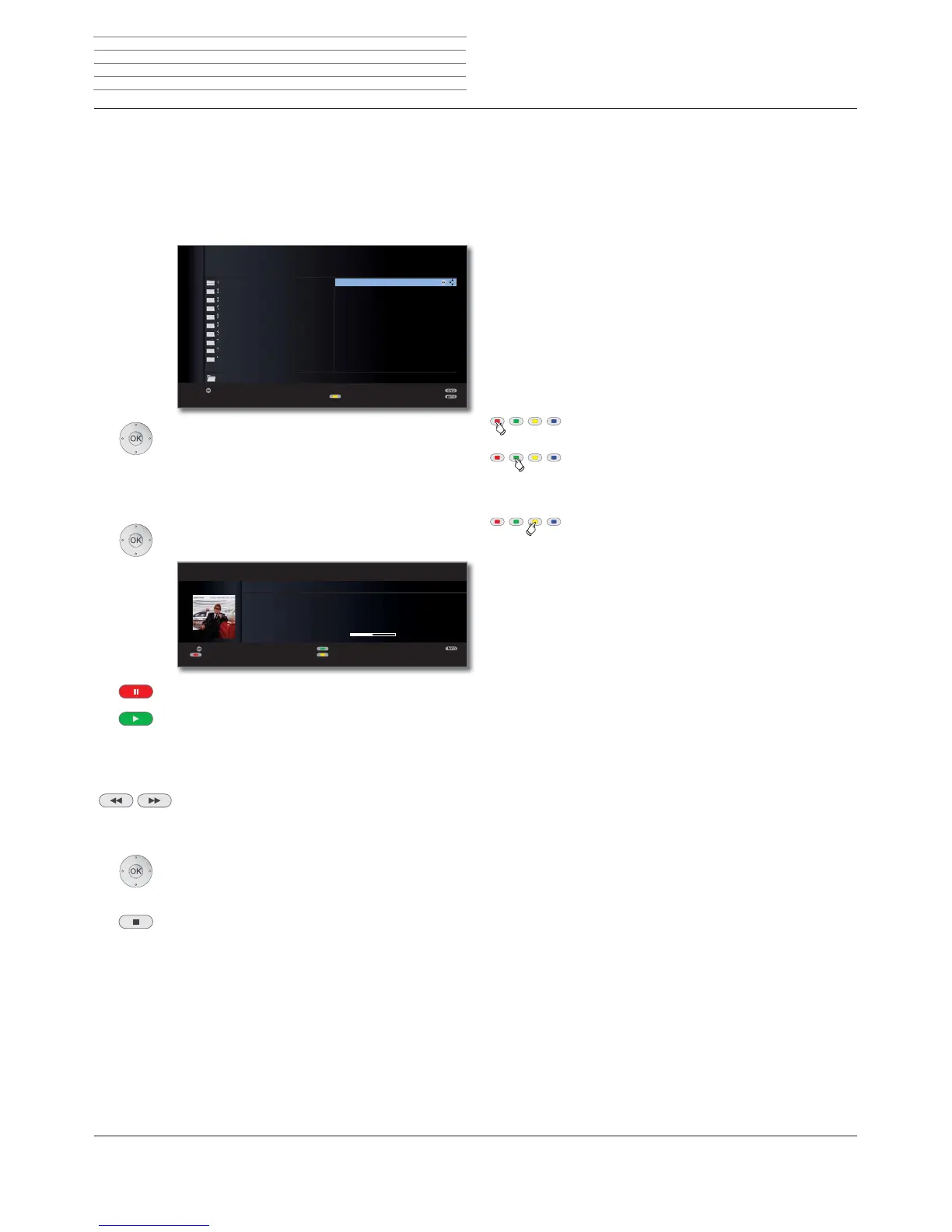
MediaMusic is the music player for playing back music tracks, which you
can access via MediaHome. The music tracks can come from USB storage
media or media servers in the home network.
➠ A music title is highlighted in the media overview.
OK Play highlighted music title (see right column).
Play music files
➠ A music title is highlighted.
OK Play music title.
PAUSE button: Pause/resume current playback.
PLAY button: If playback is paused:
Continue paused playback.
For playback in progress:
Play title from the beginning.
short: Playback previous / next title.
long: Rewind (speed 2x, 5x, 10x, 20x)
Fast-forward (speed 2x, 5x, 10x, 20x)
OK Return to the music list without ending the current
playback.
STOP button:
End playback and return to the music list.
OK
OK
Prime Time
Let Me Go Home
One Good Reason
Since The Last Goodbye
Don't Answer Me
Dancing On A Highwire
You Don't Believe
Pipeline
Ammonia Avenue
Ammonia Avenue
Eve
Eye In The Sky
Gaudi
I Robot
Pyramid
Stereotomy
Tales Of Mystery And Ima...
The Turn Of A Friendly Card
Vulture Culture
Listen
LOEWE_USB (USB)
Albums Title
:/.../Artists/Alan Parsons Project/Ammonia Avenue/ Elements 9
Change view
ܕ
OK
"Dark Diamond" 6WHUHR܃
Interpret: Elton John
Album: Songs From The West Coast
6SLHO]HLW
Zufall ein/aus
Wiederholen Titel/alle/aus
Musik-Liste
Bildschirm aus/ein
MUSIK-PLAYER
Explanation of the symbols in the playback window
The symbols at the top right show you information about the current
playback.
ܕPlayback
ܔ
Pause
ܓ
Rewind
ܒ
Fast-forward
_ Replay current title
ܨ Replay all titles in the current folder
ܪ Random play activated
The bar behind the playtime shows you how far the music file has
been played.
Function of coloured buttons during music playback
Red button: Switch screen off/on.
Green button: For music files from local media:
Random play of files in currently selected
folder on / off.
Yellow button: Repeat individual title / all titles / Repeat
off.
For Internet radio:
Switch to the last radio station that was
listened to.
Media
+












 To Next Page