Connect ID 32-46 - 50 -
Operating instructions
Picture in Picture (PIP)
The concurrent display of two different images is referred to as Picture
in Picture.
Restrictions for the PIP mode:
➠ The possibilities for selecting and combining main image/PIP image
depend on the version of the set (with/without DR
+
).
You will find instructions on how to equip your TV set on page 144
and in the index under Integrated features (see page 15).
Simultaneous display of... TV set with
DR
+
TV set without
DR
+
a digitally broadcast channel
(DVB-T/C/S) and picture from an
AV source (e.g., AV, HDMI1)
zz
a channel over digital satellite
(DVB-S) and a channel over ana-
logue cable television
zz
a digitally broadcast channel
DVB-T/C and a channel over
analogue cable television
z
–
a digitally broadcast channel over
DVB-T/C and a satellite broadcas-
ter (DVB-S)
zz
two channels over analogue
cable television
––
two digitally broadcast channels
(DVB-T/C/S)
z
–
a free-to-air and an encrypted
digitally broadcast channel (DVB-
T/C/S)
z
–
two encrypted channels – –
an SDTV channel and an HDTV
channel (DVB-C/S)
z
–
two HDTV channels (DVB-C/S) – –
➠ Picture change and station selection is restricted during recording.
➠ PIP Mode is not accessible as long as an HbbTV application is active
(see page 82).
The PIP operation distinguishes between two functionalities:
iPIP Only in sets with DR
+
: The TV picture is moved to the
PIP picture when you start the iPIP mode. The station of
the TV picture is now freely selectable. When you exit
iPIP mode the PIP picture becomes the TV picture again
and the PIP window is closed.
An orange frame around the PIP picture shows the iPIP
functionality
Standard PIP Stations freely selectable and changeable for PIP and TV
picture (coloured buttons have PIP-specific meaning, see
right hand column).
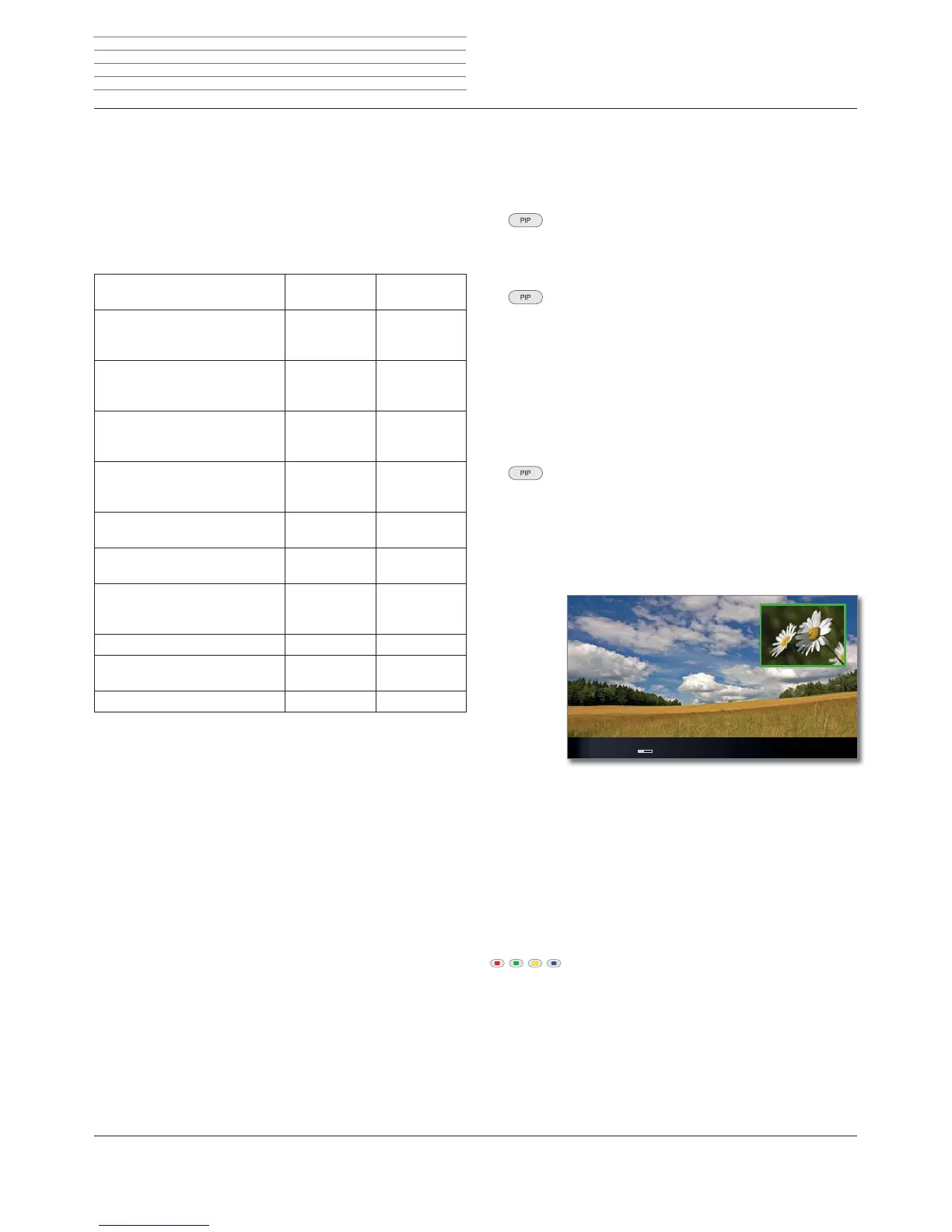
A green frame around the PIP picture indicates that the
station selection affects the PIP picture. A white frame
means that the operation refers to the main picture. If
the frame is blue, the station play is active in the PIP
picture.
iPIP
Starting and ending iPIP mode
➠ only available for TV sets with DR
+
. This function is
preset ex works.
On pressing the PIP button the currently displayed TV
picture becomes the PIP picture. You can select other
stations for the TV picture and still keep an eye on the
PIP picture. You can temporarily shift commercials or
programme sections to the PIP picture in this way.
The PIP picture becomes the TV picture again (PIP off).
Standard PIP
Starting and ending standard PIP mode
➠ in TV sets with DR
+
, select the menu item Standard
PIP in the PIP menu under Functionality (see
page 51). In TV sets without DR
+
, this function is
preset.
Show/hide PIP.
Select the PIP picture
➠ The frame is green,
if not, press the green button.
Select the station as usual.
Select the station for the main picture
➠ The frame is white,
if not, press the green button.
Select the station as usual.
Function of the coloured buttons in standard PIP functionality
➠ The frame is green,
if not, press the green button.
Yellow button: Switches contents of TV picture and PIP
picture.
Blue button: Start/stop PIP scan in the PIP picture.
=')۷
17.00-18.30 Flora & Fauna
Picture in Picture












 To Next Page