Connect ID 32-46 - 93 -
Operating instructions
Archive recording – Direct recording
➠ For recording encrypted broadcasts, please also refer to the informa-
tion on pages 110 and 111.
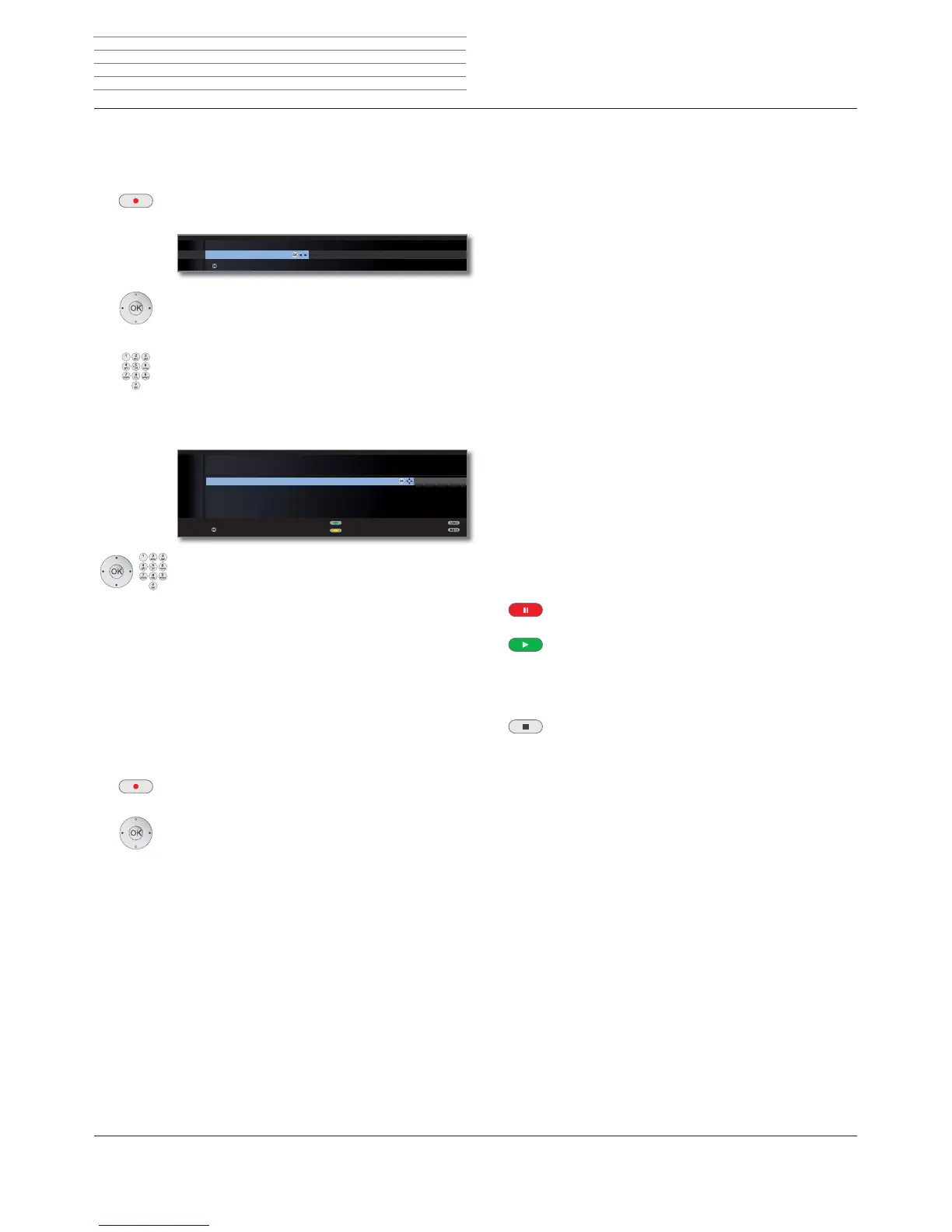
Press RECORD button briefly: Start direct recording.
The Recording duration selection is called.
Select desired recording time.
current programme: The broadcast being watched is
adopted in the DR archive.
??? : Manually enter the recording dura-
tion with the numeric buttons of
the remote control.
OK Confirm. Call Timer data.
Check the timer data, change if necessary and con-
firm with OK. The recording is started.
See page 97 for explanations of the setting options in the Timer
data menu.
One Touch Recording
With One Touch Recording, the recording starts immediately at the
press of a button. You only need to specify the recording time. There
is no need to select the recorder (e.g. DVD recorder). The programme
is always recorded onto the integrated hard disc. The programme is
always recorded onto the integrated hard disc
(1
or onto the USB stor-
age device
(2
.
Press RECORD button longer: Start One Touch Recording.
The Recording duration selection is called.
Select desired recording time,
OK confirm.
OK
OK
30 60 90 120 180 240 ???
RECORDING DURATION (MIN.)
current programme
confirm
OK
OK
OK
TIMER DATA
09:45 Bon(n) jour Berlin
Parental lock
Set delete protection
confirm
AVRecorder DR
Station 45 Phoenix
Date 05.02.2010
Recording time 09:45 until 10:00
Recording type once only
➠ When the start of the broadcast has been recorded, the broadcast will
be adopted from the beginning (only when DR continuous operation
is activated, see page 89). Otherwise, recording begins at the point
from which viewing of the broadcast began.
➠ With DR continuous mode activated (see page 89), you can also
adopt a viewed and finished broadcast to the archive provided there
has been no change of broadcast in between. Skip or wind to the
desired broadcast and start the recording with current programme
(see left column).
During the archive recording, the bar showing the recording progress
is red.
➠ Scrambled programmes are recorded according to the presetting in
the Digital Recorder menu ט Descrambling at DR continuous opera-
tion. If yes is set, no other programme can be viewed during direct
recording of a scrambled programme.
➠ If the presetting in Descrambling at DR continuous operation is
changed while you are watching a scrambled programme, the time
offset recording is restarted. The previous recording is deleted.
Setting bookmarks during archive recording
During immediate recording or a running timer recording, you can set
bookmarks at interesting sections (press the PLAY button for a little
longer). You will see a screen message. This enables you to find this
part of the recording quickly during playback. You can set up to 15
bookmarks per recording.
Time shift viewing during archive recording
PAUSE button: Change to freeze frame.
The recording is continued in the background.
PLAY button: Continue playback.
You will now see the time-shift archive recording.
Skipping, rapid winding and rewinding and slow motion function as de-
scribed in the chapter TV viewing with time shift (pages 91 and 92).
STOP button: End time shift and return to the live
image.
Digital Recorder
(1
only for TV sets with DR
+
.
(2
only for TV sets without DR
+
.












 To Next Page