Connect ID 32-46 - 92 -
Operating instructions
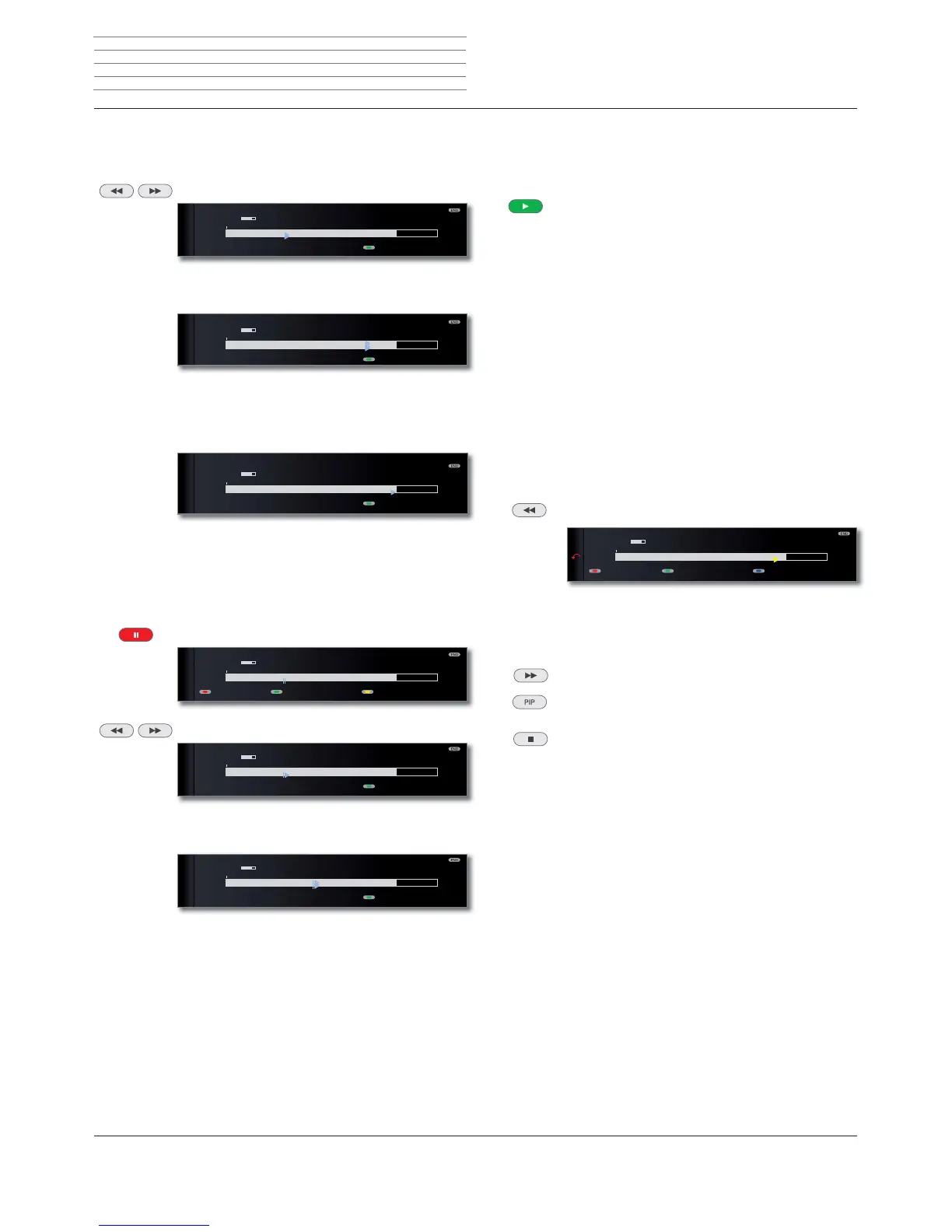
Fast forward and rewind
During time shift viewing you can fast forward and rewind at three
different speeds. Sound is not audible during winding.
Press or for a little longer.
By briefly pressing or , the speed will increase until
you switch back to the first speed.
Playback begins automatically upon reaching the end of
the recording. You are then about 10 seconds behind
the live picture or when rewinding at the beginning of
the time shift recording.
Slow motion
If Pause is active (freeze picture) you can play at four slow-motion speeds.
Sound is not audible during slow motion. When viewing HDTV slow
motion backwards is not possible.
Press PAUSE button.
Press or briefly.
Increase speed:
Press or several times briefly.
The speed increases every time you press the button until
eventually switching back to the initial speed.
09:5209:45 10:00
3KRHQL[6WHUHR܃
09:45-10:00 Bon(n) jour Berlin
Language/sound
09:5509:45 10:00
3KRHQL[6WHUHR܃
09:45-10:00 Bon(n) jour Berlin
Language/sound
09:5709:45 10:00
3KRHQL[6WHUHR܃
09:45-10:00 Bon(n) jour Berlin
Language/sound
09:4909:45 10:00
Follow me
3KRHQL[6WHUHR܃
09:45-10:00 Bon(n) jour Berlin
DR archive Language/sound
09:4909:45 10:00
3KRHQL[6WHUHR܃
09:45-10:00 Bon(n) jour Berlin
Language/sound
09:5209:45 10:00
3KRHQL[6WHUHR܃
09:45-10:00 Bon(n) jour Berlin
Language/sound
Highlight function
You can mark interesting scenes in sports reports for example to watch
these again specially at a later viewing.
You can set bookmarks in time-shift TV or during live viewing.
Press PLAY button for a little longer: Set bookmark.
The time shift recording that is already active in the
background is converted into an archive recording.
You will see a message on the screen. Every time the
PLAY button is pressed down again a little longer, a new
bookmark is set.
➠ If there is no teletext or EPG programme information,
the Recording duration menu will appear the first time
you press the PLAY button. Select the desired record-
ing duration and confirm using OK (see page 93).
Recordings which contain manual bookmarks can be
replayed as highlights
(1
(see chapter Archive playback
on pages 100 and 104).
Replay function
You can watch interesting scenes of sports reports again for example
(only in live picture).
Press button shortly.
The set jumps back 40 seconds into time shift mode. The
playback flag is yellow (Smart Jump active).
At the same time, the live image is shown as a PIP small
picture (not with HD stations).
Button : Skip forwards 20 seconds.
PIP button: Close PIP picture, without quitting the
time-shift playback.
STOP button: End replay function and return to live
picture.
Switch to a different station
If you switch the channel, the time-delayed recording (time shift) is
restarted. The current time-delayed recording is discarded (time shift
buffer is emptied).
09:5509:45 10:00
3KRHQL[6WHUHR܃
09:45-10:00 Bon(n) jour Berlin
%RRNPDUNז %RRNPDUNטLanguage/sound
Digital Recorder
(1
only for TV sets with DR
+
.












 To Next Page