Connect ID 32-46 - 22 -
Operating instructions
Home Mode:
The emphasis for home use is on low energy consump-
tion. The automatic dimmer is activated.
Premium Mode:
This mode optimises the settings to a brighter environ-
ment at a higher energy consumption. The automatic
dimmer is activated.
Shop Mode:
The picture settings are aligned to operation in the
presentation room. The automatic dimmer is deacti-
vated. If the ambient brightness diminishes, the energy
consumption is not reduced.
The presetting can be changed later in the TV menu
under Picture ט Picture adjustment ט Presettings (see
page 36) or under Settings טEnergy efficiency.
OK proceed.
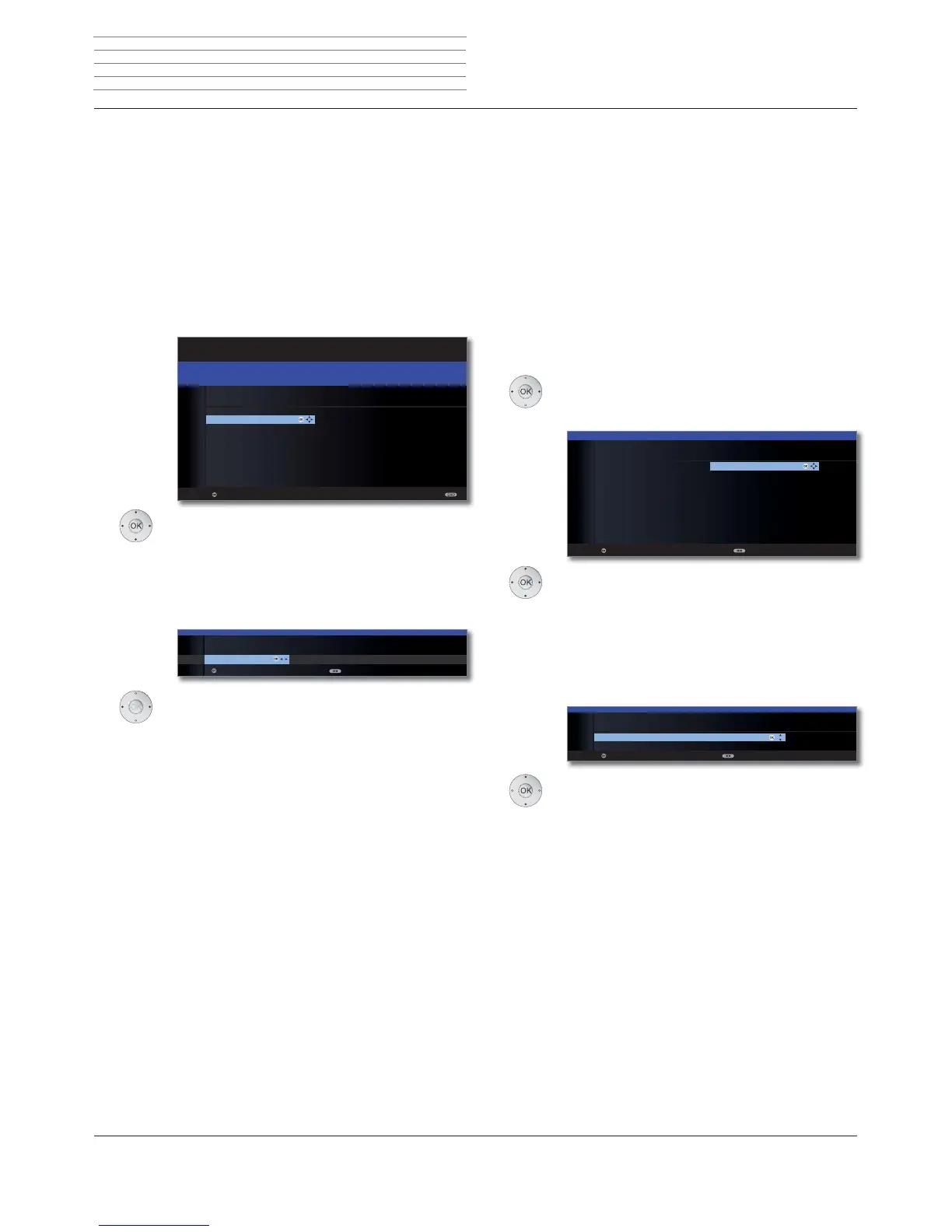
Select Location of TV set (national defaults are
adopted).
For certain locations (e.g. Australia), there is
finally a selection screen where you can indi-
cate in which state/territory the device is
being operated.
OK Proceed.
Select the Operating mode.
Use the TV set As TV set:
Continued on the next page.
Use the TV set As monitor only:
Continued on page 31.
OK Proceed.
Energy
efficiency
(continued)
Location of
TV set
Operating
mode
OK
OK
INITIAL INSTALLATION
Location of TV set (1/2)
A Austria GB United Kingdom
AUS Australia H Hungary
B Belgium I Italy
CH Switzerland IRL Ireland
CZ Czech Republic L Luxembourg
D Germany N Norway
DK Denmark NL Netherlands
E Spain NZ New Zealand
F France P Portugal
FIN Finland PL Poland
Proceed Back
OK
Proceed Back
INITIAL INSTALLATION
Operating mode
As TV set
As monitor only
OK
First installation wizard
Initial installation after switching on for the first time
This wizard starts automatically after the set is switched on for the first
time, however it can also be called later manually in the TV index, see
Repeat initial installation on page 15.
➠
If at least one station is locked the access code must be entered
before repeating initial installation (see Parental lock on page 60).
First installation wizard routine
The routine of the first installation wizard depend on the selected set-
tings.
Select Language.
Selecting the language of the user guidance is the
wizard’s first step. Then you simply follow the instruc-
tions on your TV screen.
OK Proceed.
Select Energy efficiency.
Decide how energy efficiently you want to operate
your TV set. The value for the contrast (and thus the
brightness of the background lighting) is adapted
and the automatic dimmer activated or deactivated
(see page 36) depending on the presetting.
Choosing Home Mode automatically activates shut-
down. For Premium Mode or Shop Mode, auto-
matic shutdown is initially deactivated.
See page 6 for further information on auto-
matic shutdown.
OK
OK
FIRST INSTALLATION WIZARD
Which language do you want to use for operation?
INITIAL INSTALLATION
Language
Sprache D Kieli FIN
Language GB Jezik SLO
Langue F Jazyk SK
Lingua I Lisan TR
Idioma E Språk S
Taal NL Sprog DK
Jazyk CZ Idioma P
˿
*5ΓΧΖ586
-Û]\N3/6SU§N1
Nyelv H
Proceed
OK
Premium Mode Shop Mode
INITIAL INSTALLATION
Energy efficiency
Home Mode
Proceed Back
OK
Language
Energy
efficiency
Initial installation












 To Next Page