Connect ID 32-46 - 58 -
Operating instructions
Radio mode (Internet radio)
The TV set can receive digital radio stations over DVB (see page 56)
or over the internet.
In addition you can play the sound from an external device through the
TV set via the audio/AV inputs of the TV set (see page 57).
➠ The AUDIO button has been preset for radio operation in the factory.
To change the configuration see page 129.
➠ Internet radio is only accessible if a connection to the internet has
been established.
Radio mode on
Press the AUDIO button on the remote control or R on
the control ring on the TV set.
The radio mode that was last selected will be opened
(DVB or internet radio).
If need be, toggle between DVB radio (see
page 56) and Internet radio.
Or:
MEDIA: Call MediaPortal.
Select Internet radio,
OK call.
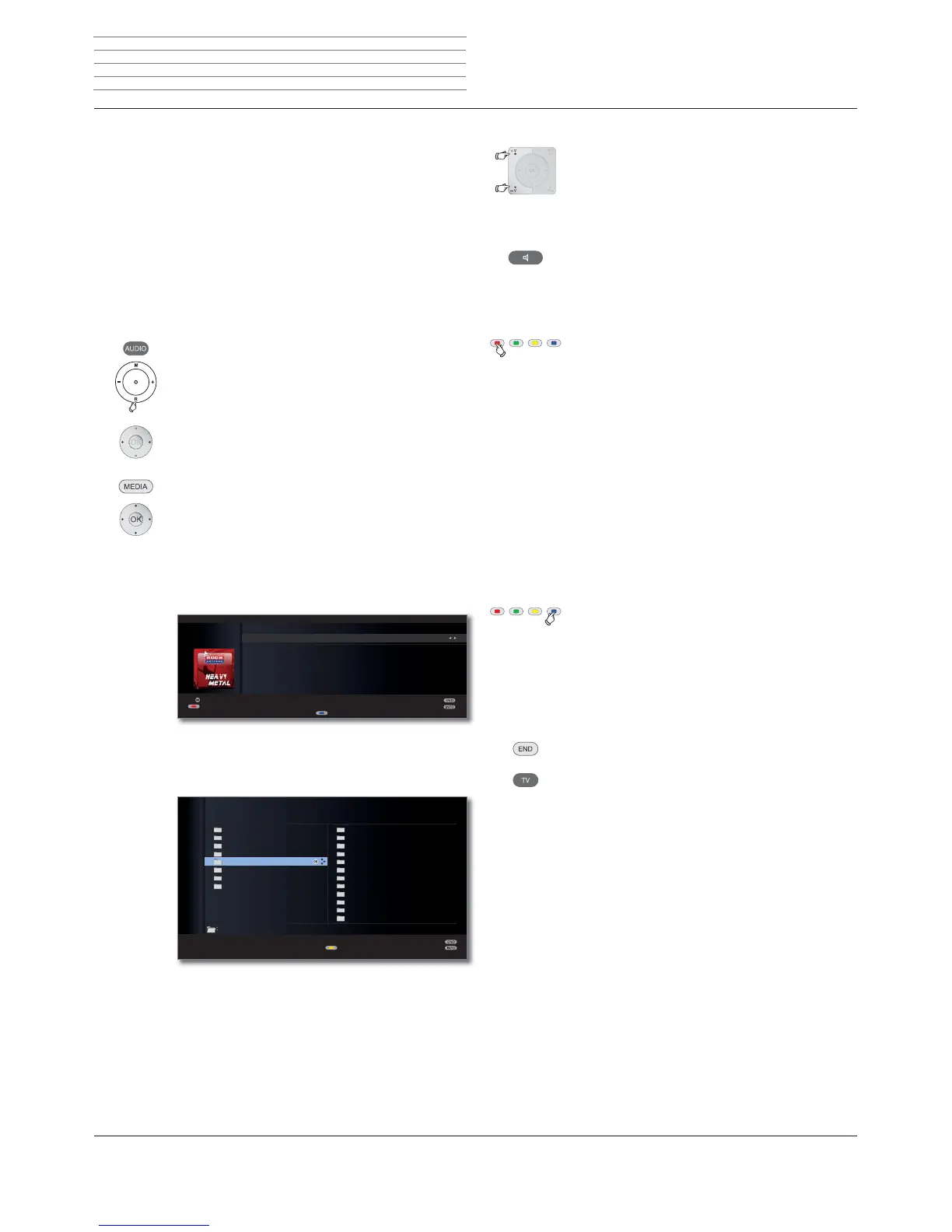
You see an information window about the currently set
station.
➠ The station overview appears the first time you call
up Internet radio (see below).
Station list (internet radio)
➠ When playing Internet radio stations, the folder
names specified by the provider “vTuner” are adopted
for display on the TV.
For further operation, see General navigation in the
media overview on page 71.
OK
ܕRADIO DIGITAL
Internet radio
5RFN$QWHQQH+HDY\0HWDO 6WHUHR ܃
Judas Priest - Living after midnight
3OD\WLPH
Station list
Screen off/on
Add to favourites
Buzz
by Genre
by Location
Favorites
Local Germany
New stations
Popular stations
Recommended stations
All stations
Alternative
Ambient
Big Band
Blues
Business news
Celtic
Christian Contemporary
Christian Rock
Classic Rock
Classical
College
Elements 8
Change view
INTERNET RADIO
OK
:/
Setting the volume
V+/V– Volume louder / quieter.
Other sound settings are the same as for the volume
setting in TV mode (see page 34).
Sound mode
Call Sound mode.
Other settings as for TV mode (see page 34).
Switching the screen on/off
Red button: Switch off the screen.
Switching off the screen reduces the power consump-
tion of the TV set.
The LED display on the TV set (see page 10) changes
from green to yellow.
Switch on the screen with the remote control:
Red button or OK button (station list is opened).
Internet radio favourites
You can find your Internet radio favourites in the Favour-
ites folder in the Internet radio station overview (see
above). The Favourites folder contains several subfolders.
The My Favourites subfolder contains the favourite
stations you have added directly to your favourites in
the TV set (local favourites).
Blue button: Add the playing Internet radio station to
favourites.
The station is added to the My Favourites subfolder.
You can also manage your Internet radio favourites
conveniently via the Support homepage (see page 64).
Switch off radio mode
Press TV button or
END button on the remote control.
Digital radio












 To Next Page