Connect ID 32-46 - 83 -
Operating instructions
(1
Exception: device location Italy (see page 22).
HbbTV mode on/off
When the HbbTV mode is active (factory setting
(1
), additional services
and further information (e.g. also from the Internet) can be viewed if
these are offered by the current station.
MENU: Call TV menu.
Select Settings,
go to the menu line below.
Select Miscellaneous,
go to the menu line below.
Select HbbTV mode,
go to the menu line below.
Set the changes.
➠ If the setting HbbTV mode ט off has been selected,
you can open the DR archive / video archive by press-
ing the red button.
Feature of the TEXT key
With the setting Standard teletext first (factory setting), the standard
Teletext is opened when the TEXT button is pressed for the first time.
Pressing the TEXT button for a second time will then display the Me-
diaText. Pressing the button TEXT button for a third time will bring you
back to the TV picture. If MediaText first is selected, the TEXT button
will do the exact opposite.
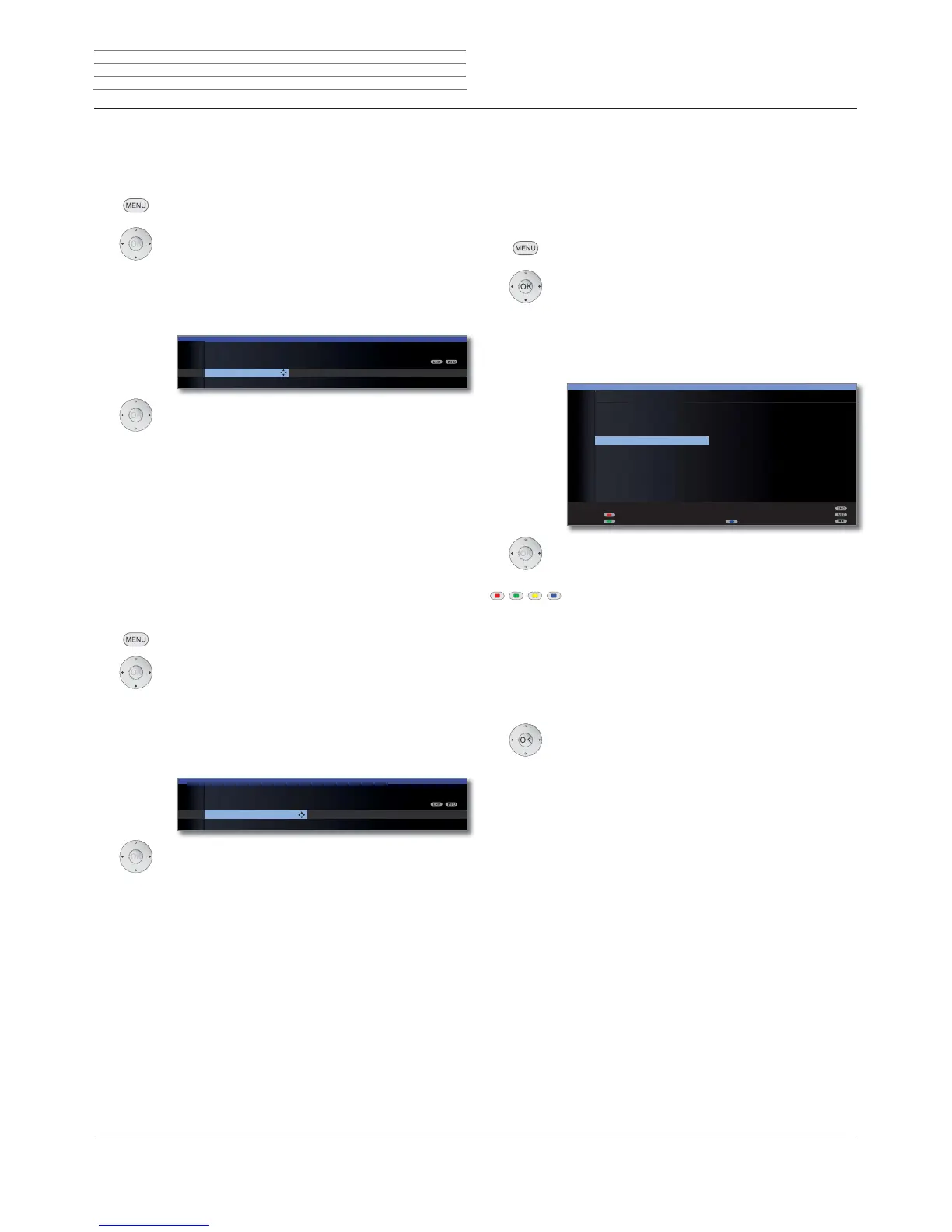
MENU: Call TV menu.
Select Settings,
go to the menu line below.
Select Miscellaneous,
go to the menu line below.
Select Feature of the TEXT key,
go to the menu line below.
Select Standard teletext first or MediaText first.
Start behaviour of HbbTV stations Feature of the TE
ettings
Check integrated hard disk Format integrated
TV MENU
Settings
Miscellaneous
Feature of the TEXT key
Standard teletext first ...
tations
Start behaviour of HbbTV-stations
If the setting HbbTV mode ט on has been selected (see left column), you
can specify if a available HbbTV application should be loaded automati-
cally after the channel has been changed or if this should only occur
manually after the red button has been pressed once. After loading the
HbbTV application, an on screen instruction is displayed (depending on
the channel that is being viewed).
MENU: Call TV menu.
Select Settings,
go to the menu line below.
Select Miscellaneous,
go to the menu line below.
Select Start behaviour of HbbTV stations,
OK open.
Choose station.
Blue button: Change whole list / Change items indi-
vidually.
Red button: Start HbbTV on the selected channel
automatically / Start all automatically.
Green button: Start HbbTV on the selected channel manu-
ally / Start all manually.
When changing the entire list (Change whole list):
OK Confirm change to the start behaviour.
START BEHAVIOUR OF HBBTV STATIONS
Change whole list
'DV(UVWH۪
=')۪
57/7HOHYLVLRQ ۪
6$7۪
3UR6LHEHQ ۪
92;۪
NDEHOHLQV ۪
DUWH۪
57/۪
6XSHU57/ ۪
'DV(UVWH+' ۪
=')+'۪
6WDUWDXWRPDWLFDOO\۪
Start manually (l
DUWH+'۪
$1,;(+'۪
6HUYXV79+' ۪
(LQVIHVWLYDO ۪
$675$+' ۪
%D\HULVFKHV ۪
0'56DFKVHQ ۪
UEE%HUOLQ ۪
1'5)61'6 ۪
:'5.¸OQ ۪
KUIHUQVHKHQ۪
65)HUQVHKHQ ۪
Interactive data services












 To Next Page