Connect ID 32-46 - 98 -
Operating instructions
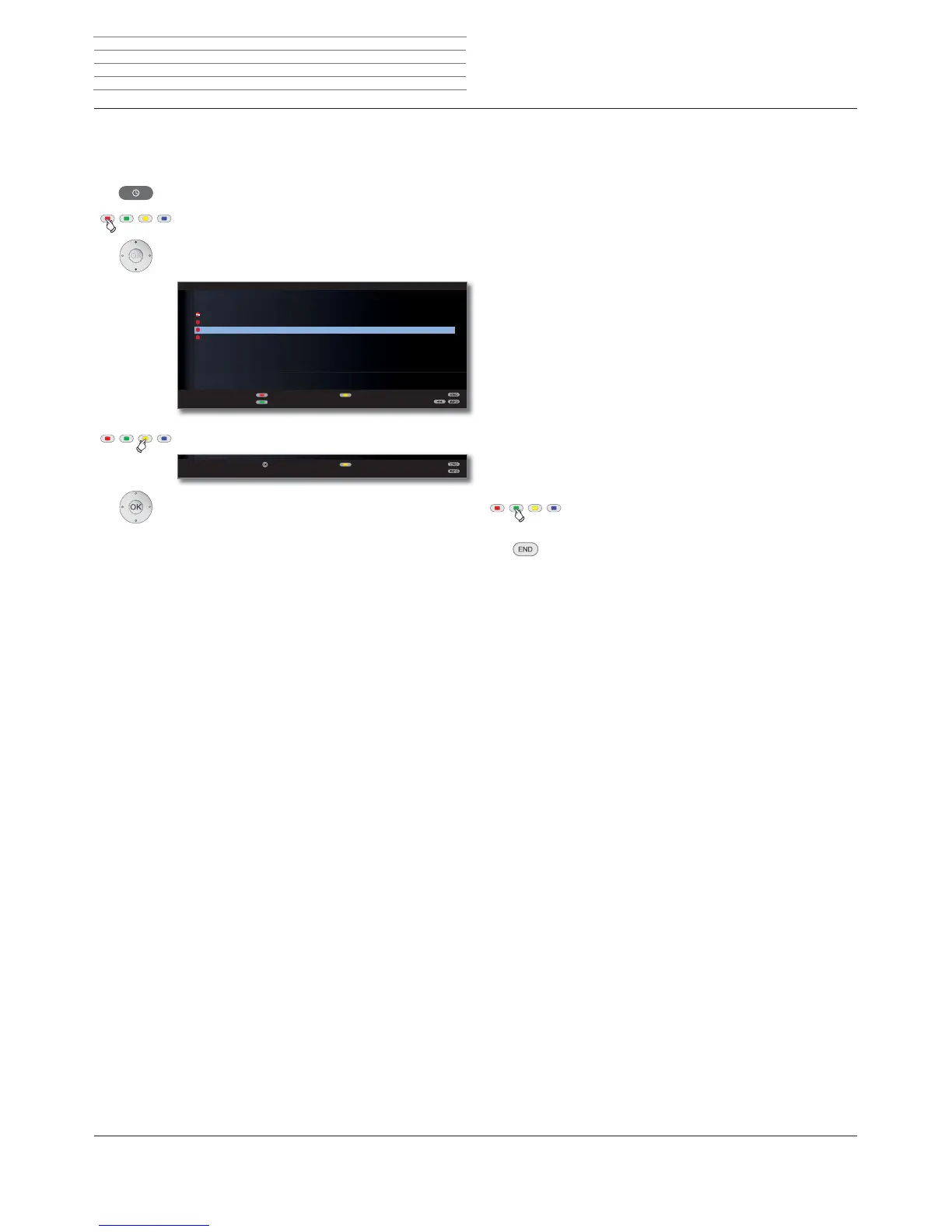
Delete programmed timer entries
Use this function in the timer overview if you want to delete recordings
already programmed or end a running timer recording.
Call DR archive.
Red button: Call Timer list.
Mark the timer to be deleted.
Yellow button: Delete timer entry.
OK Confirm.
➠ The letters of a timer currently active are red. If you
delete this timer, the recording is stopped.
Aktuelle NachrichtenAktuelle Nachrichten
7,0(5/,67
)UL
)ULDUWH۪r*HR5HSRUWDJH
6DW '5ט'5 )X¡EDOOOLYH
۰57/8QWHUXQV
ܱ=')KHXWH
7XHVDWZLVVHQVSH]LDO
1HZHQWU\
&KDQJHUHFRUGLQJ
'HOHWHUHFRUGLQJ
OK
&RQILUPGHOHWH $ERUWGHOHWH
The Delete Manager
The Delete Manager always makes sure there is enough memory space
on the hard disc for new recordings.
If the capacity on the hard disc is nearly fully exhausted, the oldest
recording(s) are automatically deleted in order to create space on the
hard disc.
Recordings which have been protected with a delete protection (see
page 106) are not deleted by the Delete Manager. However, you can
still delete these recordings manually.
To avoid data loss, we recommend copying important recordings to a
rewritable DVD.
Delete the recordings from the Digital Recorder after copying.
Loewe is not liable for data loss from the Digital Recorder’s hard disc.
Record conflict
If you wish to programme a new recording which overlaps an timer
recording already saved, the Recording conflict dialogue will open.
Here you define whether only one or both recordings are to be made.
If you decide for both, you have to state which of the two programmes
is to be recorded fully.
Other ways of solving this recording conflict:
Green button: Change the timer data of the individual
programmes.
END: Reject new timer. The older timer entry is
retained.
Digital Recorder












 To Next Page