Using the Main Menu16
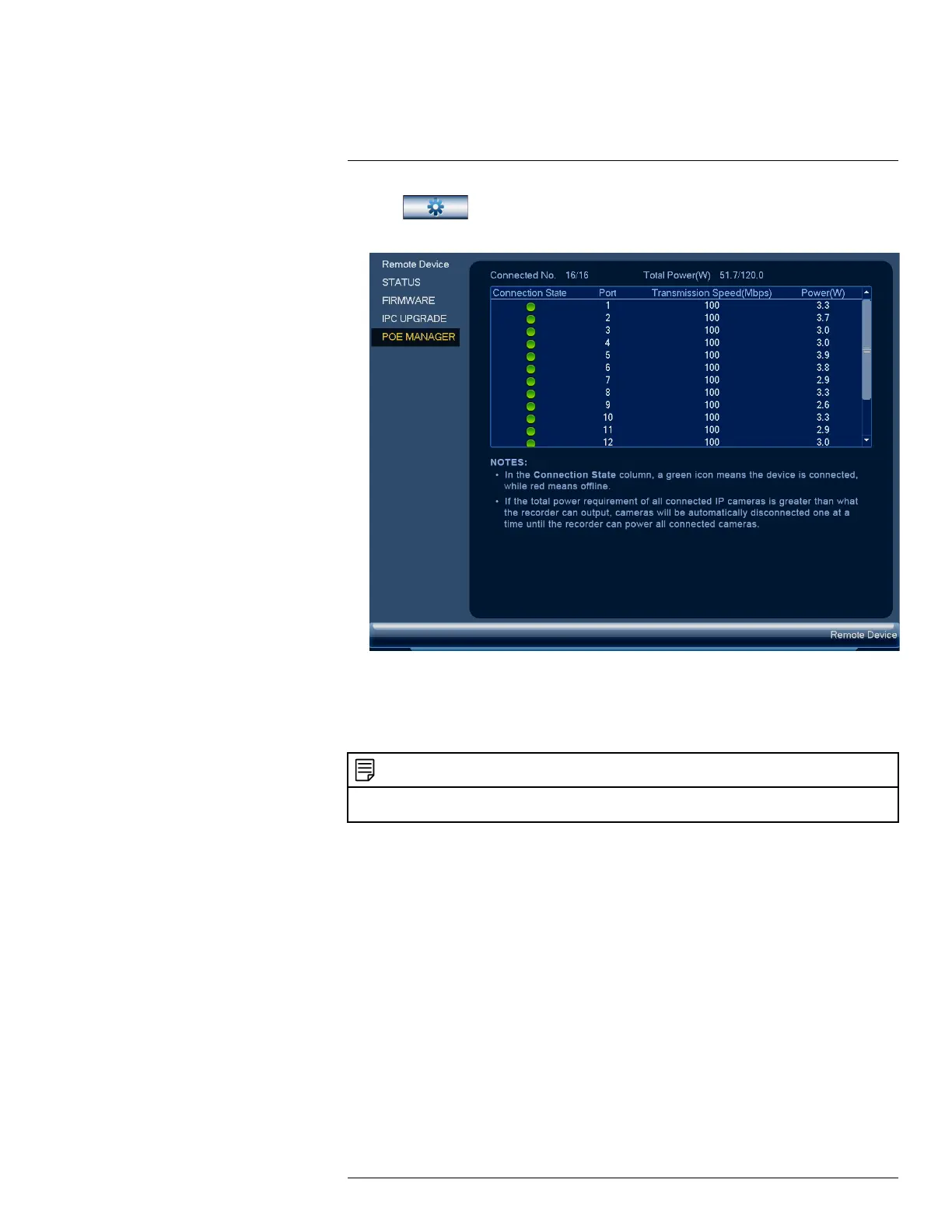
2. Click , then click REMOTE DEVICE. Click the POE MANAGER tab on the
side panel.
16.2.5 Configuring Snapshot Recording Settings
The system can be set to record snapshot images when a camera detects motion. These snapshots
can be viewed through the Playback menu or can be attached to email alerts and push notifications.
Use the following procedure to set the snapshot parameters for each camera.
NOTE
Snapshot recording must be enabled for motion detection in the Event menu. See 12 Motion Detection, page 42 for
details.
To configure snapshot recording settings:
1. From the Live View display, right-click to open the Quick Menu, then click Main Menu.
#LX400113; r. 3.0/56326/56332; en-US 63


 To Next Page
 Loading...