V. 1.0 | LPKF Laser & Electronics AG
3.8 Software
The system software CircuitPro PM is used for preparing and converting the PCB
layout data into a compatible file format (e.g. the LMD format), for further editing the
data, and for controlling the system.
The system software imports your CAD data, aperture tables, and tool lists. The
design rule check checks the conductive track width and the conductive track spacing,
and lists the inconsistencies in the Message pane. At the same time, these are
displayed graphically in the CAM view. Thus, you can correct the data before starting
the actual production process. Additionally, the software serves as automated control
of the system and enables direct access to all operation parameters.
For a detailed description of the system software refer to the software manual.
The user manual and the software are included on the data medium in the delivery.
Install the system software on the PC.
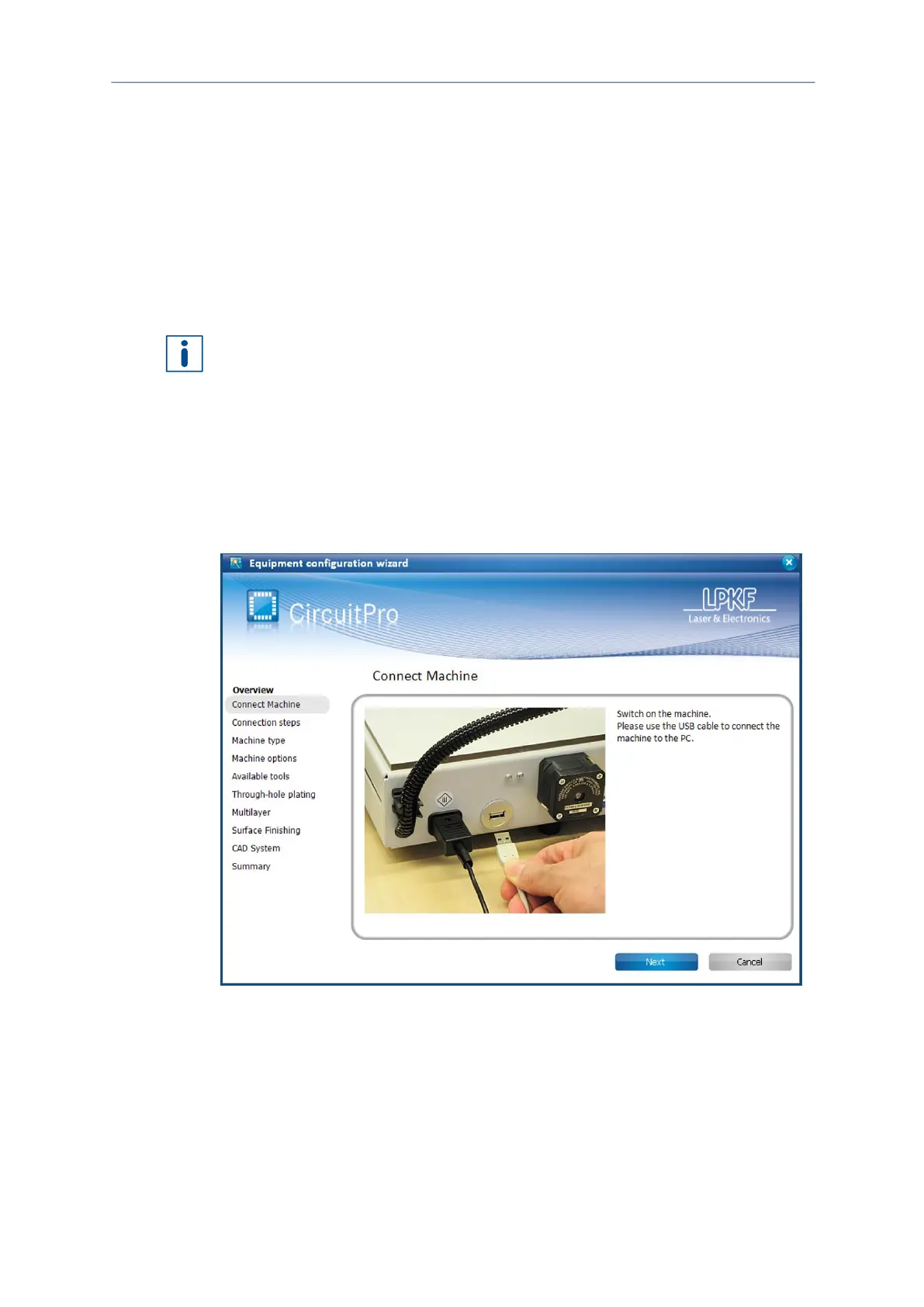
After the system software has been installed on your PC, the system has to be
configured once with the associated equipment. The equipment configuration wizard
helps you to set up the system.
Equipment configuration wizard
Fig. 8: Equipment configuration wizard
The Equipment configuration wizard starts automatically at the first start of
CircuitPro PM. If the wizard does not start automatically, click on Wizards >
Equipment configuration wizard.
For further information on the Equipment configuration wizard refer to the
CircuitPro PM compendium.



 To Next Page