Digital Inputs
- 56 -
BPD17 pH / Redox Monitor
Operating Guide
Digital Inputs
The BPD17 is fitted with two digital inputs designated A and B. The digital input menu contains all of
the necessary setup functions to configure the digital input sources. These inputs are intended to be
switched using a volt free link, switch or relay. The user can select whether closing or opening the
contact initiates the configured action.
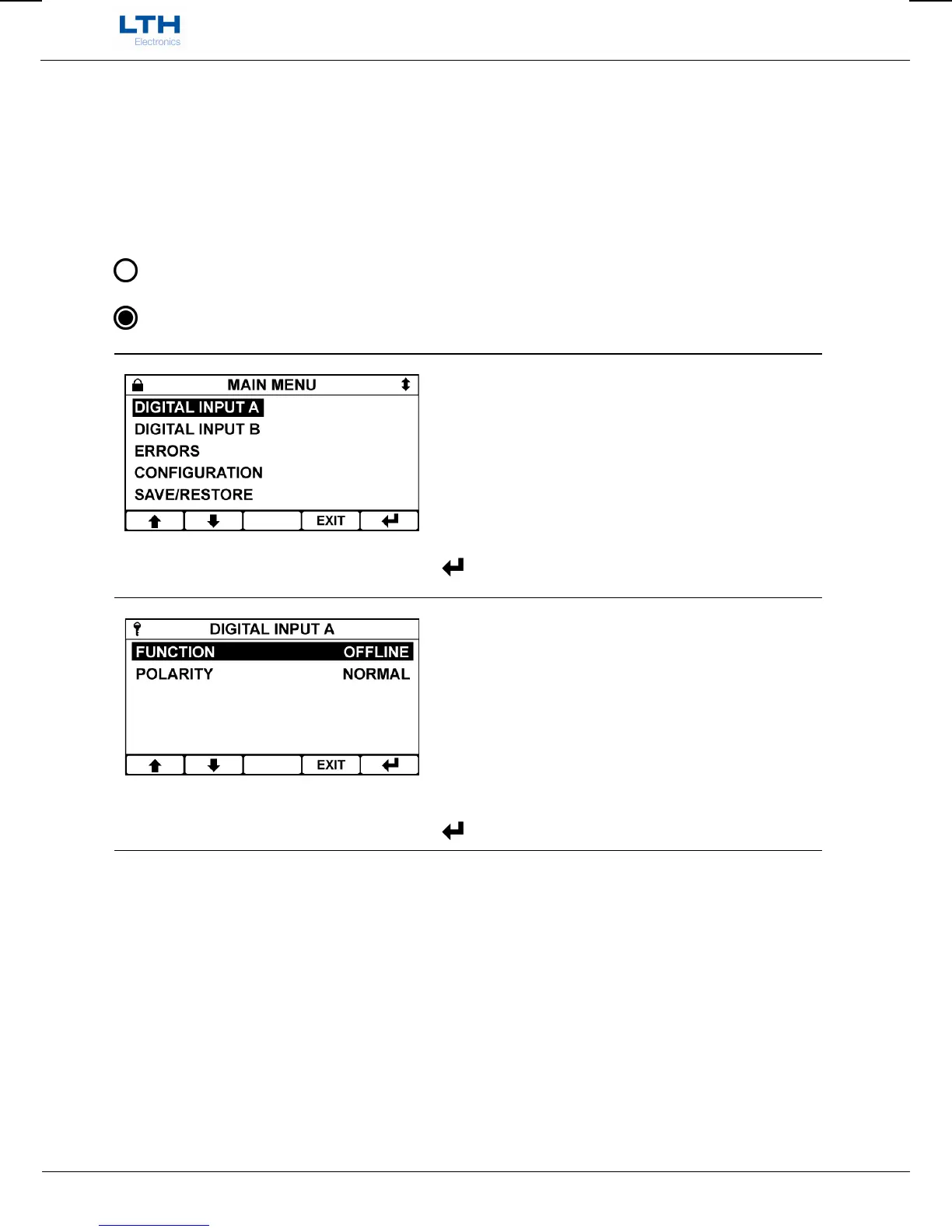
The instrument indicates the status of the digital input by means of a symbol on the front screen.
Indicates that the digital input is inactive.
Indicates that the digital input is active.
Main Menu
From the front screen press the menu button to show
the main menu options and select the digital input A
or B you wish to configure.
/ – Select Option
EXIT
– Return to Front Screen
– Enter Option
Digital Input Menu
Select the digital input function you wish to
configure.
/ – Select Option
EXIT
– Return to Main Menu
– Enter Option


 To Next Page