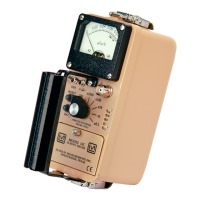
MODEL 9DP-1 Operator’s Manual
Ludlum Measurements, Inc. 37 December 2015
FCN 1: <function name>
“FCN 1” is a sub-menu that allows access to Function 1 of the current view,
including the function selected and the function enabled.
“FCN 1” represents the instrument function selected for the current view.
“FCN 1” is a special field and valid values include “Integrate,” “Peak Rate,”
and any additional functions that may have been added since the instrument
left the factory.
“No Function” is an indication that an existing instrument function location
is selected; however, no function has been loaded into the instrument
function location.
“- empty -“ is an indication that no instrument function location has been
selected and the function is therefore empty.
FCN 1: Enable
“FCN 1: Enable” represents the ability to enable the current function for the
current view. If the function is disabled, the function will no longer be
viewable when pressing the function key on the keypad. “FCN 1: Enable” is
a special field with valid values of “On” or “Off.”
FCN 2: <function name>
“FCN 2” is a sub-menu that allows access to Function 2 of the current view,
including the function selected and the function enabled.
“FCN 2” represents the instrument function selected for the current view.
“FCN 2” is a special field and valid values include “Integrate,” “Peak Rate,”
and any additional functions that may have been added since the instrument
left the factory.
“No Function” is an indication that an existing instrument function location
is selected; however, no function has been loaded into the instrument
function location.
“- empty -“ is an indication that no instrument function location has been
selected and the function is therefore empty.
FCN 2: Enable
“FCN 2: Enable” represents the ability to enable the current function for the
current view. If the function is disabled, the function will no longer be
viewable when pressing the function key on the keypad. “FCN 2: Enable” is
a special field with valid values of “On” or “Off.”

 To Next Page
 Loading...