S80 Version 4.92 November 2014
Page 17 of 61
The central number and chevrons indicate if the Flarm target is bellow or above and
by how many meters/feet. The number in the bottom left indicates the range in
meters/feet.
5.3 Waypoint Screen
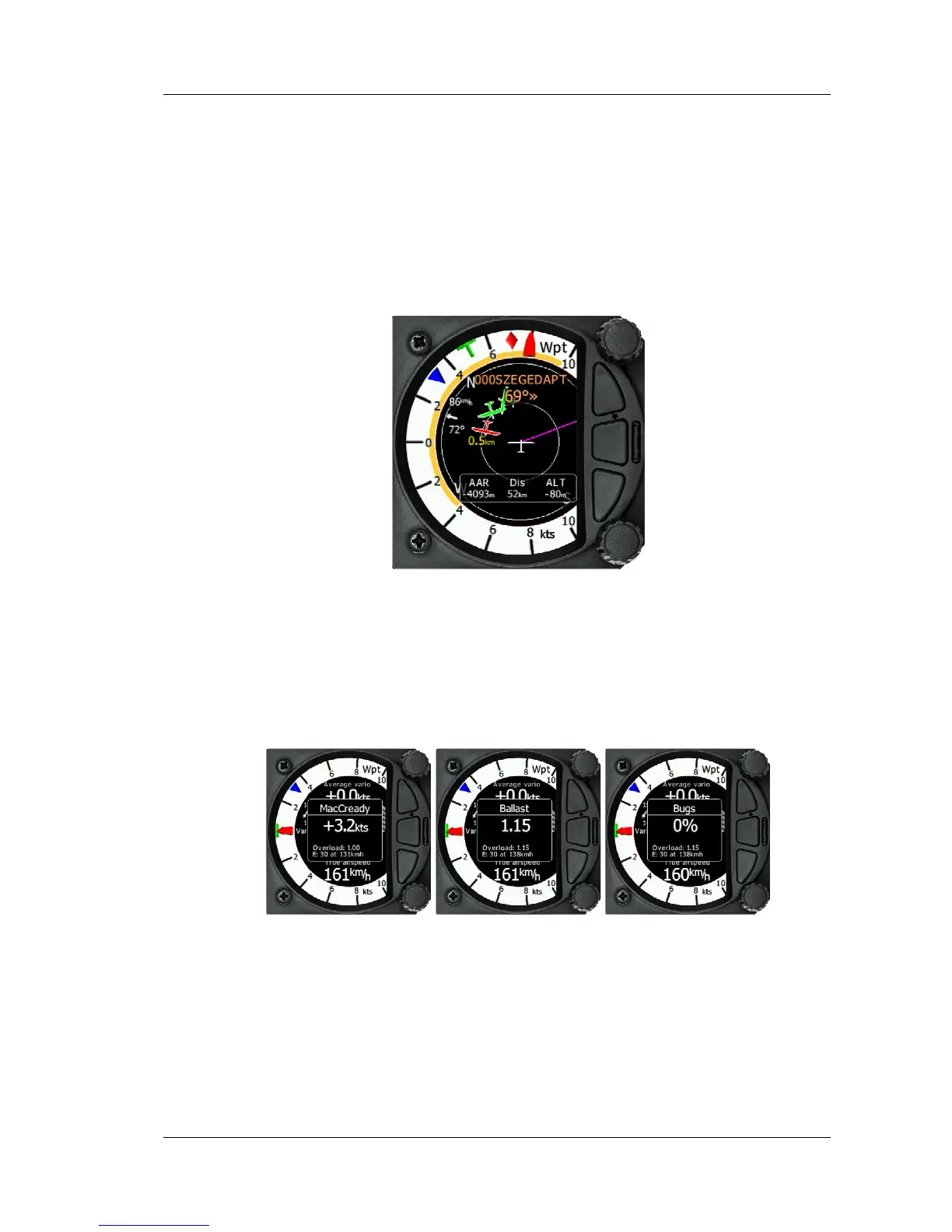
The Wpt screen is a quick access screen to provide simple navigation to a Waypoint or
Airport. By rotating the bottom rotary knob, you can change the range of the display
from 1KM to 100Km
The first page shows a line to a selected waypoint, the name of the selected waypoint
at the top of the screen and the relative bearing and chevrons indicating the direction
to turn towards the selected waypoint. (The Navboxes can be configured with distance
and arrival Altitude.)
5.3.1 Quick access menu
A short press of the push button activates the quick access menu.
To change the MacCready value, rotate the bottom rotary knob. A short press on the
bottom rotary knob moves to the Ballast scree and stores the MacCready setting.
Pressing the bottom rotary knob again will open the Bugs screen. If no action is
performed for 3 seconds, the screen will close.



 To Next Page